To configure your Metric Insights instance for API Access, you should create a secret key by the means of which your API client can access the data. That secret key is generated and stored within External Application.
Once you set up API Access you can use most of the API calls. A few calls are unavailable until you set up specific access for them. Steps 3 and 4 describe what they are and how to enable access for them. In general, this includes access to the /api/user API as well as access to all API calls from external websites (typically via JavaScript).
Table of contents:
- Create External Application
- Configure the External Application
- Enable API Calls from External Web Sites
- Enable User API Calls
1. Create External Application
Access Admin > System > External Applications
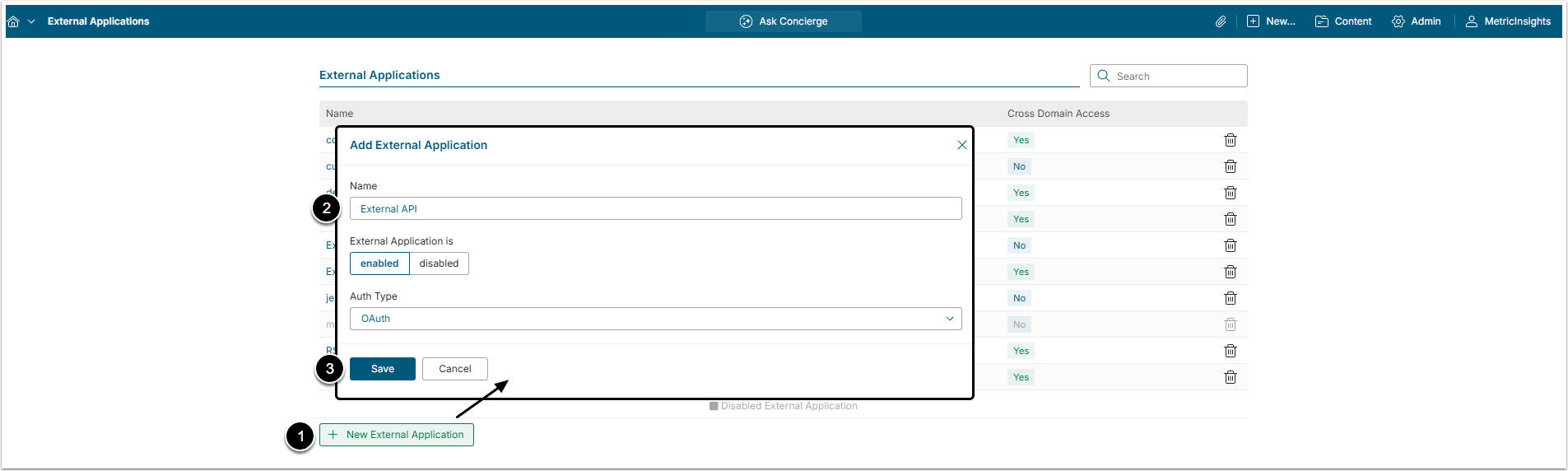
- [+ New External Application]
- Name: Define the name of an External Application.
- [Save]
2. Configure the External Application
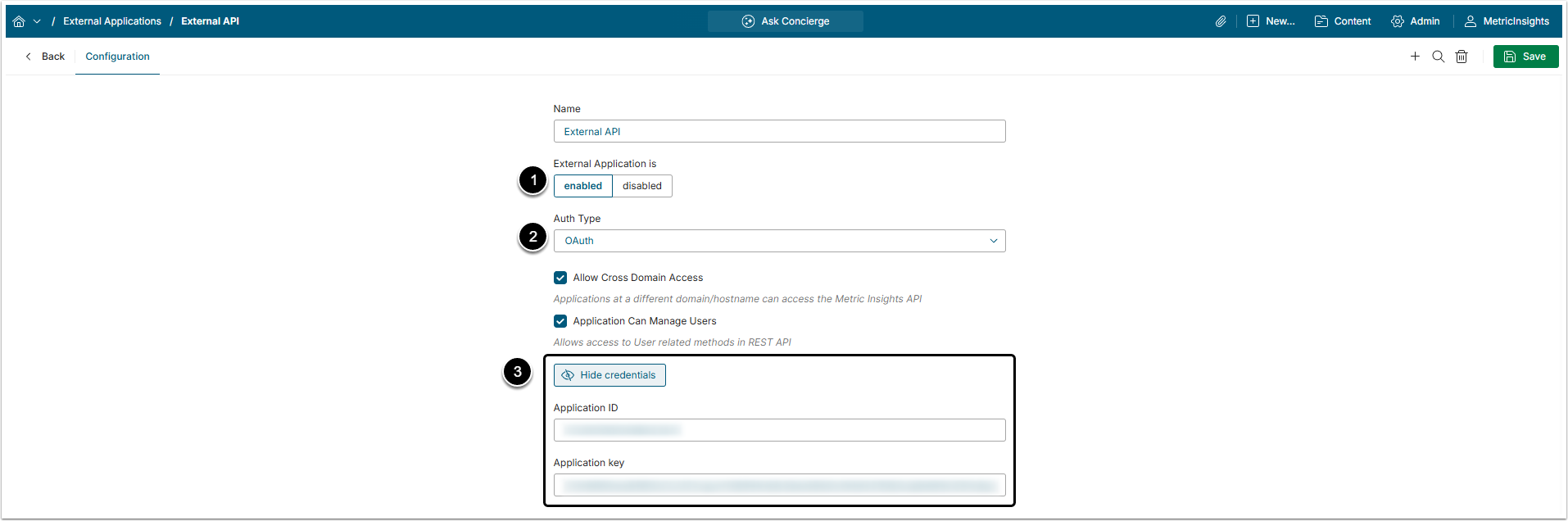
- External Application: Here, you can enable or disable the Application.
- Auth Type: Defines how the application handles authentication:
- OAuth: This is the recommended option. In this case, MI acts as a standard OAuth2 provider.
- Token: If you select this option, the external system calls a "get token" endpoint with a username and email, plus its application ID and key, and MI hands back a short-lived API token. The integration then uses that token to make normal REST API calls on behalf of that user. This shows up as a Tokens sub-list, so admins can see issued tokens and when they'll expire.
- Click [Show credentials] to show the application ID and application key.
3. Enable API Calls from External Web Sites
Activate the Allow Cross Domain Access checkbox if the integration's front-end code runs on a different domain than MI and needs to call MI's API directly from the browser. When activated, it opens a Cross Domain Origin section where you can whitelist the domains allowed to access it.
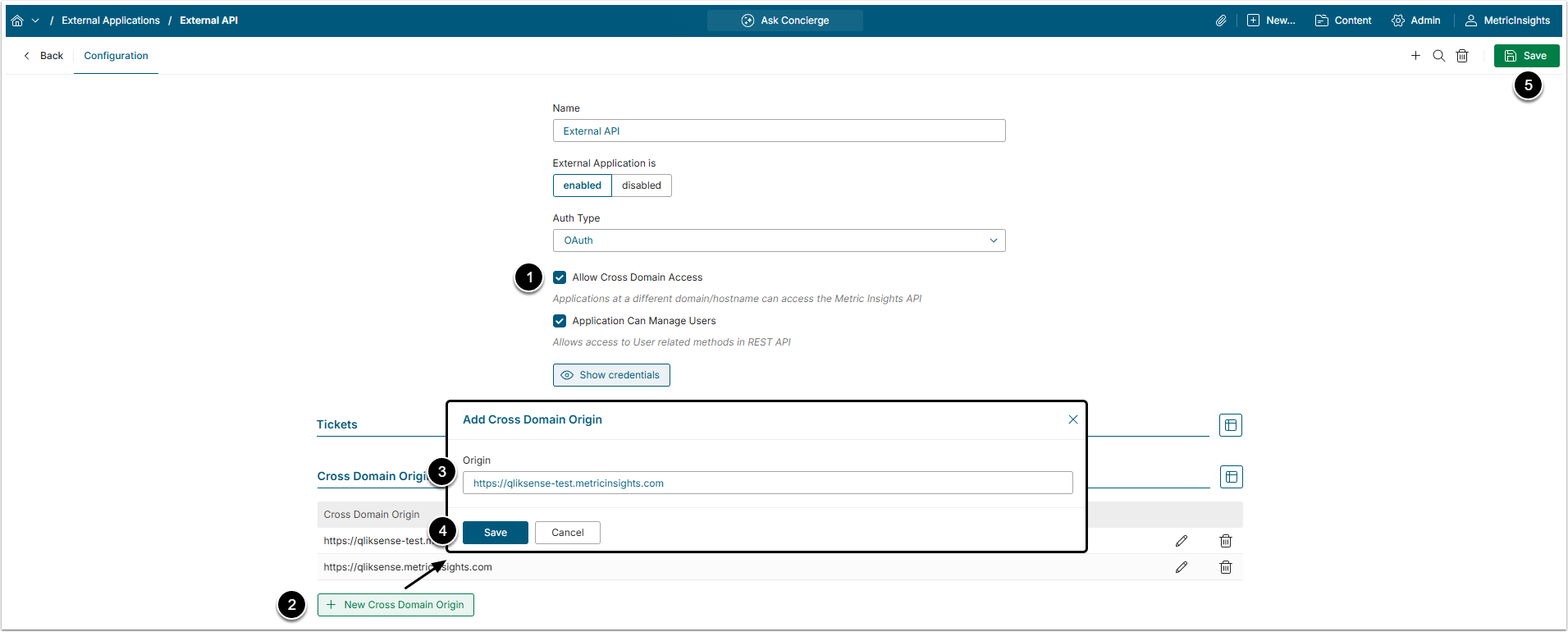
- Enable Allow Cross Domain Access.
- Click [+ New Cross Domain Origin] to add specific web sites that will access the API.
- Origin: Insert domain address.
- [Save]
- [Save] the changes.
4. Enable User API Calls
Activating the Application Can Manage Users checkbox allows the integration to call MI's user management API endpoints to create and edit User accounts.
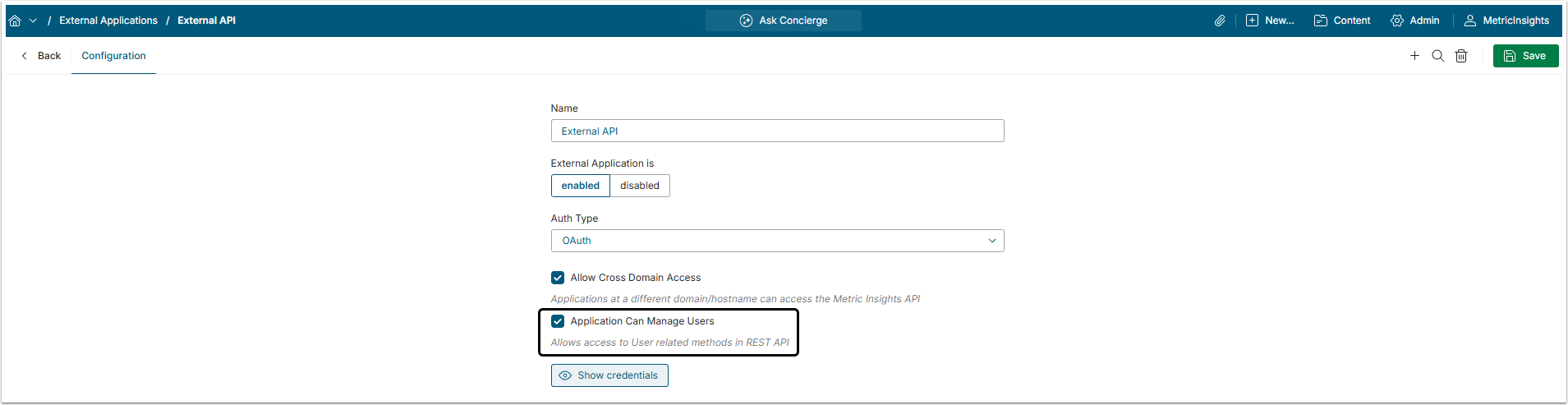
If 'User Management Access' is Inactive
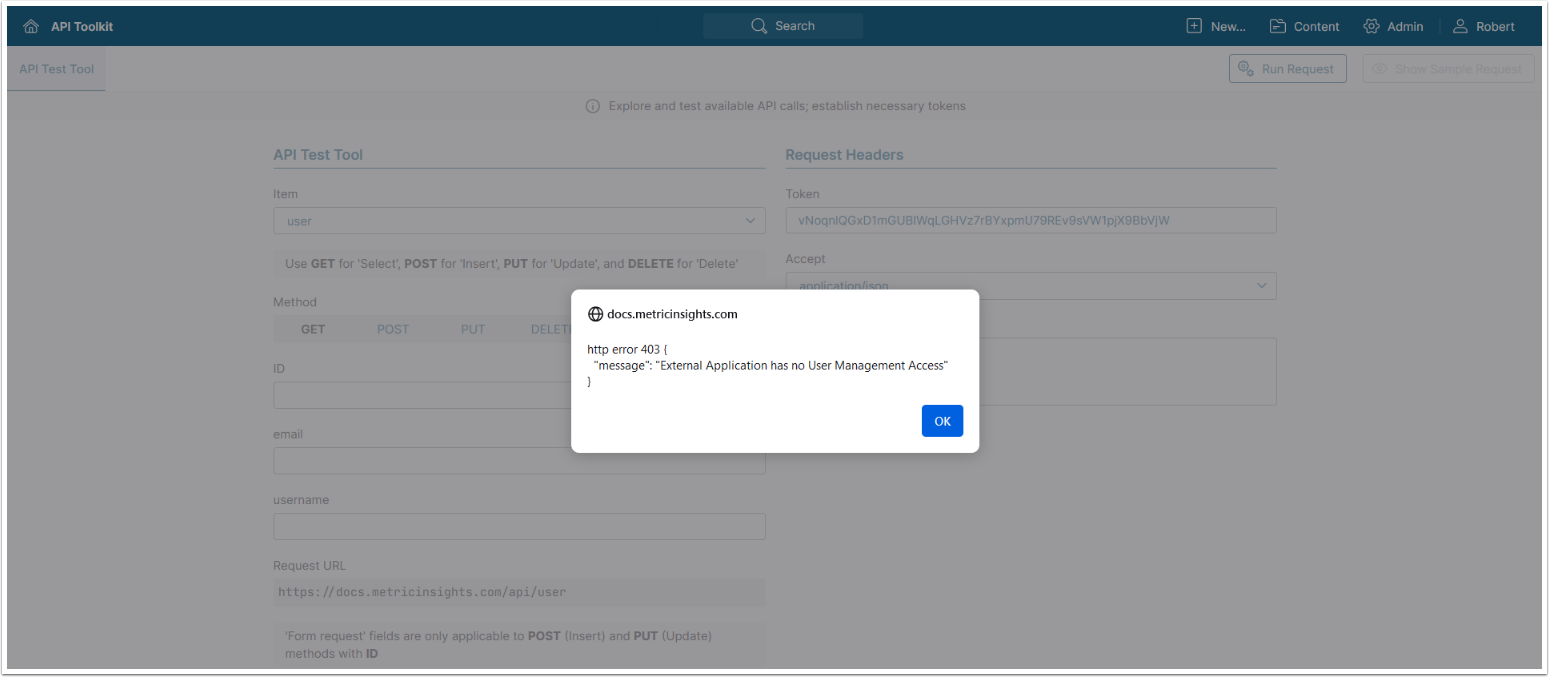
If the Application Can Manage Users setting isn't enabled, api/user API calls will fail with the error "External Application has no User Management Access."