This article details how to embed Metric insights content into a website. Google Site is used here as an example.
1. Locate and Copy Embed Code
This article describes how to embed External Report as an example. For more details on how to find embed codes in Metric Insights, see Embedding Overview.
In Metric Insights access Content > Elements, find the necessary External Report and open its External Report Editor
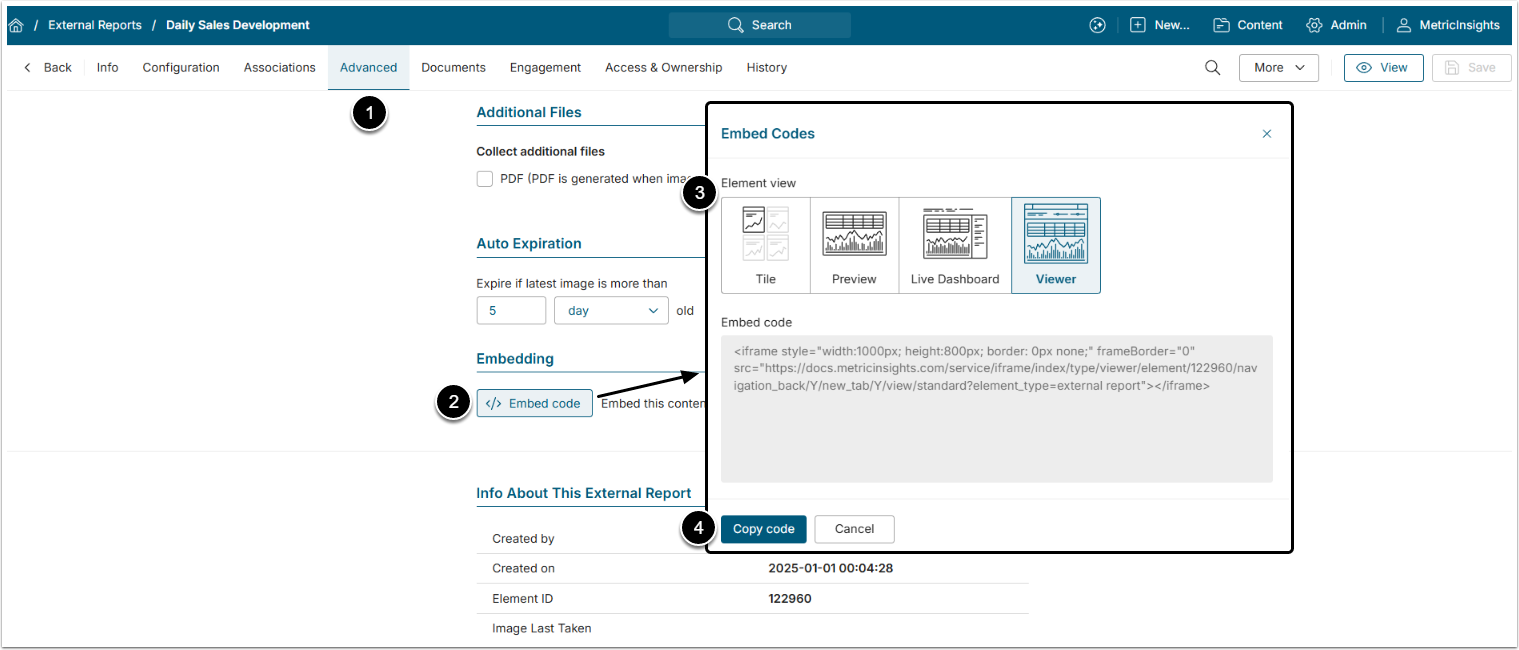
- Open Advanced tab.
- [Embed code]
- Element view: Select the way the Element will be displayed on the website.
- [Copy code]
2. Access HTML Editor
Go to the Google Site and open its HTML Editor.
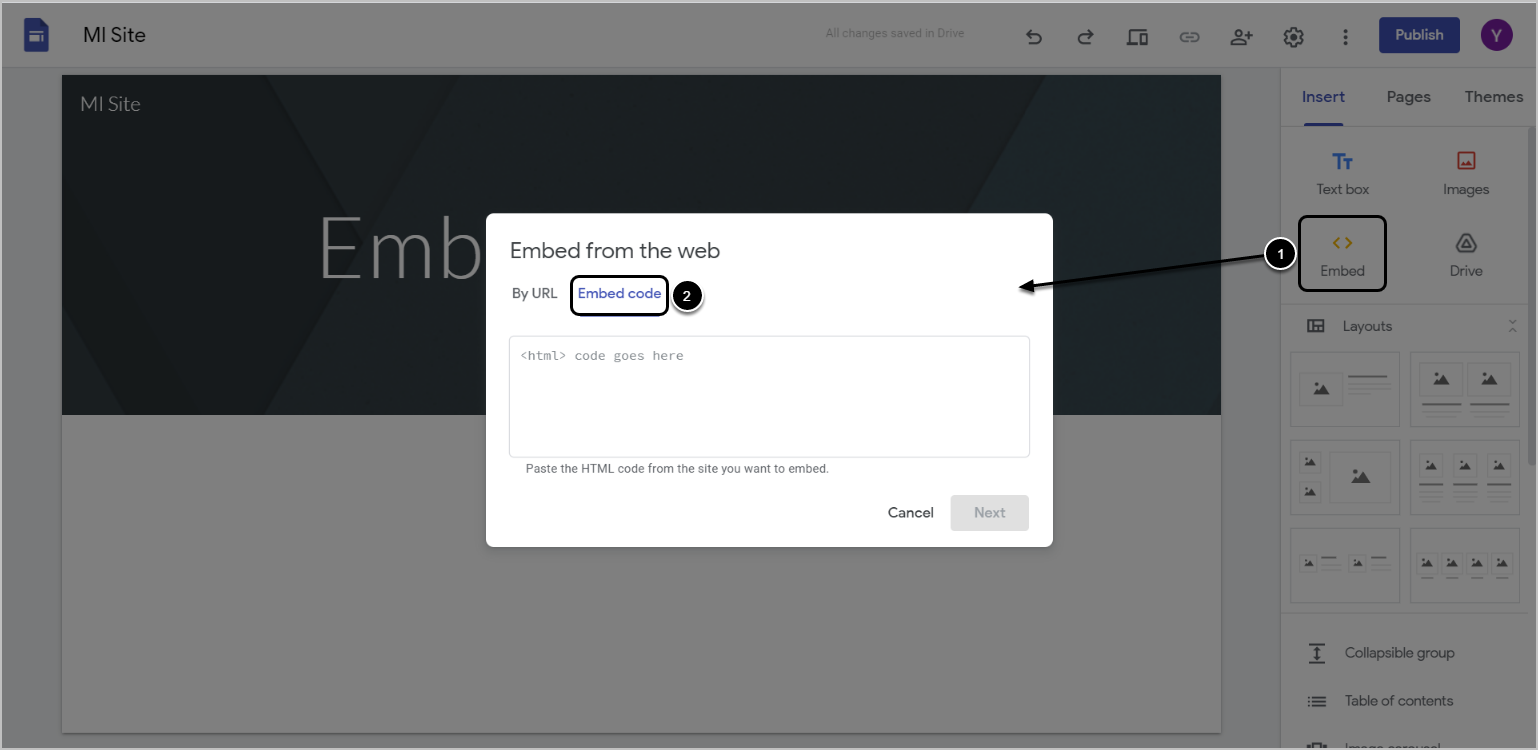
- Select Embed from the panel on the right.
- Switch to Embed code.

In the Editor, find the HTML button in the right corner of the control menu to toggle directly into the HTML code.
3. Paste the Embed Code
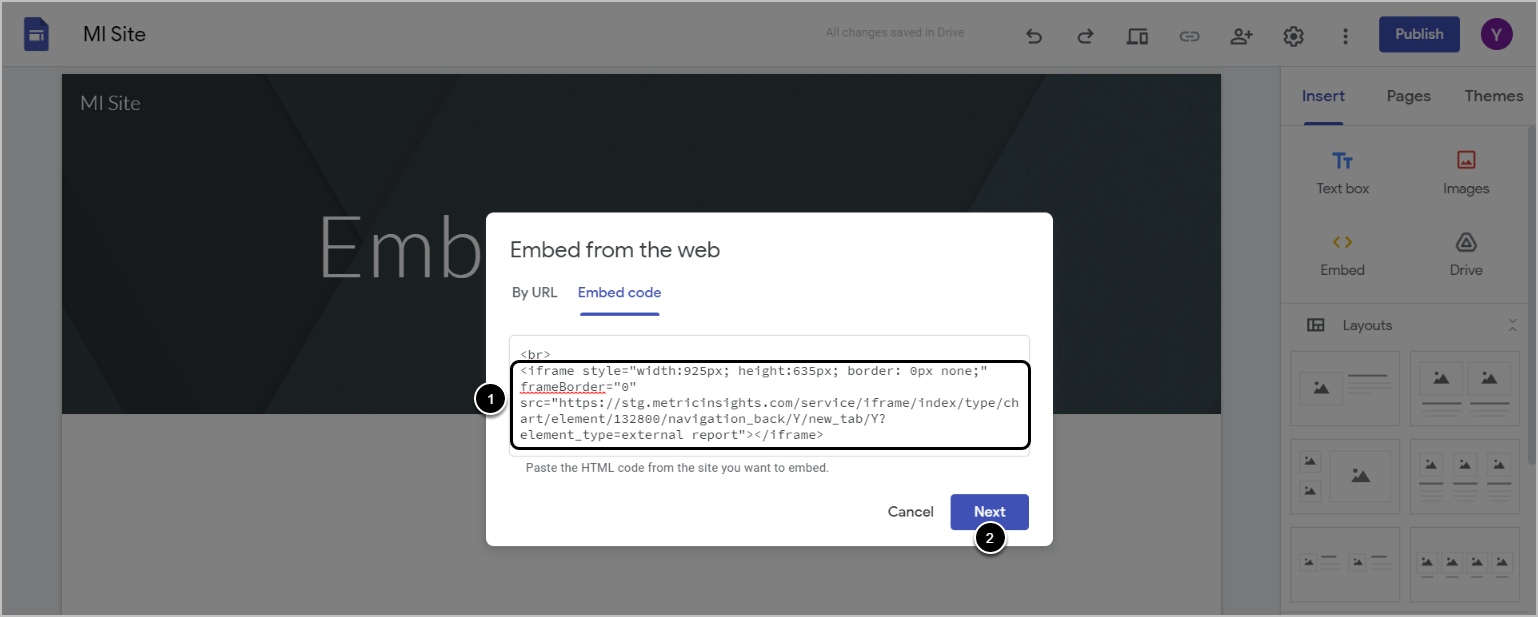
Paste the Embedding Code copied in Step 1 to the field and click [Next].
4. Check Result

The embedded External Report will be displayed on the website after saving the changes.
NOTE: Be aware, that the code pasted to the HTML Editor will change from the original after saving. See the example below.
