Access Request Profile allows Metric Insights to automatically submit access requests to external ticketing/ITSM systems (like Freshworks or ServiceNow) when a user requests access to content they don't have permission to view. Currently only Freshworks is available; support for ServiceNow is planned in future releases.
- NOTE: Admins and Power Users with the Manage User Access Requests Privilege can create and manage Access Request Profiles.
1. Create New Profile
Access Content Center > Profiles tab > [+New Profile]
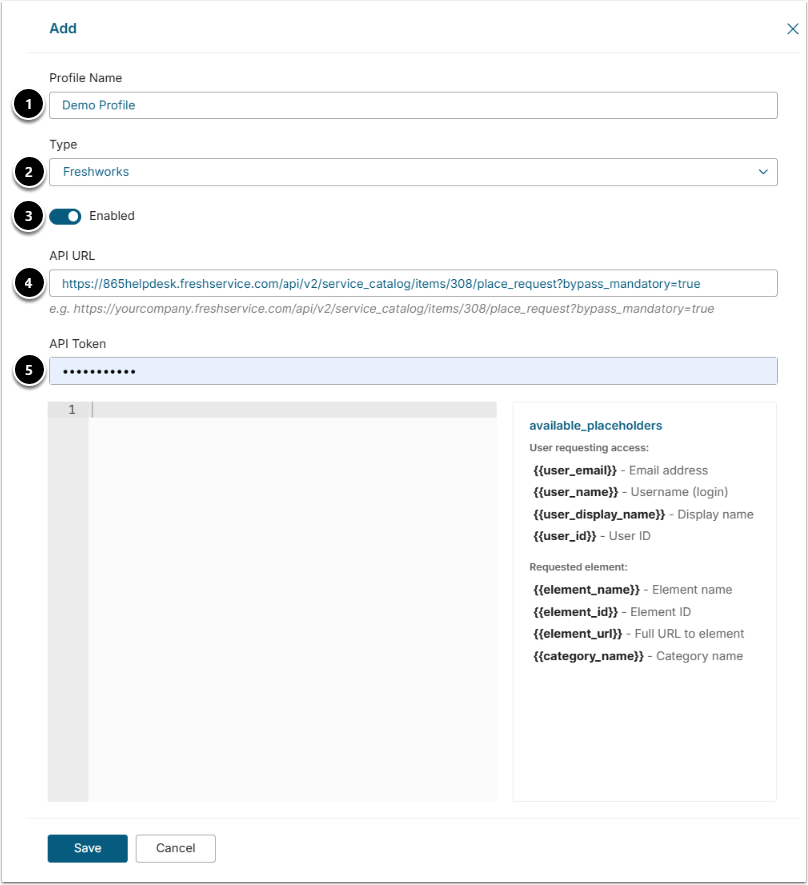
- Profile Name: Enter a unique name to identify this profile (e.g. Demo Profile).
- Type: Select Freshworks. This is the only available integration type.
- Enabled: Toggle this on to activate the profile. Requests will only be sent for profiles with this enabled.
- API URL: Enter your Freshworks service catalog API endpoint. It follows this format: https://yourcompany.freshservice.com/api/v2/service_catalog/items/{item_id}/place_request?bypass_mandatory=true
- API Token: Paste your Freshworks API token. This is masked after saving.
2. Configure Request Body Template
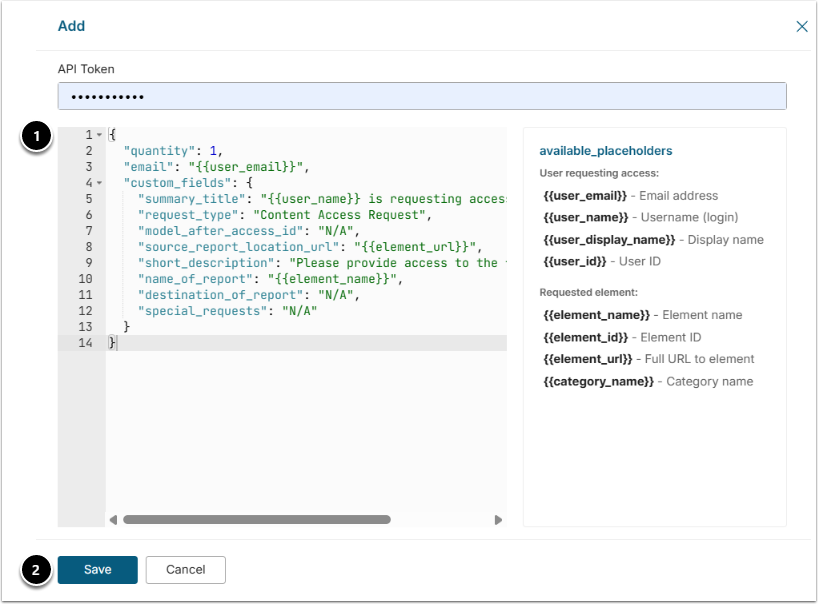
- In the JSON editor, define what gets sent to Freshworks when a request is triggered. Use the available_placeholders listed on the right to inject details about the user and the content they're requesting.
- NOTE: The body must include:
"quantity": 1,
  "email": "{{user_email}}",
  "custom_fields": all custom fields configured for this Service Item
2. [Save]
3. Configure Access Requests for Category
Access Content > Categories > Category Name Link
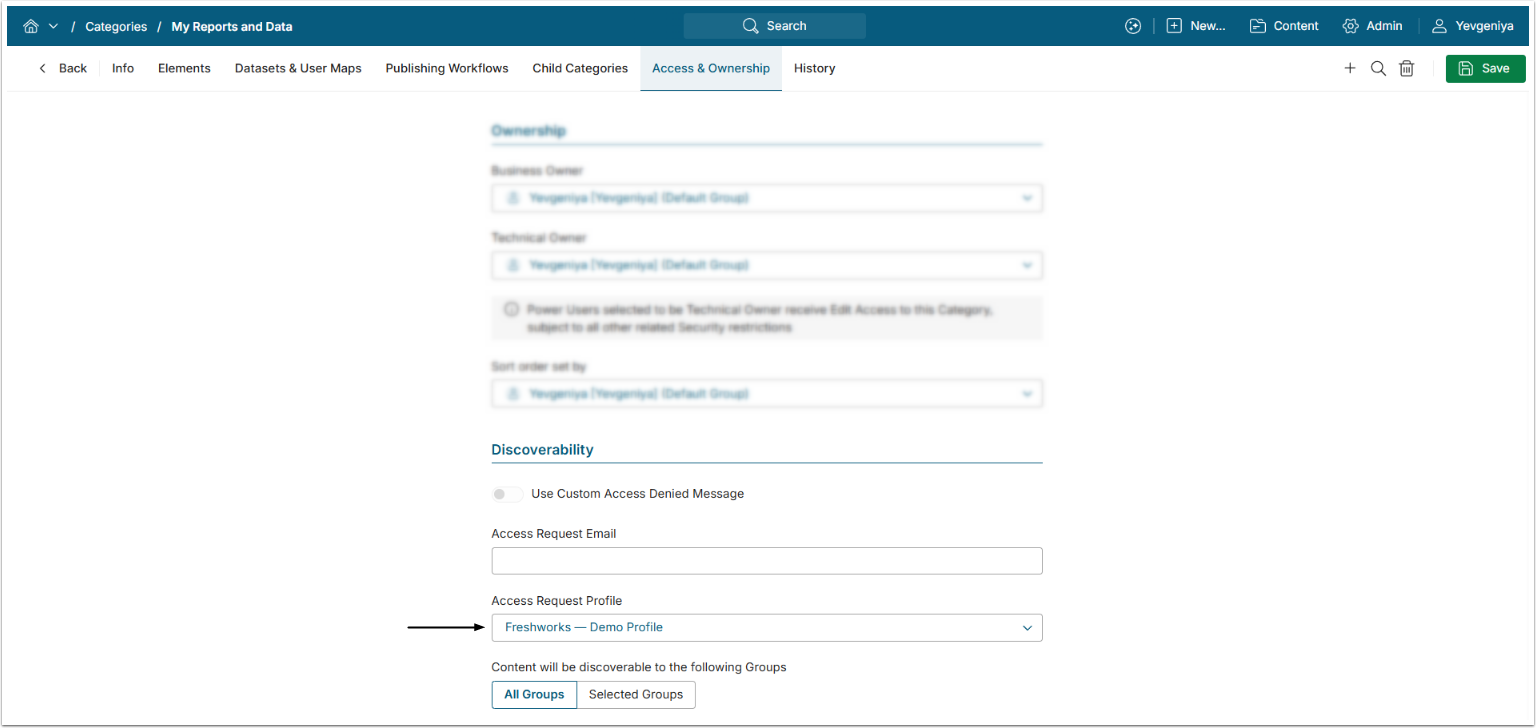
From the Access & Ownership tab, select the Access Request Profile configured in the previous steps.
4. Verify Result
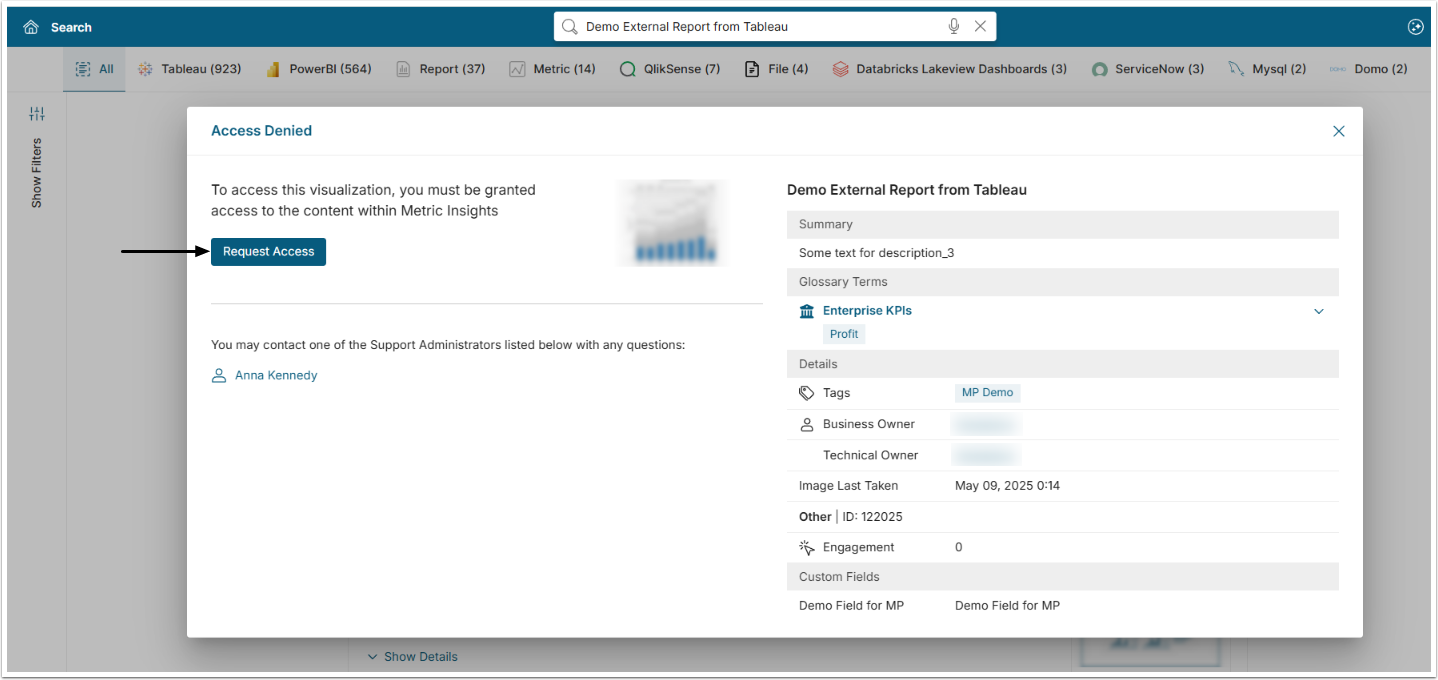
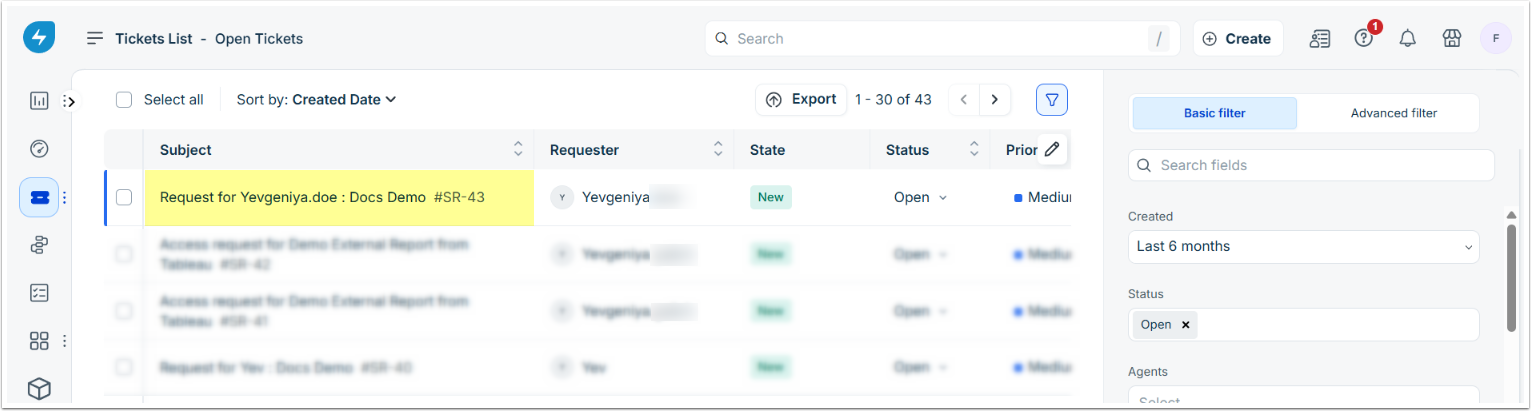
Once a user without access to an Element in that Category requests access, an access request will appear under Tickets in Freshworks as shown on the screen below.