Privileges can be grouped into sets that can be added to Groups or to individual Users. There are two default Privilege Sets already in Metric Insights, designed based on the User type: "Power User" and "Regular User". Admins can modify these default sets or create new ones.
As an example, this article shows how to create a Privilege Set for new Power Users who are going to be focused on content creation.
NOTE: For info in Privilege Set Security, see this article.
1. Add New Privilege Set
Access Admin > System > Privilege Sets
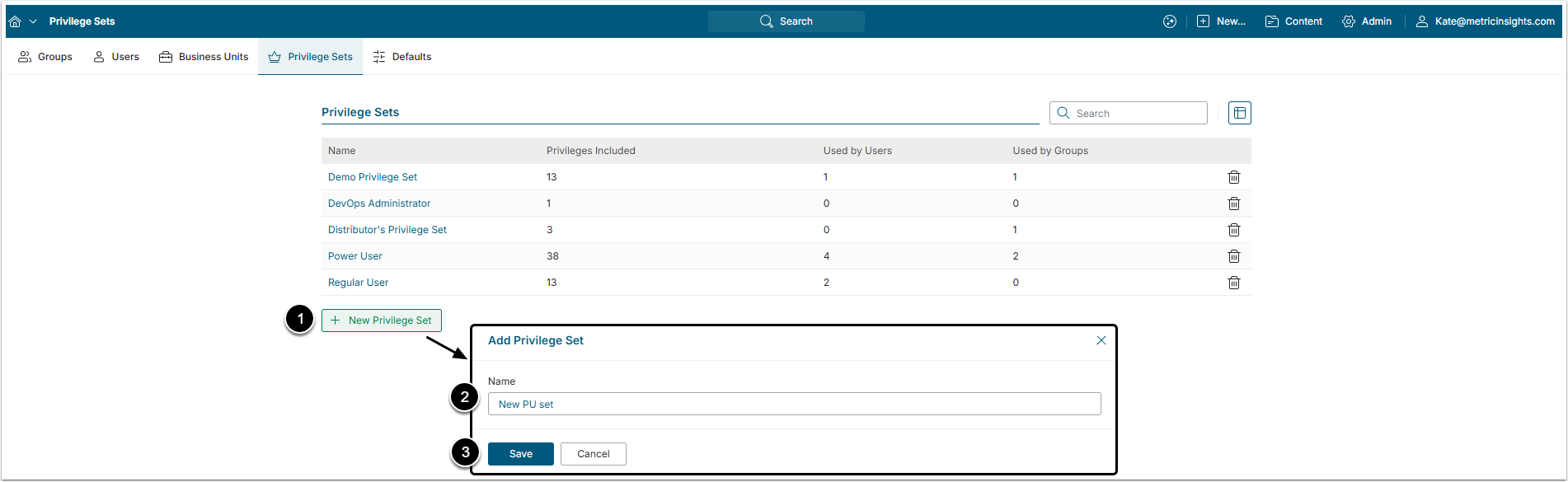
- [+New Privilege Set]
- Name: Enter a descriptive name for the Set.
- [Save]
2. Add Privileges to the Set
Click the created Set name in the list to open Privilege Set Editor.
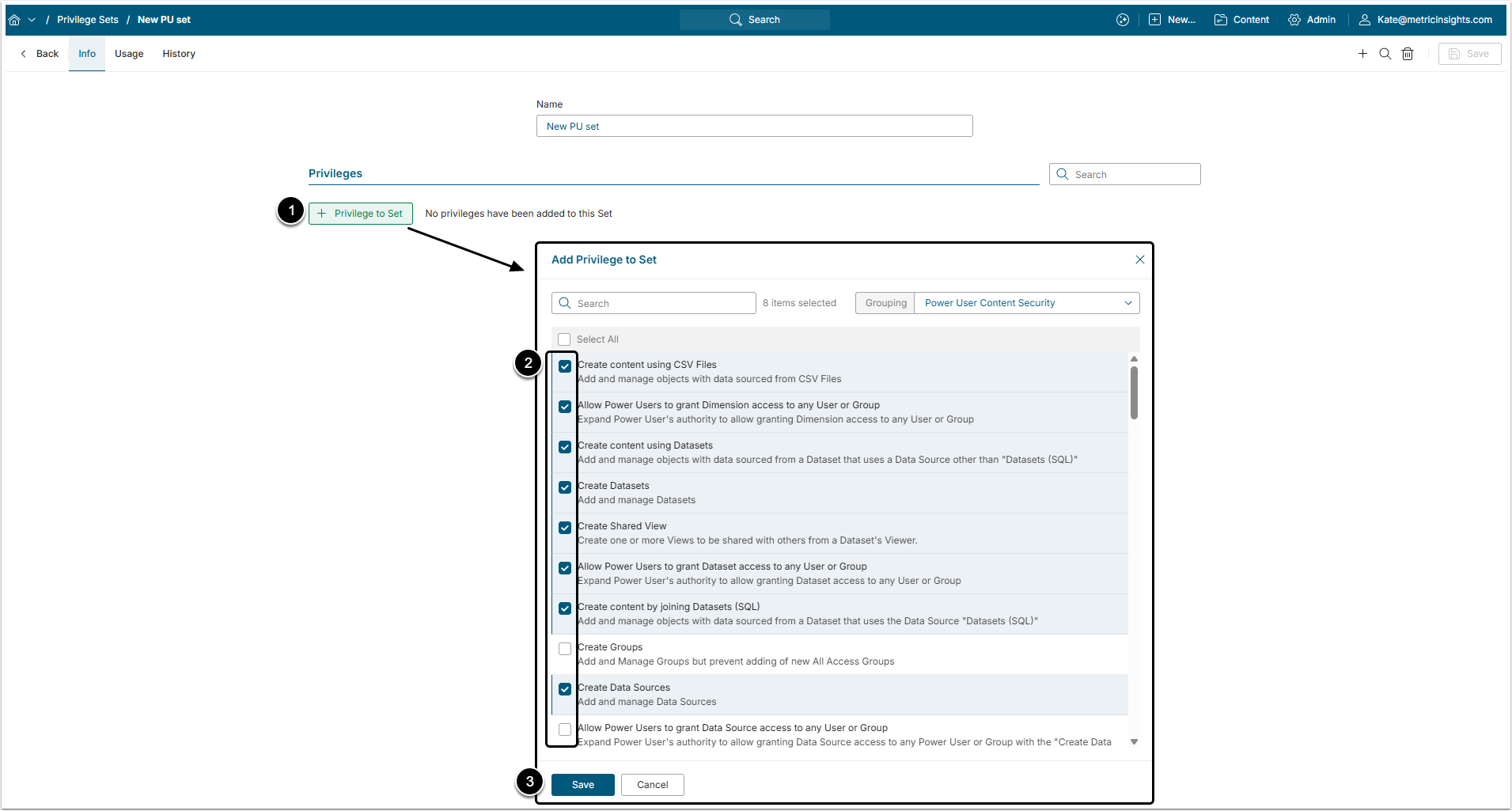
- [+Privilege To Set]
- Choose the required Privileges from the list.
- [Save]
For the details on Privileges available in the release to date, refer to this article.
3. Assign a Privilege Set to a User
Proceed to the Usage tab
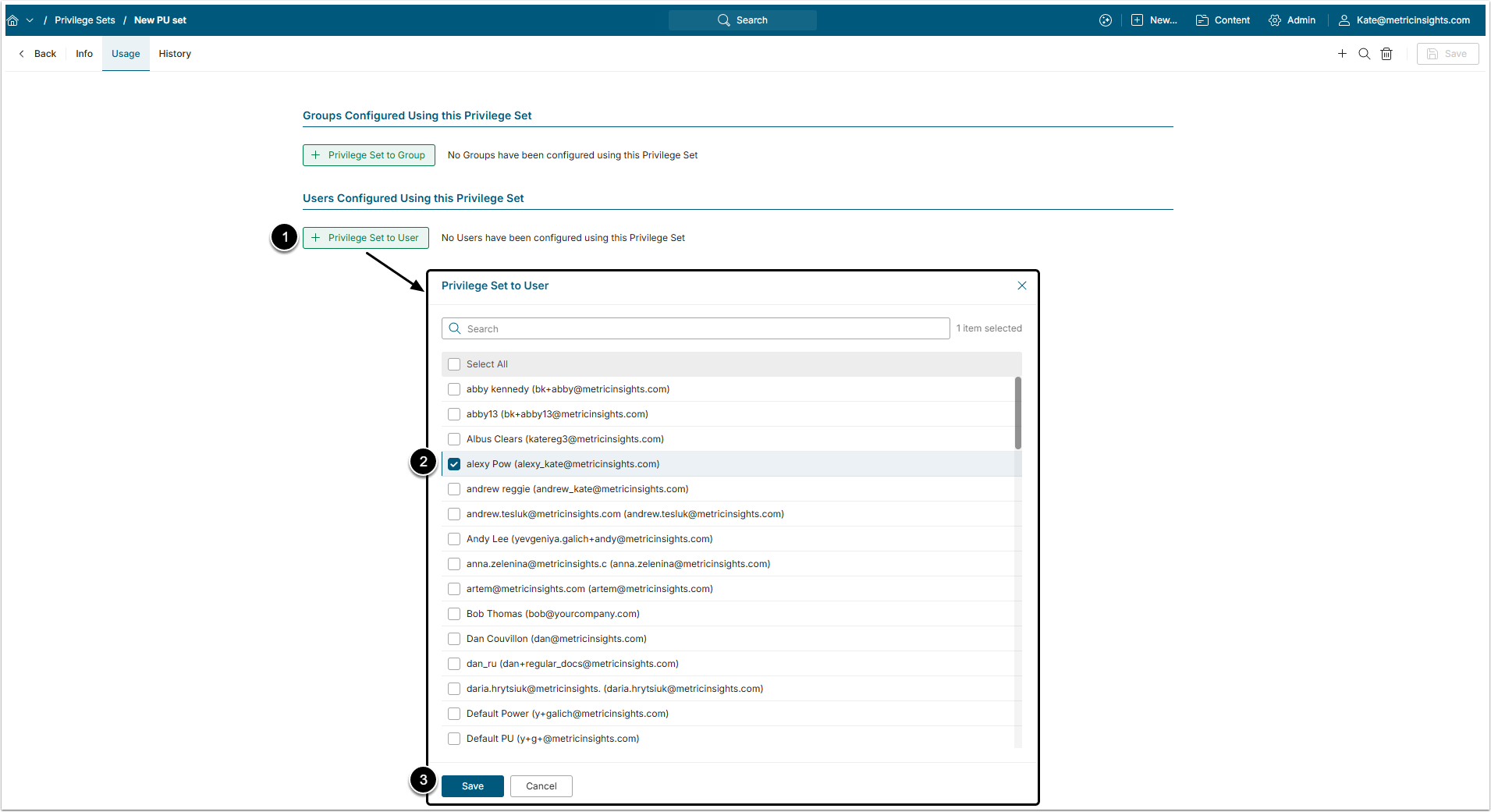
- [+Privilege Set To User]
- Select a User from the list.
- [Save]
Similarly, you can assign a Set to a Group via [+Privilege Set to Group].
Privilege Set can also be assigned to the User from User Editor. For details on how to do that, check the Privilege Set Security article.
4. Review History
Proceed to the History tab
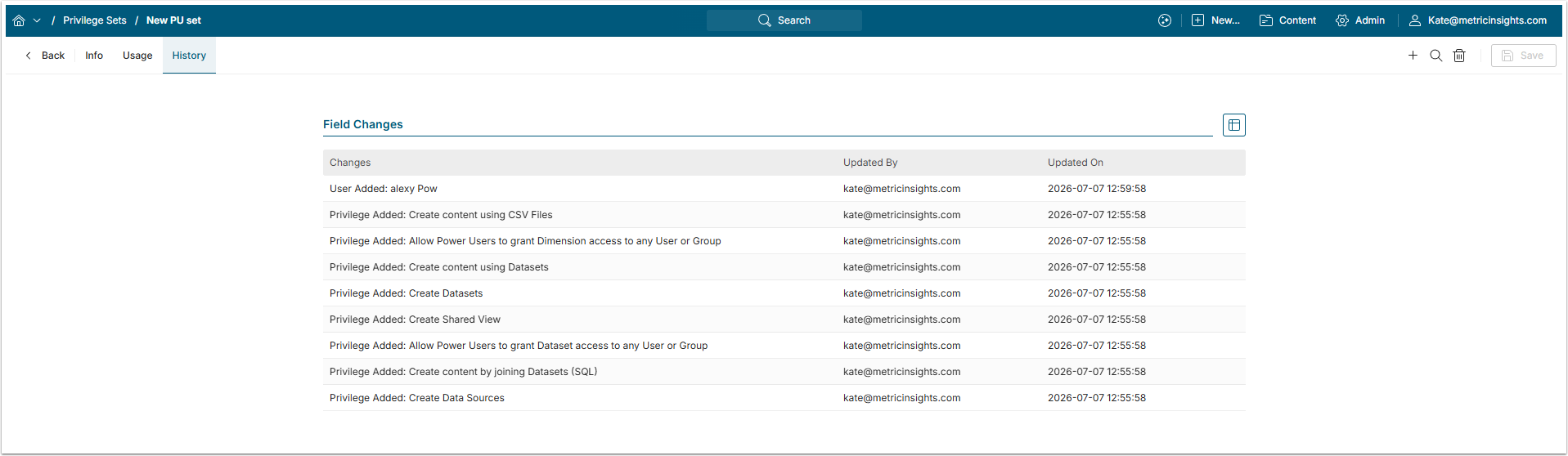
All the changes made to the Privilege Set are reflected on the History tab.
When Sets are duplicated, History is not copied.