The feature allows for User-selected filter values to remain persistent across dashboard pages, Elements, and Apps (Portal Pages). Configuration is enabled in the User record.
Filters are defined in Element Editors for External Reports and Dataset Reports. Filters can be defined as visible/invisible, contain defined and specific values, map values to Users, and be used for purposes of distribution.
Filters displayed in Element Viewers allow Users to set one or more bookmarks for purposes of catalog display and report subscription (daily, weekly, monthly reports).
In this article:
- Activate Sticky Filters
- How Filter Works
- Sticky Filter Logic
NOTE: Microsoft Power BI (only). A new Sticky/Global Filters Inside Power BI Cloud Reports have been designed to automatically re-apply Metric Insights filters between Power BI Cloud Reports. This improvement will make it faster and easier to on-board new External Reports. When a User enables Sticky Filter functionality, filter and slicer selection values are remembered within both iframe and App (Portal Page) content without further configuration from User settings (no action is required on Element Editors).
Global Filters are implemented only for "Filter on Page".
NOTE: For information on other types of Filters, see:
- Filtering in External Reports;
- For a specific BI tool, refer to Metric Insights' Plugins.
1. Activate Sticky Filters
Access User Menu > My Settings > Data Entry Preferences
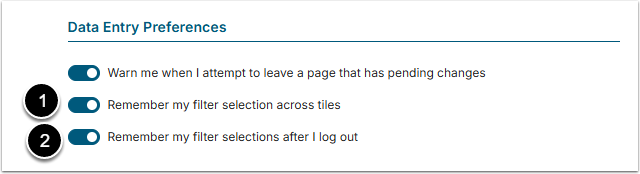
Verify that one or both of these options are set to "ON":
- Remember my filter selections across tiles: System will remember and apply selected filter values on dashboard pages, Elements, and Apps (Portal Pages). (system default) This option must be "ON" in order for the second option to appear for input.
- Remember my filter selections after I log out: System remembers any filters set during the current session so that when you next sign in, these filters will be re-applied.
Don't forget to [Save].
2. How Filter Works
2.1. For Any BI Tool
Set Filters/Dimensions on any Element Viewer.
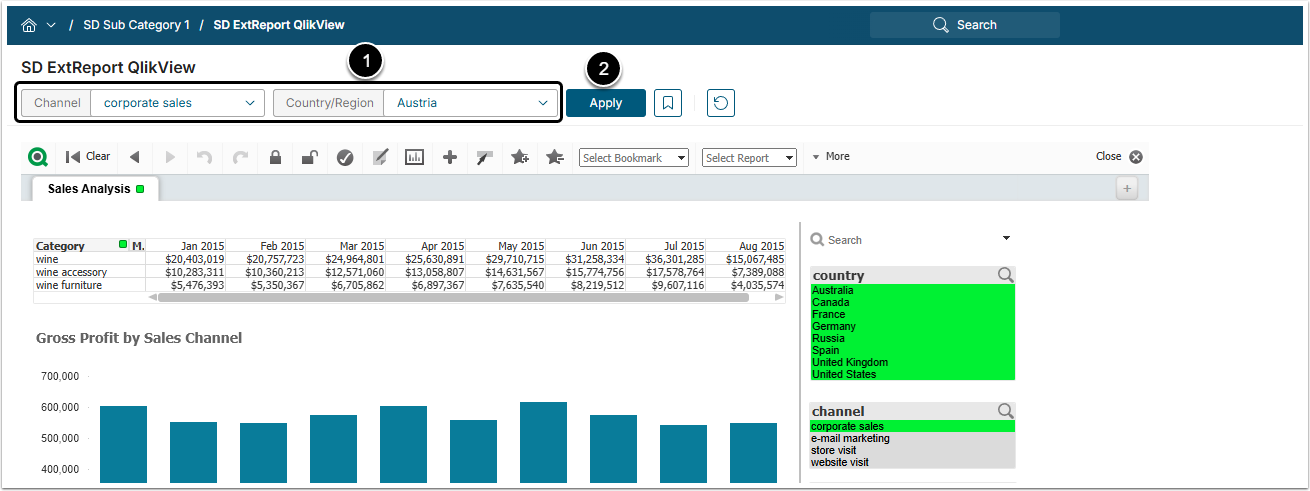
- Set filters.
- [Apply]
NOTE: Dimensions set on Viewers do not require that they be Applied before being set on your Global Filter.
2.2. View Another Element with Some/All of the Same Filters/Dimensions
Access Content > Elements, click [View] in the External Report row to open External Report Viewer
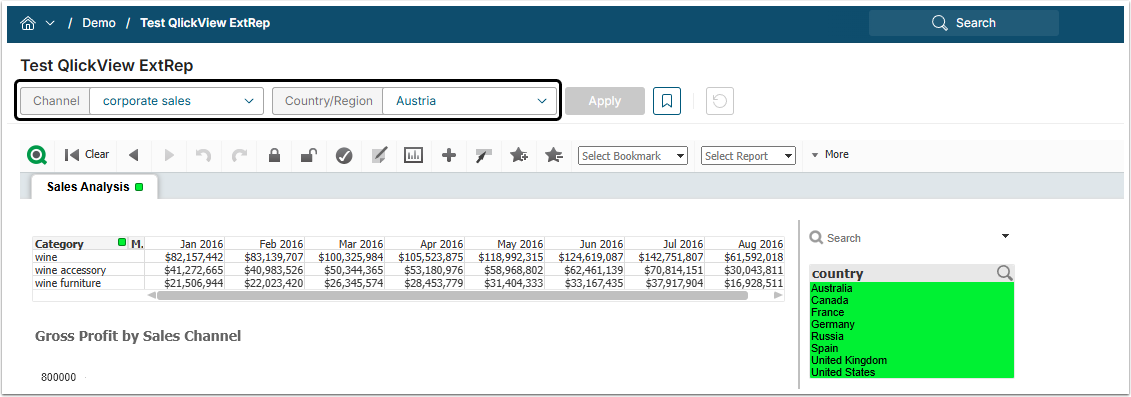
The same filter values will be chosen in the filter fields.
3. Sticky Filter Logic
The saved value is applied to other Elements only if all of the conditions below are satisfied:
- The User does not have a saved Bookmark for the Element. Bookmarks override all of the Sticky Filters values.
- The name of the filter exactly matches the session cache filter value (match should be case-insensitive).
- The value saved in the session cache exactly matches a value that can be selected for the filter (case insensitive matching). If filter is multi-select, apply default ONLY if ALL saved values can be matched.
Besides that, if there are defaults (either at Element level or set via User Map) set for specific filters, saved values won't be applied to those filters. Default values have priority over the Sticky Filters values. Saved values will be applied only to those filters that have no default value set for it.