Before configuring Access Request Profiles, ensure the following prerequisites are in place. You will need access to Freshworks as an agent with the Account Admin role, the Freshworks API key associated with that agent account, and a Service Item configured in the Freshworks Service Catalog.
1. Access Roles
Access the Freshworks account
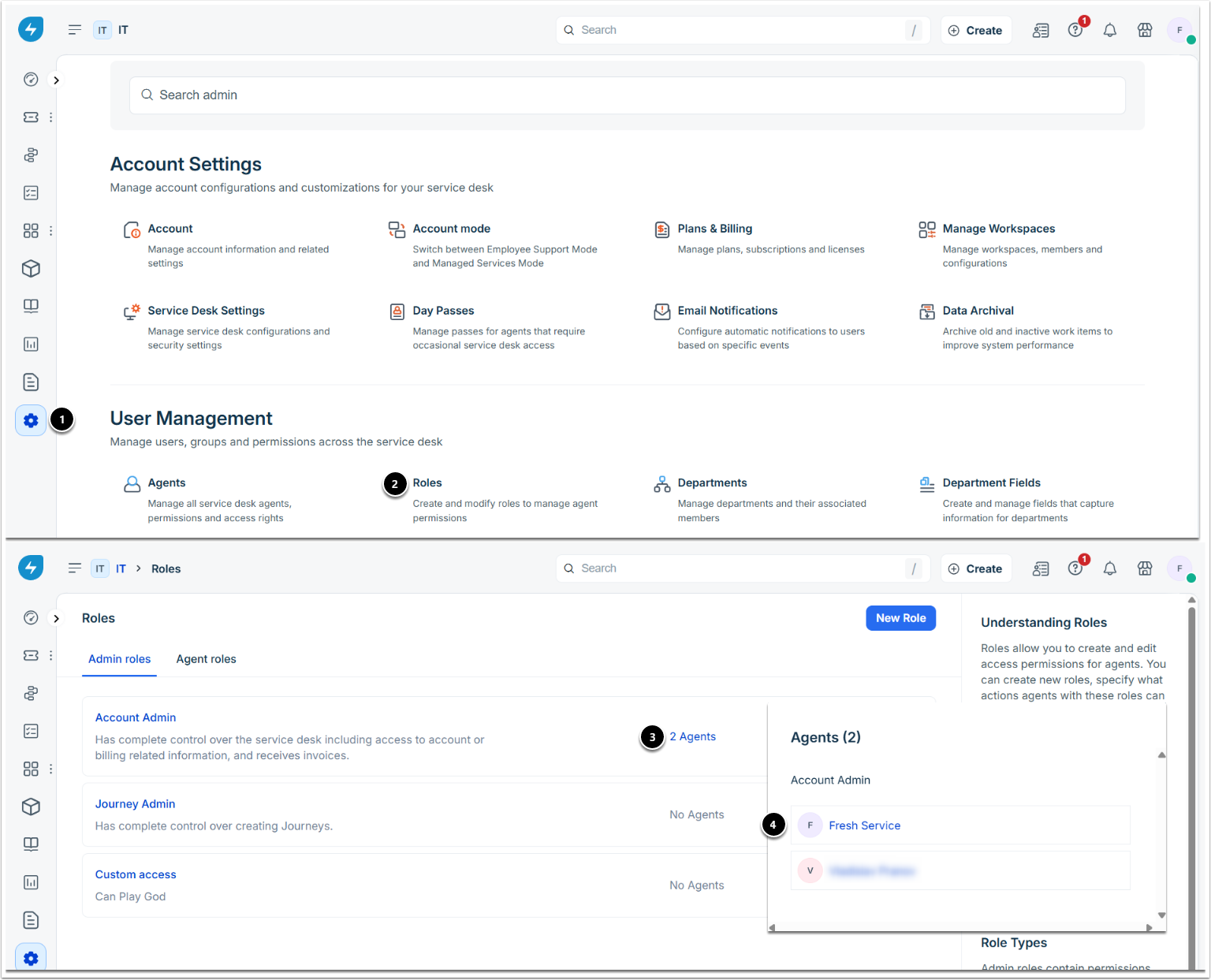
- Navigate to Admin.
- Under User Management, choose Roles.
- On the Admin roles tab, click the agent count link next to the Account Admin role to view assigned agents.
- Review the agents and select the required agent.
2. Enable API Key and Roles
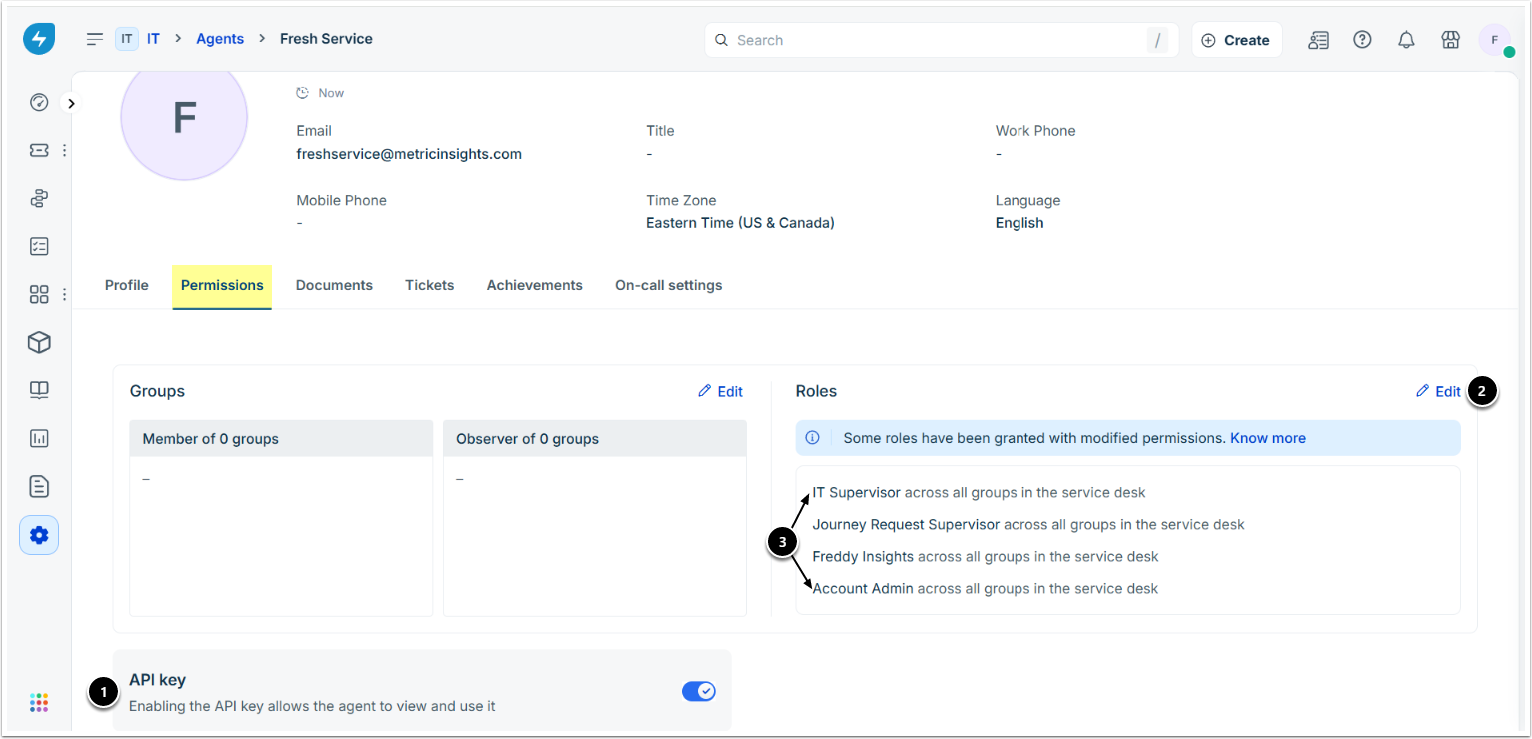
- On the Permissions tab, enable the API key toggle.
- Click Edit.
- Roles: assign the IT Supervisor and Account Admin roles.
3. Create Service Catalog
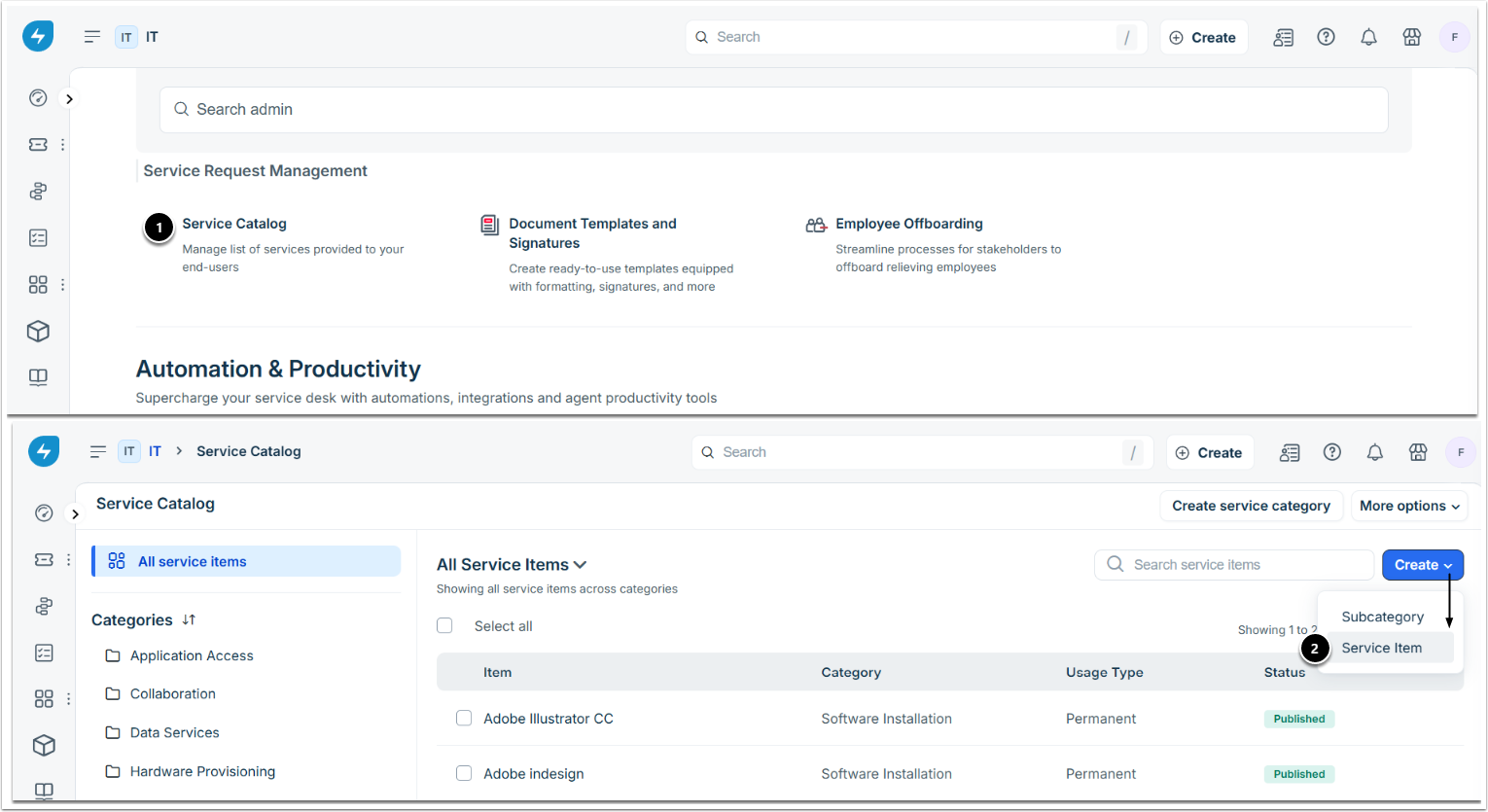
- From Admin, navigate to Service Catalog under Service Request Management.
- On the Service Catalog page, click Create and select Service Item from the drop-down.
4. Define General Details
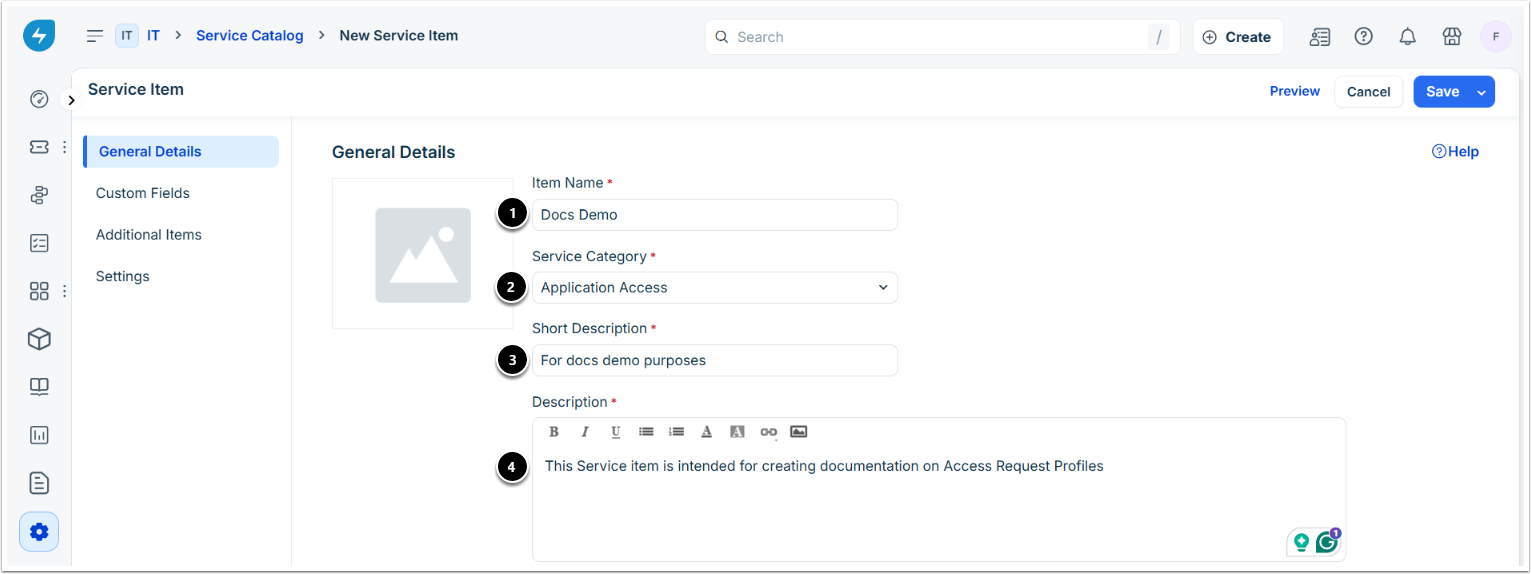
- Item Name: enter the name of the service item.
- Service Category: select the applicable category.
- Short Description: enter a brief description of the service item.
- Description: enter a detailed description of the service item.
5. Add Custom Fields
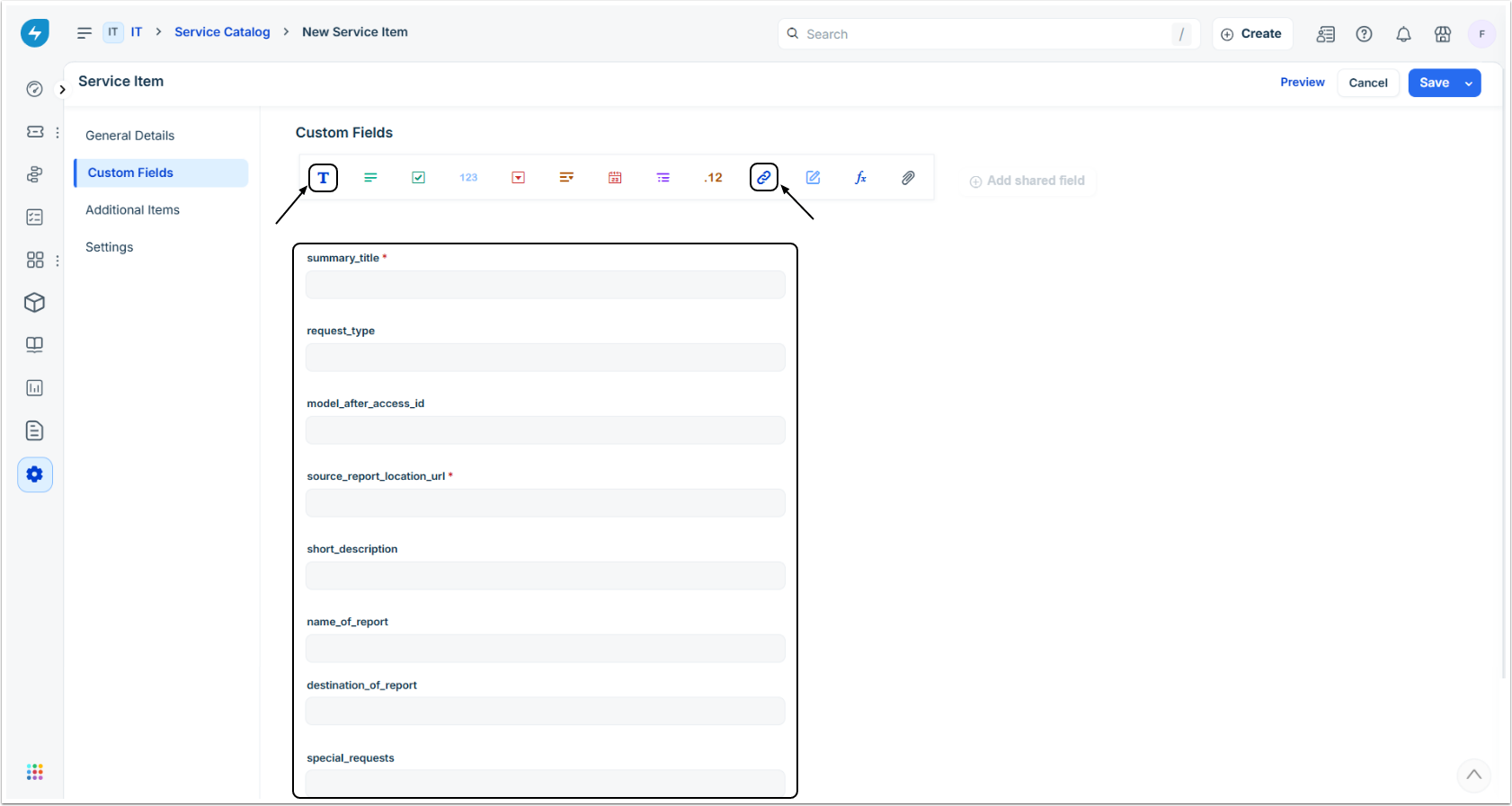
Under Custom Fields tab, fill in the following Custom Fields as required for the Service Item. These Custom Fields will then be used in Request Body Template of the Access Request Profile.
NOTE: The fields on the screen have been created for the demo purpose of this article based on instructions from Freshworks. You can use them in your configuration or contact their support for assistance with your specific use case.
| Type | Name | Mandatory Field | Display to Requester | Requester can edit | Display to approver |
|---|---|---|---|---|---|
| Single Line Text | "summary_title" | Yes | Yes | Yes | Yes |
| Single Line Text | "request_type" | No | Yes | No | Yes |
| Single Line Text | "model_after_access_id" | No | Yes | Yes | No |
| URL | "source_report_location_url" | Yes | Yes | Yes | Yes |
| Single Line Text | "short_description" | No | Yes | Yes | No |
| Single Line Text | "name_of_report" | No | Yes | Yes | No |
| Single Line Text | "destination_of_report" | No | Yes | Yes | No |
| Single Line Text | "special_requests" | No | Yes | Yes | No |
6. Note Service Item ID
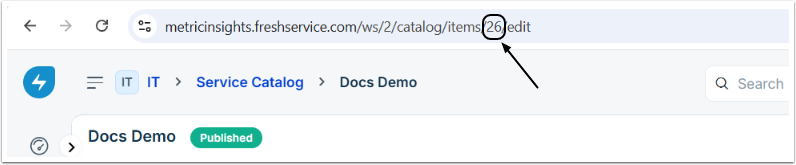
Note the Service Item ID to be used in the API URL field of the Access Request Profile on the MI side.
7. Locate API Key
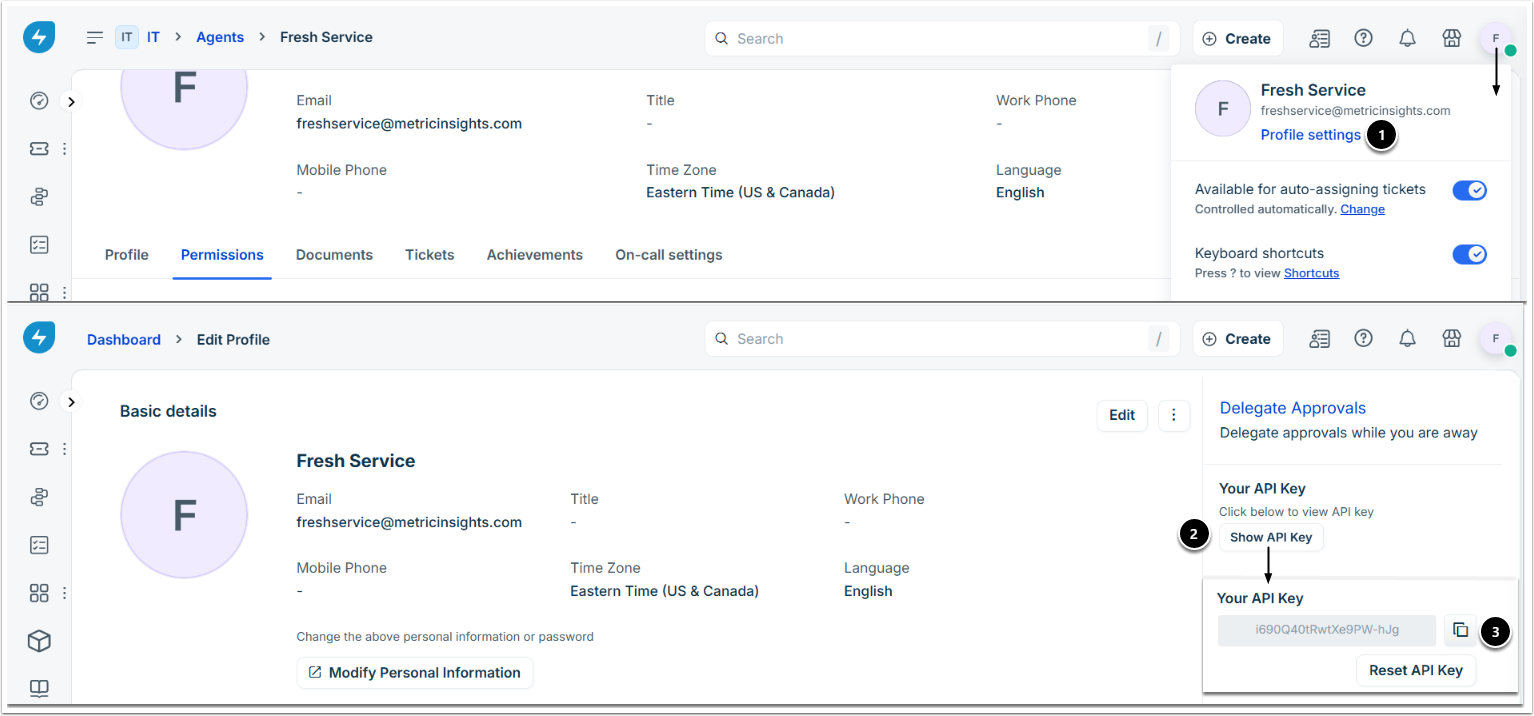
- Click the avatar icon in the top-right corner and select Profile settings.
- Click Show API Key under the Your API Key section.
- Copy the API key to be used in the API Token field of the Access Request Profile.