Metric Insights allows sending various Digests to User's email and attach different types of files to those emails. This article describes how to attach an Element to the email as a PDF, CSV, PPT or Excel file.
1. Setting the Attachment File Type for Report
Access Content > Elements, find the Report you want to attach as a file and click its Active Name Link to open the Report Editor.
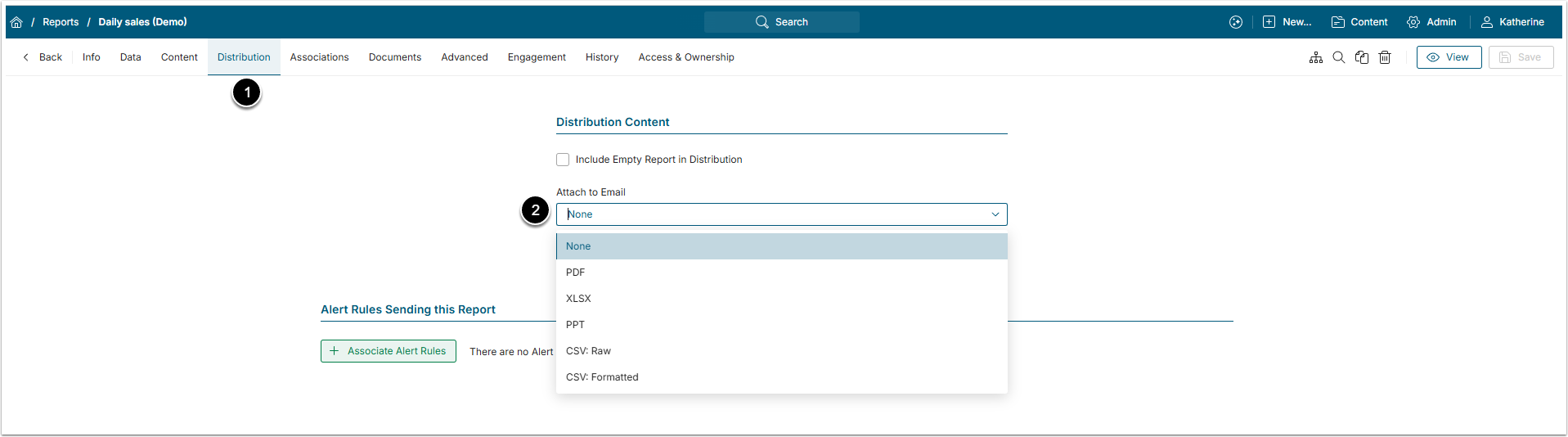
- Open the Distribution tab.
- Attach to Email: Select the type of the File from this drop-down menu. The default option is "None".
2. Setting the Attachment File Type for Metrics
Access Content > Elements, find the Metric you want to attach as a file and click its Active Name Link to open the Metric Editor.
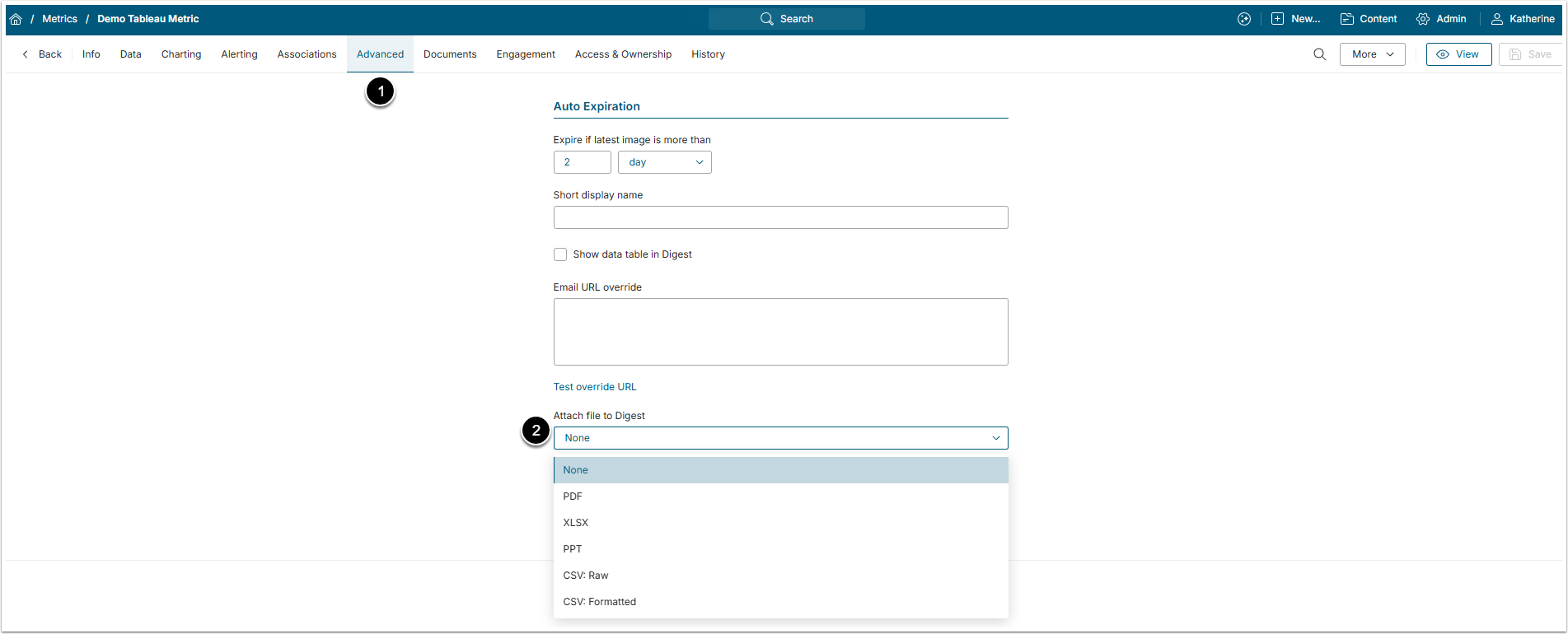
- Open the Advanced tab.
- Attach file to Digest: Select the type of the File from this drop-down menu. The default option is "None".
3. Adding Attachments to the Favorite Folder Digest
Access User Menu > My Favorites
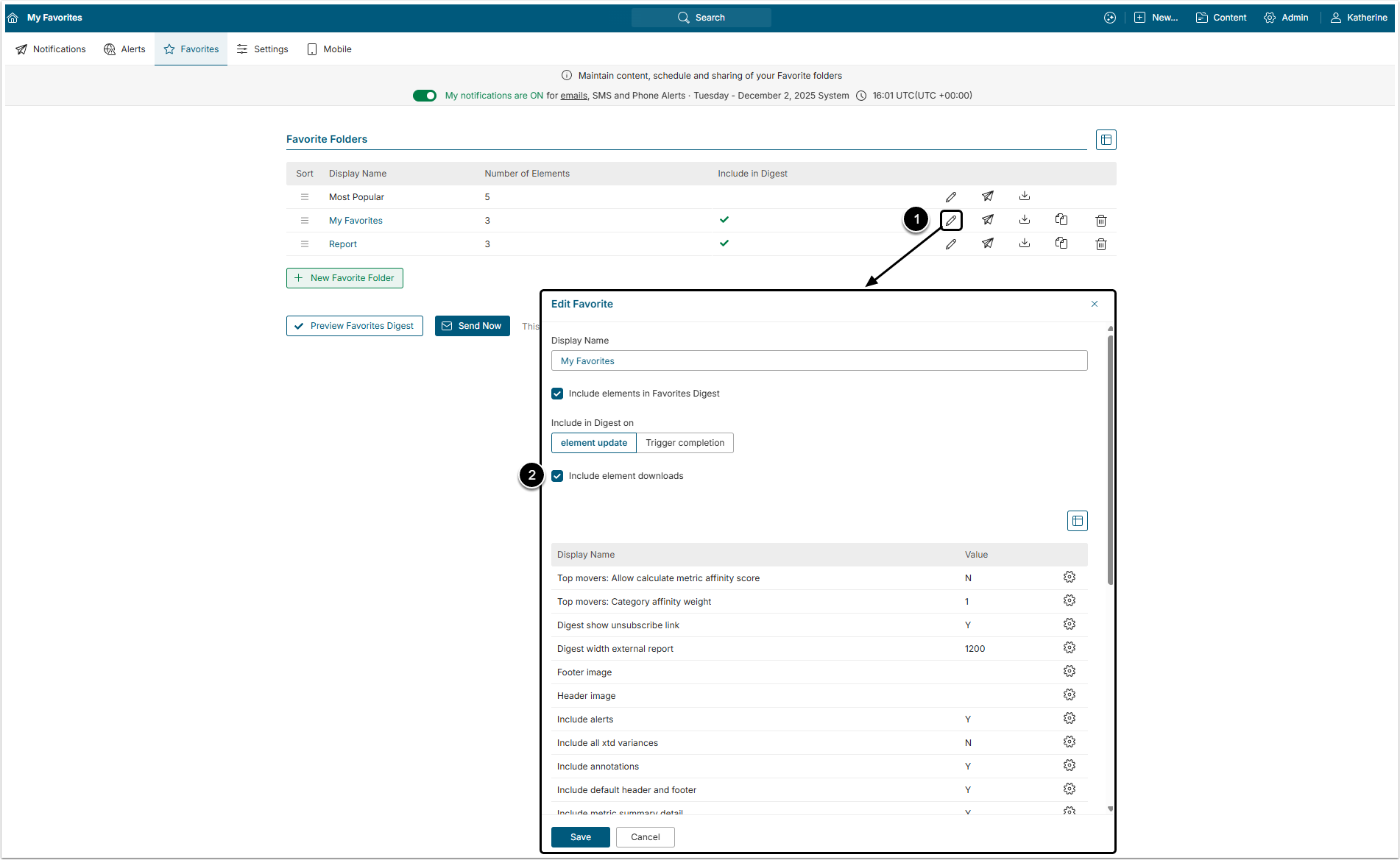
- Click the pen icon to open the Edit Favorite window.
- Enable Include element downloads. Now all the Elements that were chosen to be attached to the Digest will be included to the email as a file of a chosen type.