There are a number of special features in the Metric Insights that are not obvious but very useful for Users. This article describes those features in detail.
1. Switching Editor Tabs via Keyboard Keys
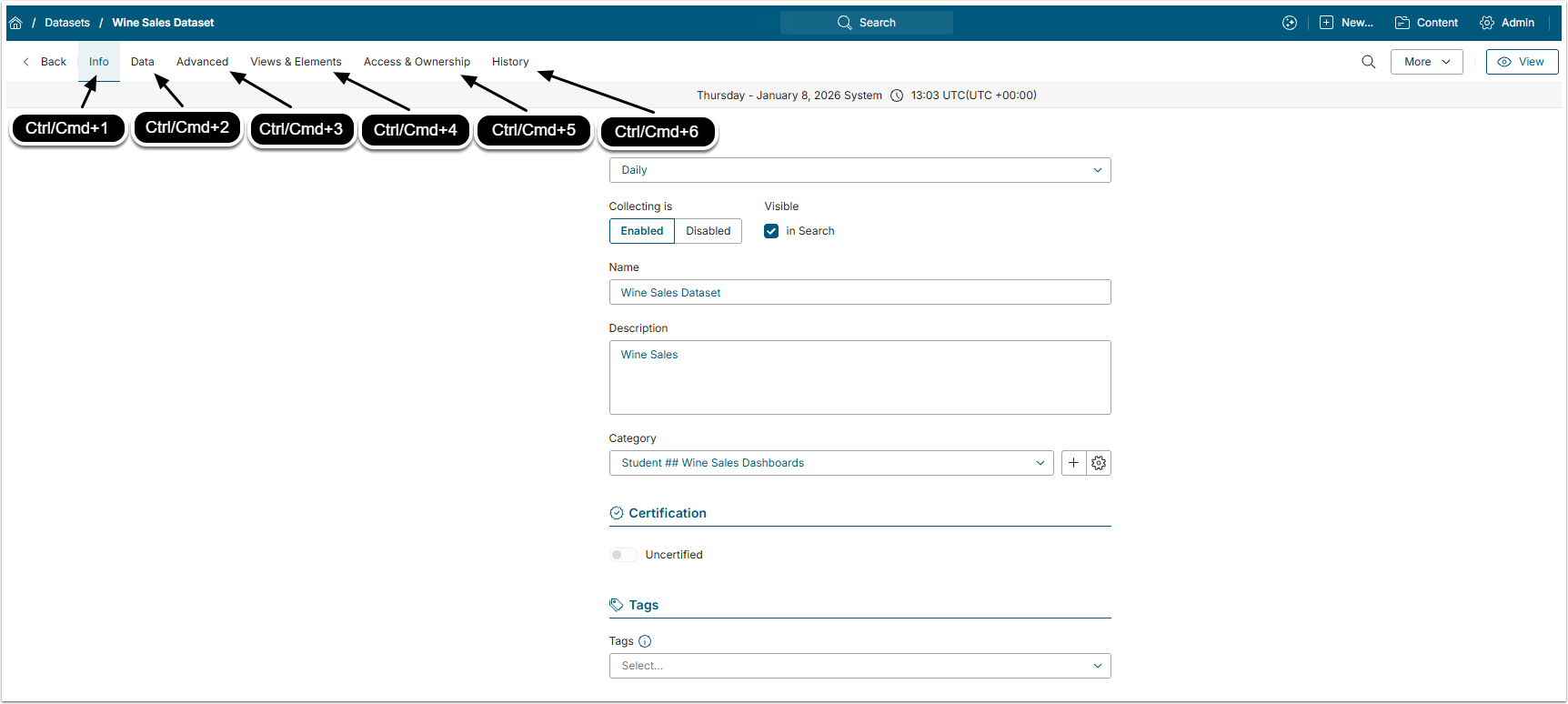
Every Element or Object Editor in Metric Insights has different tabs to make navigation easier. The User can switch between those tabs not only by clicking them with cursor, but also pressing Ctrl+Number Key for Windows/Linux or Cmd+Number Key for Mac. Names of the tabs doesn't matter, the number must only correspond to the tab's position. So, Ctrl/Cmd+1 opens the first tab in a row and Ctrl/Cmd+3 opens the third one.
2. Command Menu
This feature is for Power Users and Administrators only.
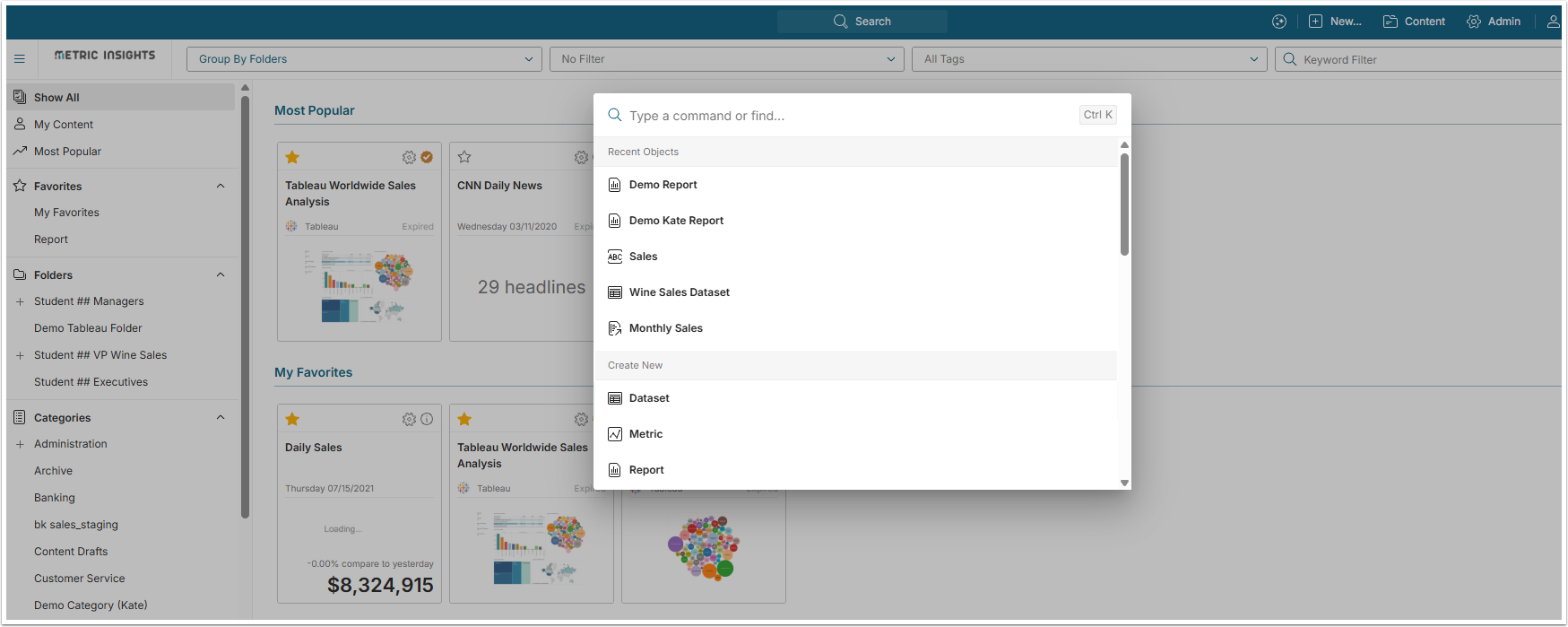
By pressing Ctrl+K on Windows or Cmd+K on Mac, you can open the Command Menu that help is searching Objects and menu entries within Metric Insights. For more details about this feature, check the Command Menu Overview article.
3. Right-Click Tile Menu
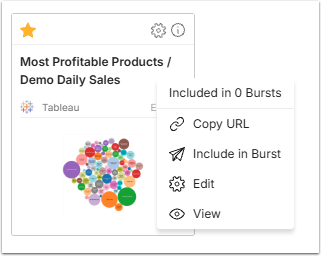
When on the Catalog Page, right-click any Tile. This way you can open the menu that allows performing a number of actions. Depending on whether you are a Regular User, Power User or Administrator, the list of available options may differ.
4. Drag&Dropping Tiles to Folders
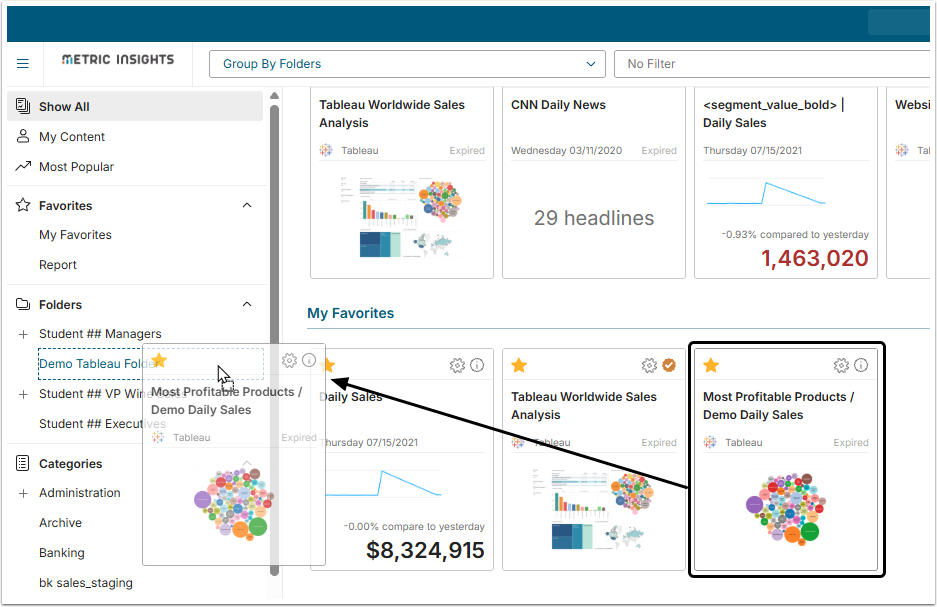
When on the Catalog Page, you can conveniently organize its content. Users can add Tiles to the Folders by just drag-and-dropping them.