Amazon ECS supports the ability to schedule tasks on either a cron-like schedule or in a response to CloudWatch Events. This is supported for Amazon ECS tasks using both the Fargate and EC2 launch types.
If you have tasks to run on a schedule in your cluster, such as a backup operation or a log scan, you can use the Amazon ECS console to create a CloudWatch Events rule. Your scheduled event rule can be set to either a specific interval (run every N minutes, hours, or days), or for more complicated scheduling, you can use a cron expression.
Metric Insights application has its own utilities to create backups of your database and all critical data of your application server (mi-app-backup tool), as well as synchronize users with the LDAP server (mi-ldap-usersync tool). For more information, please refer to:
- Backup Your Metric Insights Instance;
- Syncing Groups and Users from LDAP/AD using 'mi-ldap-usersync' script.
If it is not possible to set these 2 tools on the MI cron job, we strongly recommend to configure ECS Scheduled Tasks to run these utilities. Follow the below steps to set AWS ECS Scheduled Tasks.
Create Scheduled Task in Cluster
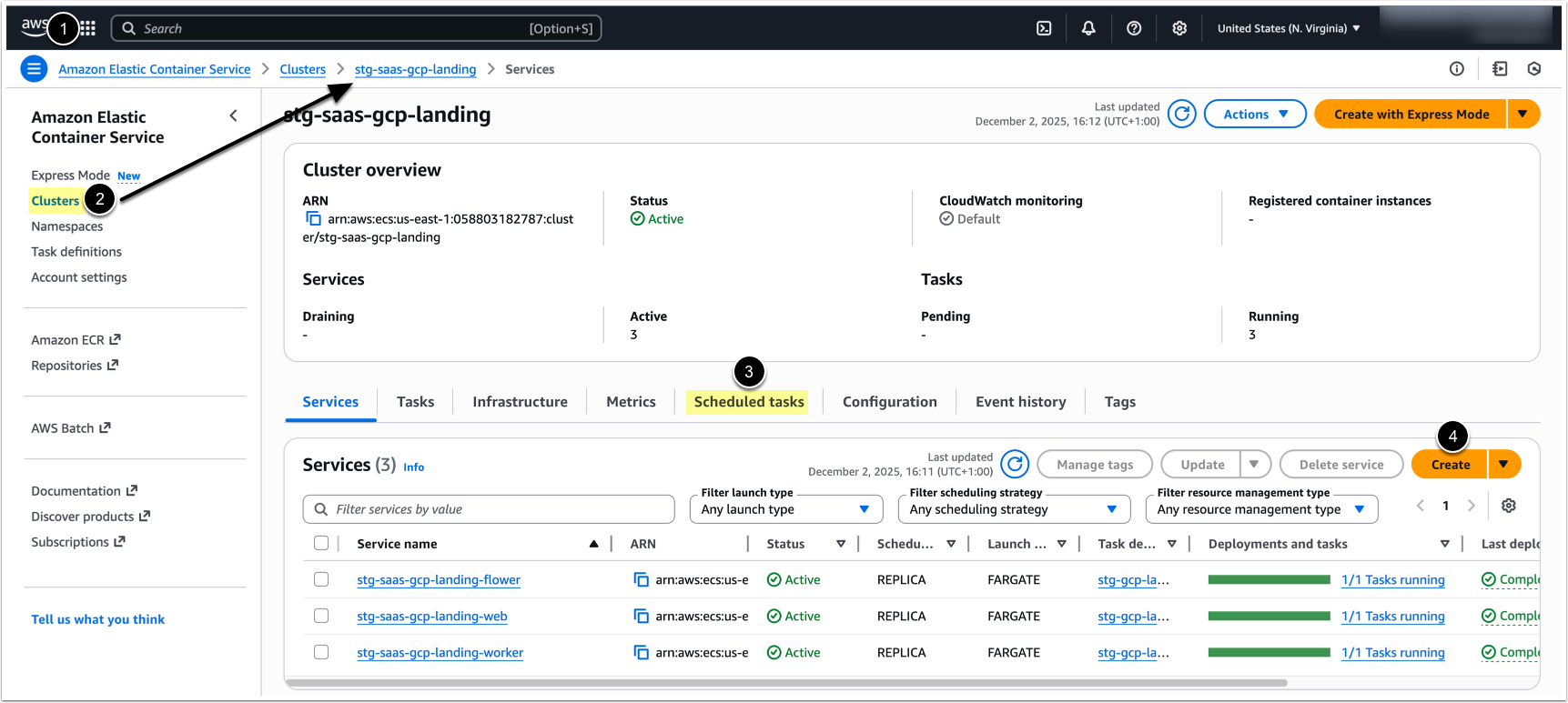
- Open Amazon ECS console https://console.aws.amazon.com/ecs/.
- Select the cluster you want to create a scheduled task in.
- On the cluster page click on Scheduled tasks tab.
- [Create]
Configure Scheduled Task
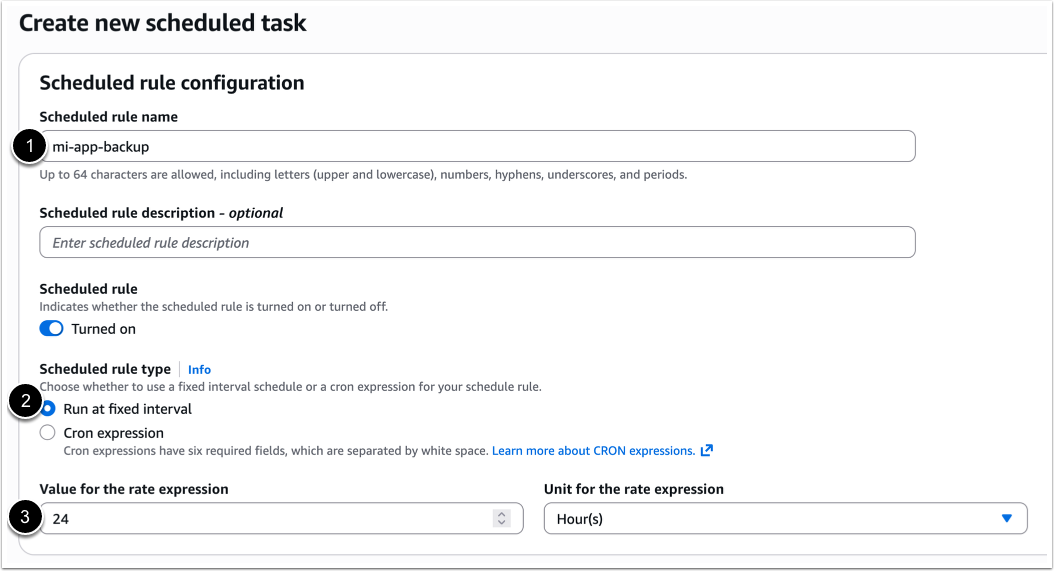
Specify the following:
- Schedule rule name: Identify your task in scheduled tasks list.
- Schedule rule type: Choose whether to use a fixed interval schedule or a cron expression for your scheduled rule.
- Run at fixed interval: Indicate the interval your task should run at, or set cron expression if it was selected in the previous step.
- For more information, see Creating a scheduled rule (legacy) in Amazon EventBridge in the Amazon EventBridge User Guide.
Specify Scheduled Targets
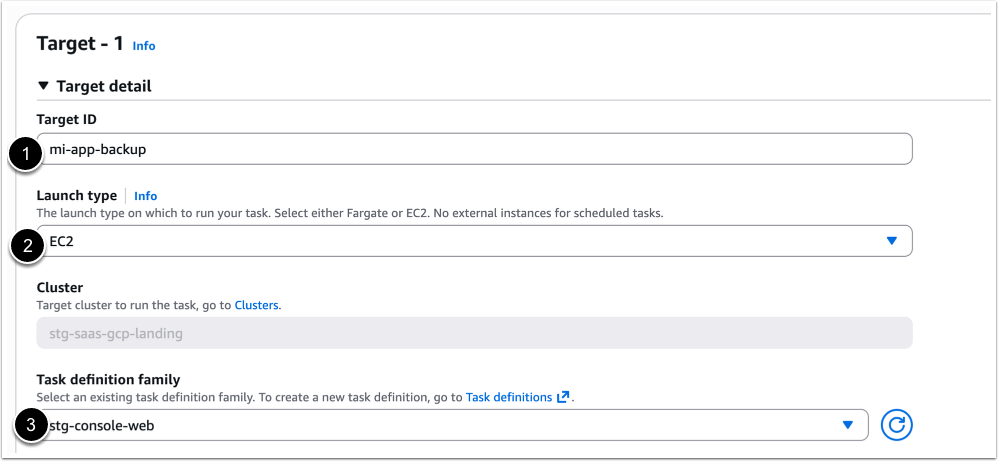
- Target ID: Specify unique identifier for your target.
- Launch type: Select EC2.
- Task definition family: Choose the name of your web slave container from the list.
Configure EventBridge IAM Role
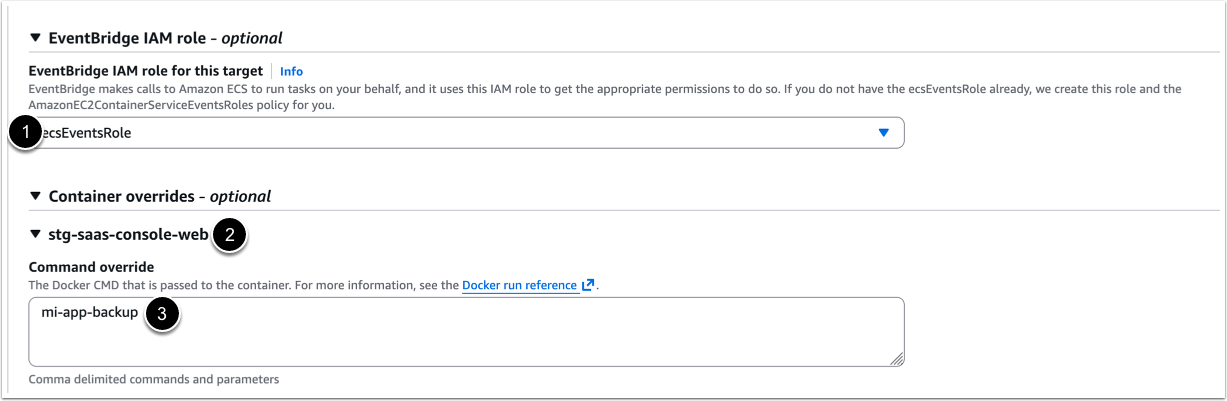
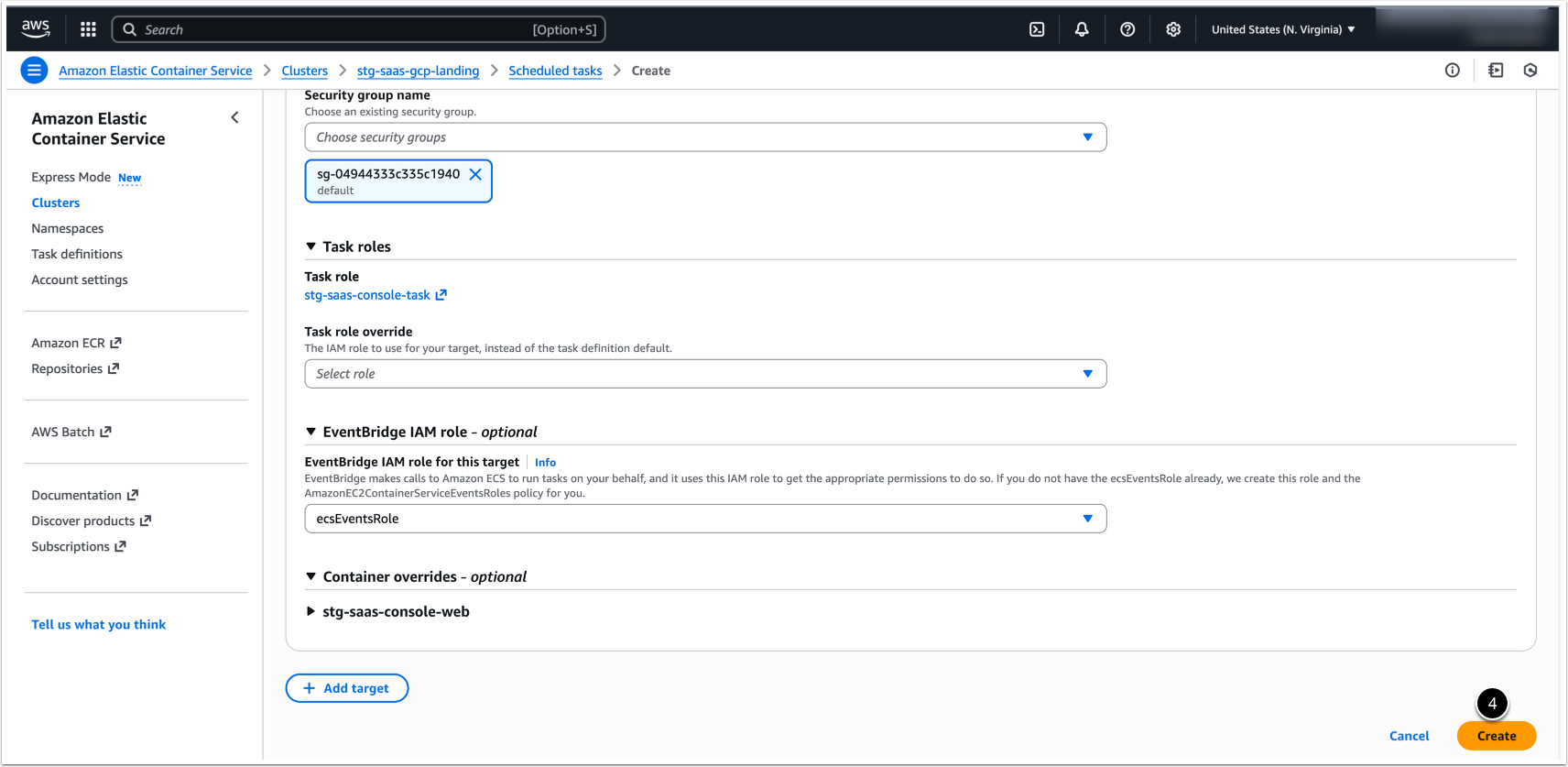
- EventBridge IAM role for this target: Leave ecsEventsRole .
- Expand the web section under Container overrides header.
- Command override: Specify the command that should be executed according to the schedule.
Command Examples:
mi-app-backup /some/dir Save tarball in a predefined folder (by default, a tarball is created under /opt/mi/backup).
mi-app-backup -k2Keep only last two backups.
mi-ldap-usersync provision "CN=some_group,OU=groups,OU=business_org,DC=global,DC=myorg,DC=com" --ldap-host="ldaps://ldap.internal.myorg.com" --ldap-user="cn=miadmin,cn=users,dc=global,dc=myorg,dc=com" --ldap-pass="password" --verbose Basic provision command for syncing LDAP/AD groups and users in Metric Insights.
NOTE: To run a custom script, please save the script in the directory /opt/mi/custom/scripts and indicate the full path to script in Command override field. For example: ./opt/mi/custom/scripts/MIAppBackup.sh.
- After specifying the command, click [Create].
Command line can contain optional parameters for running command. For more information on the options available, please refer to: