Beginning in v7.1.1, Metric Insights can be deployed using security builds – monthly-updated Docker images that incorporate the latest security patches, system library updates, and dependency fixes to address known vulnerabilities. Security builds are patch-only: they contain no new features or functional changes, so you can strengthen your deployment's security posture without impacting the core MI application.
Importantly, security builds do not introduce any new features or functionality changes. This means you can enhance your deployment’s security without affecting the existing functionality of the core MI application.
To use security builds, follow the instructions below to enable the feature and pull the latest security images for each service. New images must be pulled manually each time a new security build is released. Builds are published monthly and maintained for the two most recent release packages.
NOTES:
- v7.2.1+: Security builds are supported for Chatbot. See the NOTE in the Simple Install section for details.
- Security builds only support Lite installation packages and AMD64 (x86_64) architecture. Full packages and systems with ARM64 architecture are not supported. This applies to both application installer and Chatbot installer.
- Security images are not provided for the MySQL and Logger containers.
- For Simple Install, security builds are only supported when MySQL application database is hosted on a remote server.
- An active internet connection is required to pull the latest security Docker images.
TABLE OF CONTENTS:
Simple Install
NOTES:
- For Simple Install deployments, Metric Insights security builds are supported only when the MySQL application database is hosted on a remote server; e.g., a standalone MySQL server, or a managed MySQL service such as Amazon RDS/Azure Database for MySQL.
- v7.2.1: Chatbot installer supports Security Builds. To enable this feature, follow the instructions for Simple Install below for your Chatbot deployment:
- Download the Lite installation package.
- Run the chatbot installer with the
--use-security-imagesoption to enable Security Builds. - Pull and recreate containers each month.
1. Enable Security Images
- Download the Lite installation package.
- See Access Software Downloads and License Keys via Get MI for details.
- Run the MI installer with the
--use-security-imagesoption:./installer.py --use-security-images.
2. Pull and Recreate Containers
After installation completes, update your running containers to use the new security images. Execute the following commands:
- Pull the latest security Docker images for all Metric Insights services:
mi-control pull - Force the recreation of containers using the newly pulled security images:
mi-control up -d --force-recreate
NOTE: Once these steps are completed, your Metric Insights instance will be running with the security build of the specified version. You should repeat this process each time a new monthly security release is published for your version.
You can list all available security image versions for your current release by running the installer command with the security flag:
./installer.py images --use-security-imagesThis will display the complete list of security-tagged Docker images and versions available for Metric Insights, helping you confirm the correct tags for your deployment.
Orchestrated Environments
1. Update Docker Image References
For orchestrated deployments, manually update the image references in your deployment manifests to utilize the security builds.
For each Metric Insights service image, append /security to the image path, placing it before the tag. For example:
docker.metricinsights.com/metric-insights/release_7_1/84:amd64should be changed to:
docker.metricinsights.com/metric-insights/release_7_1/84/security:amd64In this example, "84" represents the base image ID or version, and we are appending /security before the architecture tag. Ensure this pattern is applied to all Metric Insights service images.
2. Recreate Pods/Services with New Images
Apply your updated configuration and recreate the pods and services so that the new image references take effect. The orchestration platform will pull the security images and launch new containers with them. Ensure each service restarts successfully using the security build image (you can verify the image names in your container runtime or orchestration status).
Verify Security Build in Status Monitor
Access Admin > Status Monitor
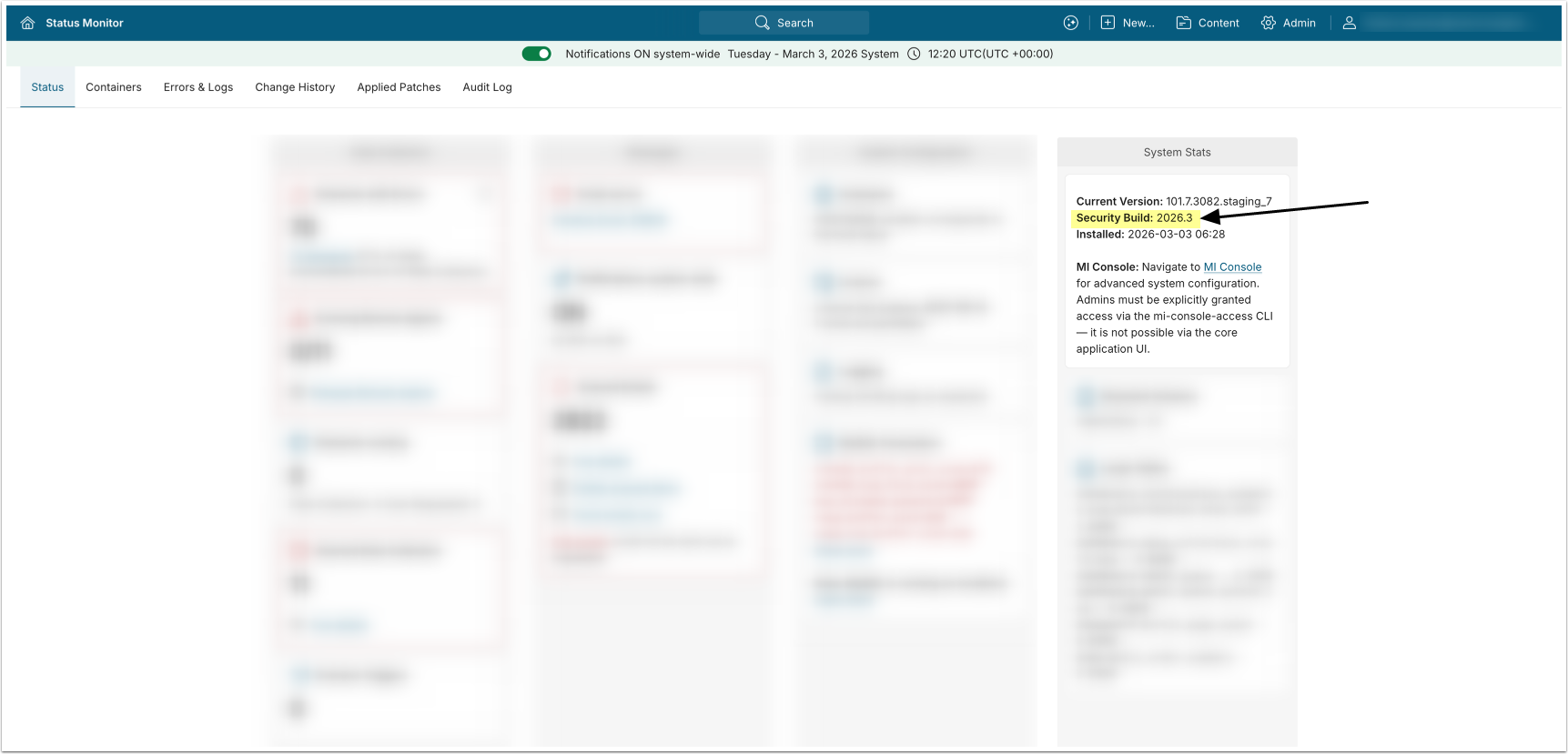
After application containers are recreated using security images, you can verify the Security Build in Status Monitor under System Stats.