This article describes how to add a new Measurement Time Calculation interval. This interval defines the :measurement_time variable that can be used in the Dataset SQL statement.
1. Start Creating a New Measurement Time Calculation Command
Access Admin > Reference Objects > Meas. Time Calcs
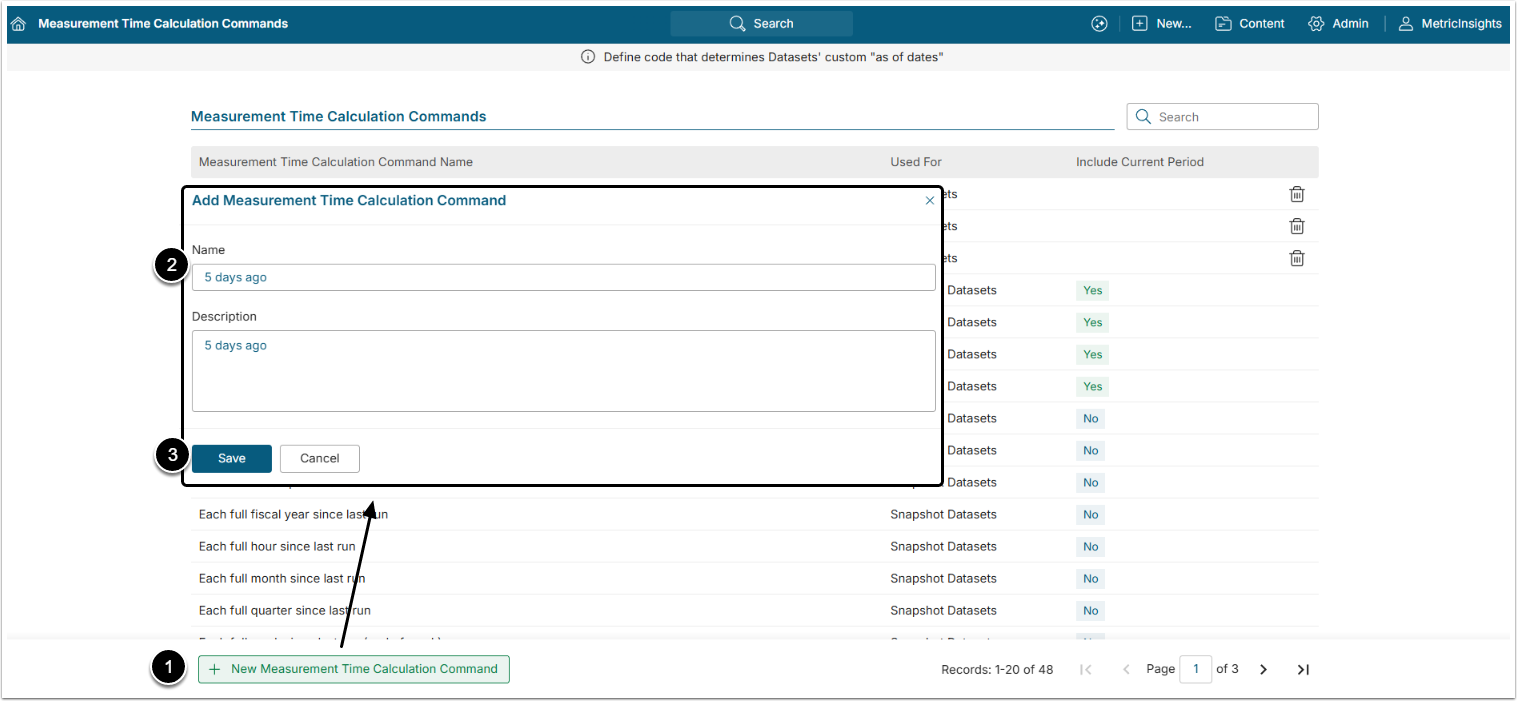
- [+New Measurement Time Calculation Command]
- Name: Give the Time Calculation Command a descriptive name.
- [Save] to open the Editor.
2. Input New Measurement Time Calculation Command data
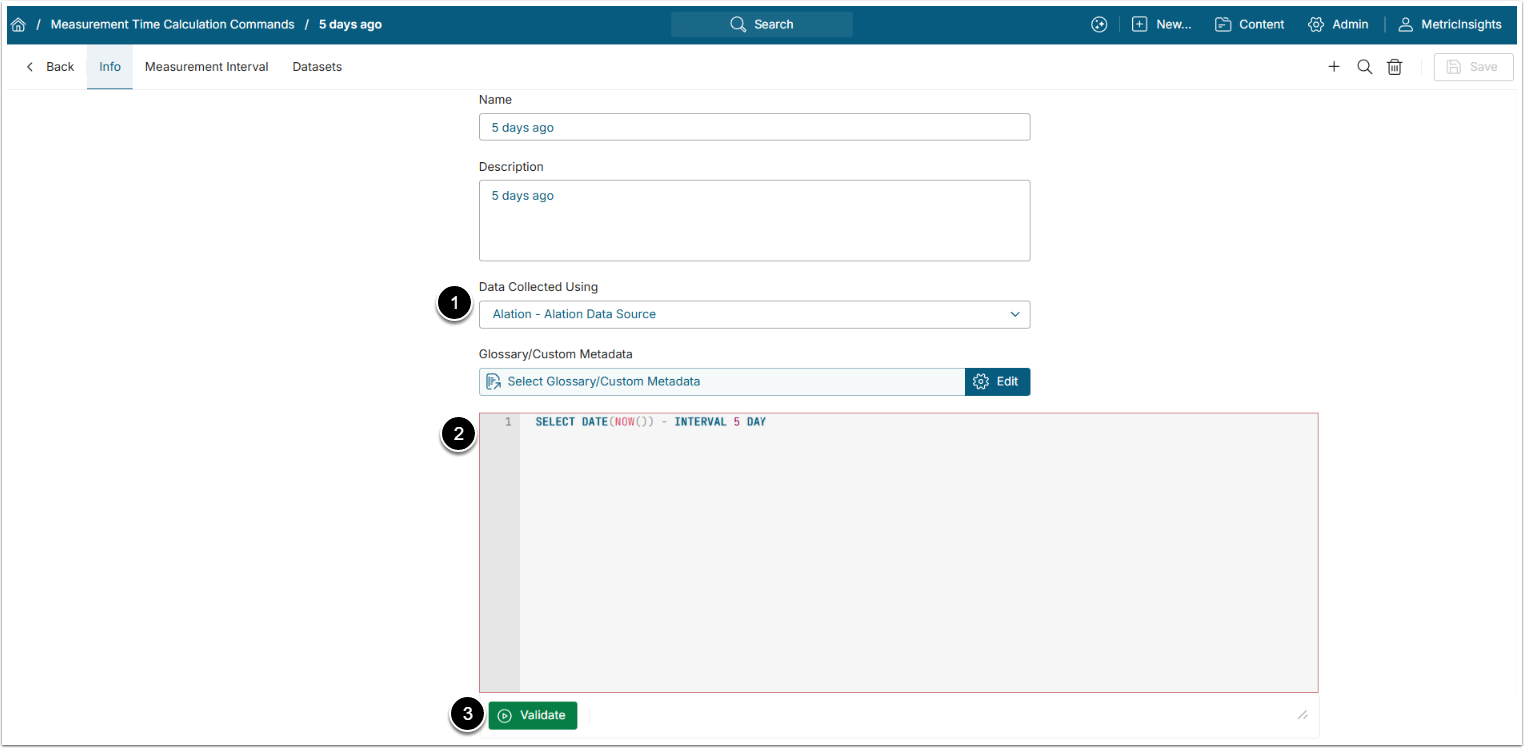
- Data Collected Using: Select the SQL Data Source.
- Query: Enter the fetch command.
- [Validate]
If Validation is successful, the SQL statement box will turn green.
[Save] the Measurement Time Calculation interval.
3. Add Measurement Interval
Open Measurement Interval tab
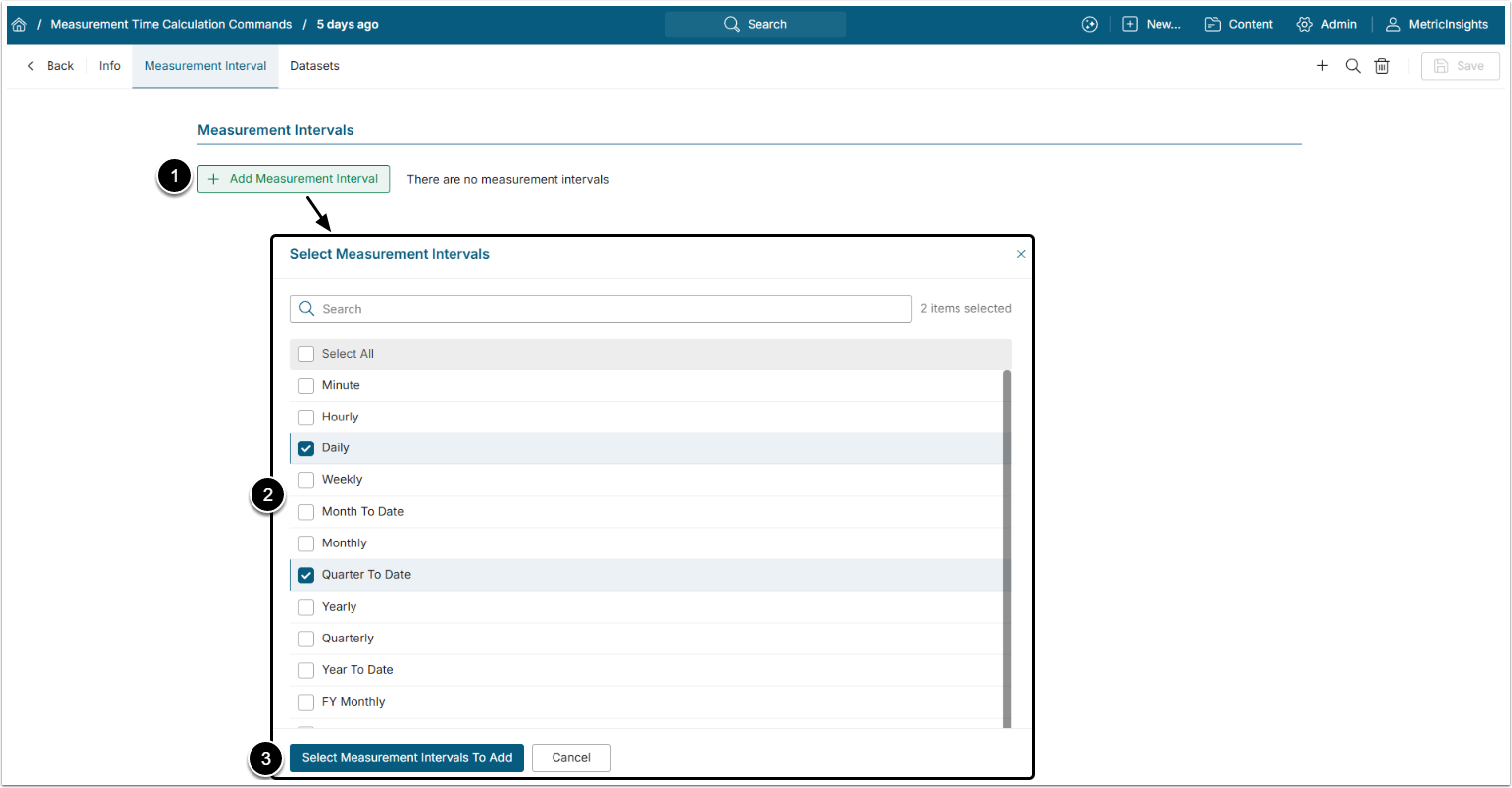
- [+Add Measurement Interval]
- Select the Measurement Intervals by selecting corresponding checkboxes.
- [Select Measurement Intervals To Add]
4. Open Dataset Editor
Check the Set "Data For" Date dropdown.
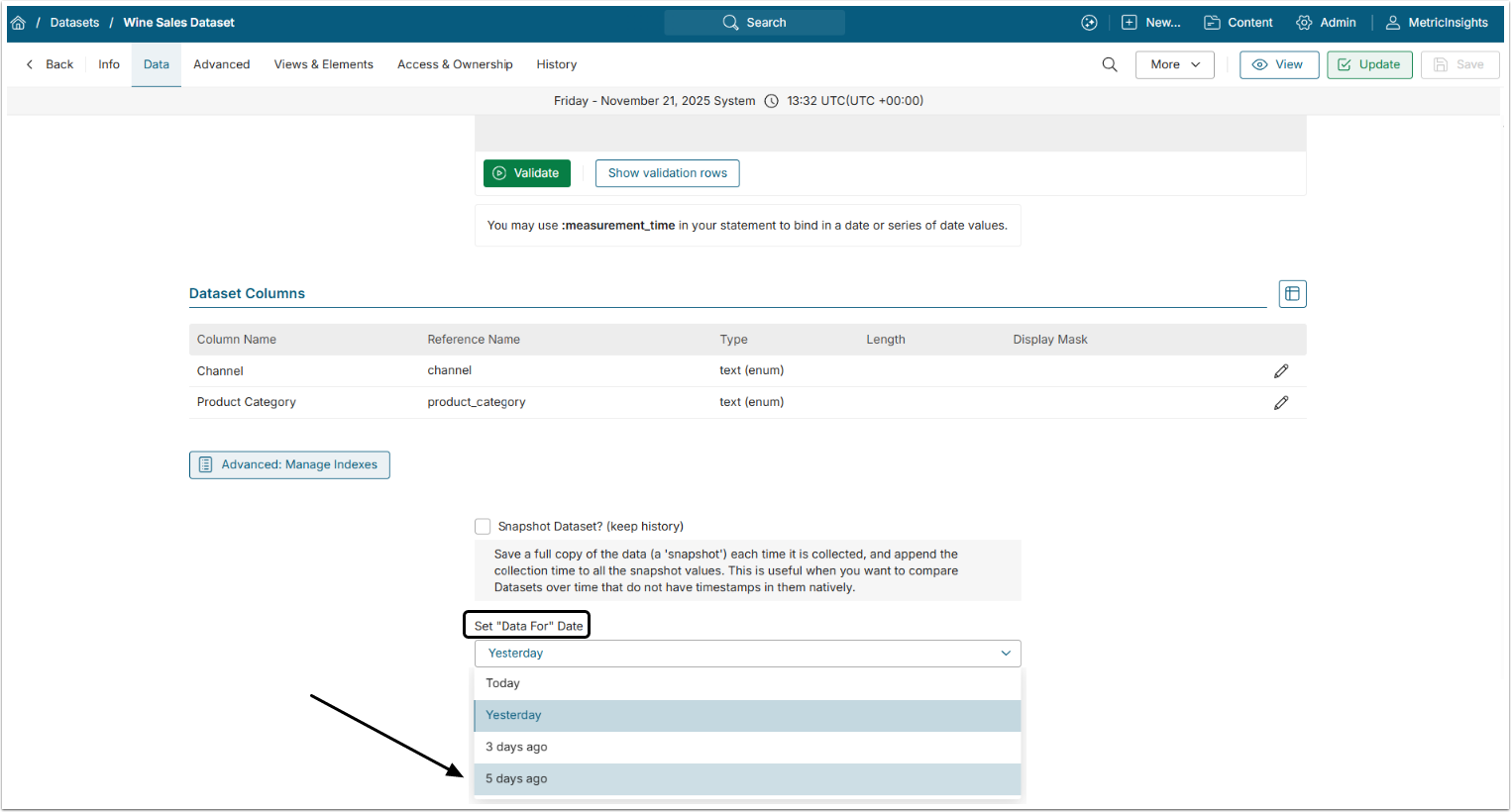
The new Measurement Time Calculation interval will appear in the dropdown menu of the Set "Data For" Date field of the Trigger of the Dataset is the same as the Measurement Interval assigned to the Measurement Time Calculation command.
For more details about ":measurement_time" variable check the Usage of the ":measurement_time" Bind Variable article.