This article describes how to deploy the Metric Insights application on Azure Kubernetes Service (AKS) using an external Azure Database for MySQL instance and Azure Files (CSI driver) for shared persistent storage.
TABLE OF CONTENTS:
Architecture Diagram
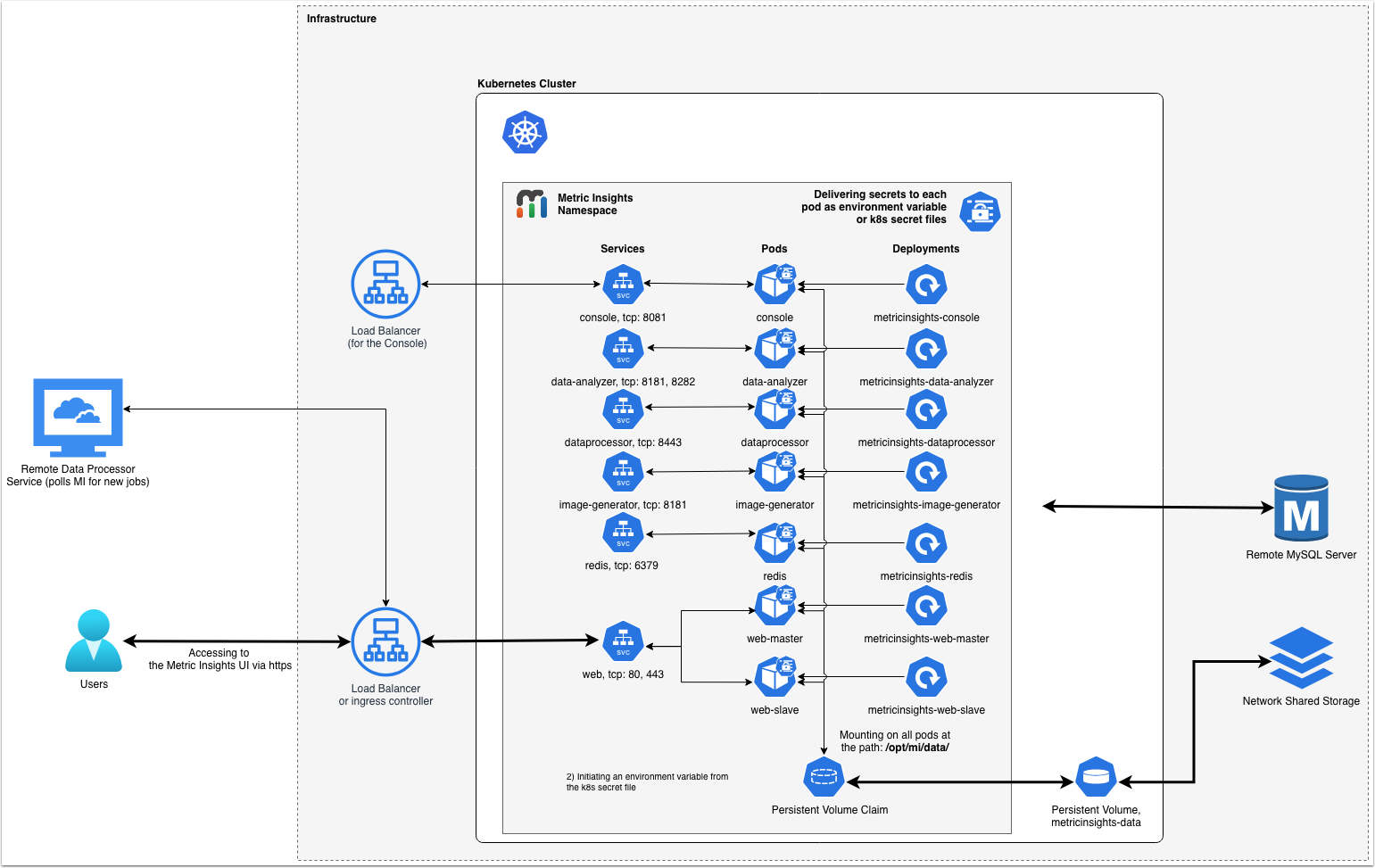
*NOTE: Opening port 80 is optional. Opening port 80 allows browser redirection to HTTPS when a user enters subdomain.domain.com in the browser without the protocol.
1. Configure Kubernetes Cluster in Azure Kubernetes Service
1.1. Create New Kubernetes Cluster
Access Microsoft Azure > Kubernetes services > Overview
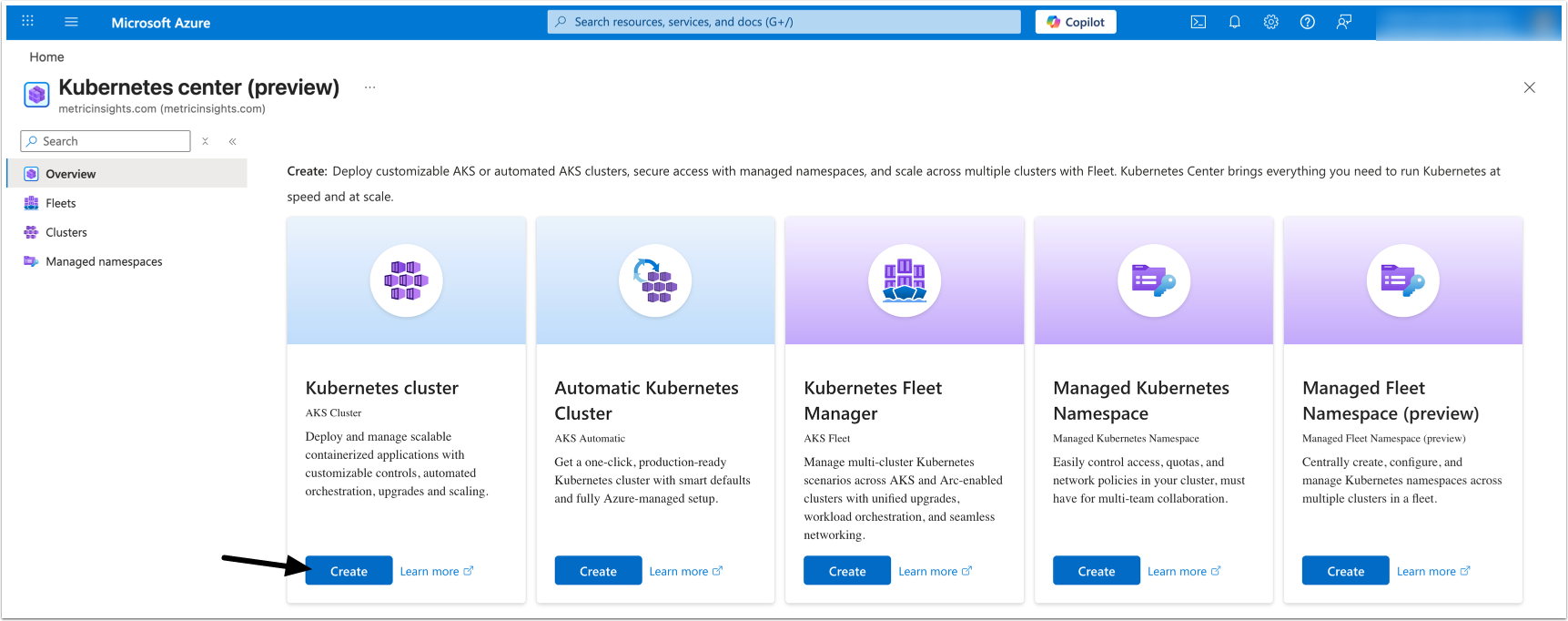
Under Kubernetes cluster, click [Create].
1.2. Configure Basic Settings
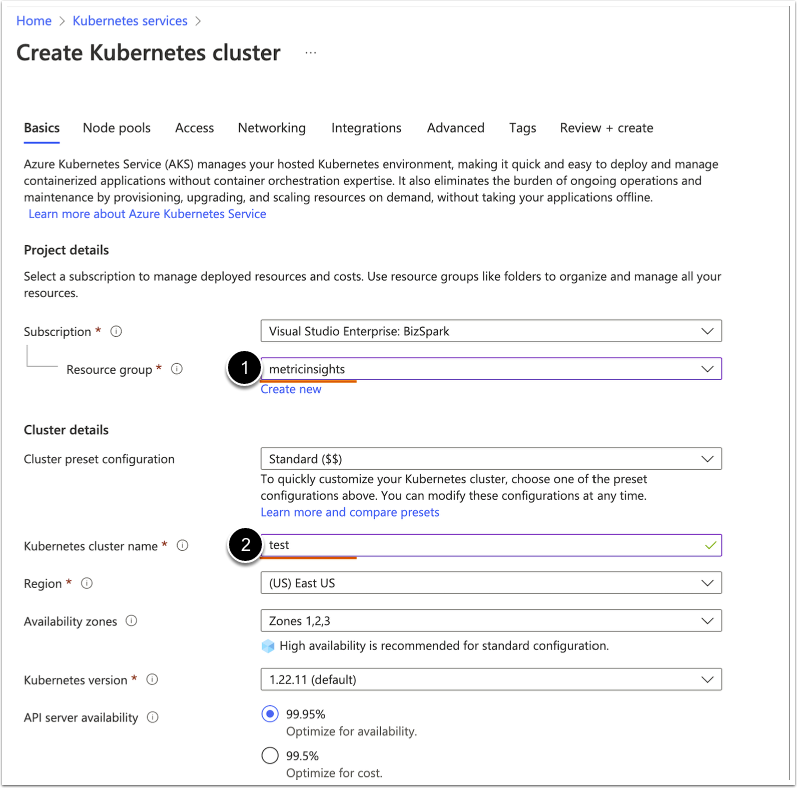
NOTE:
- Most values can be left at their defaults.
- Select Resource group.
- Enter Kubernetes cluster name.
- Once the basic configuration is finished, click [Next].
1.3. Configure Networking Settings
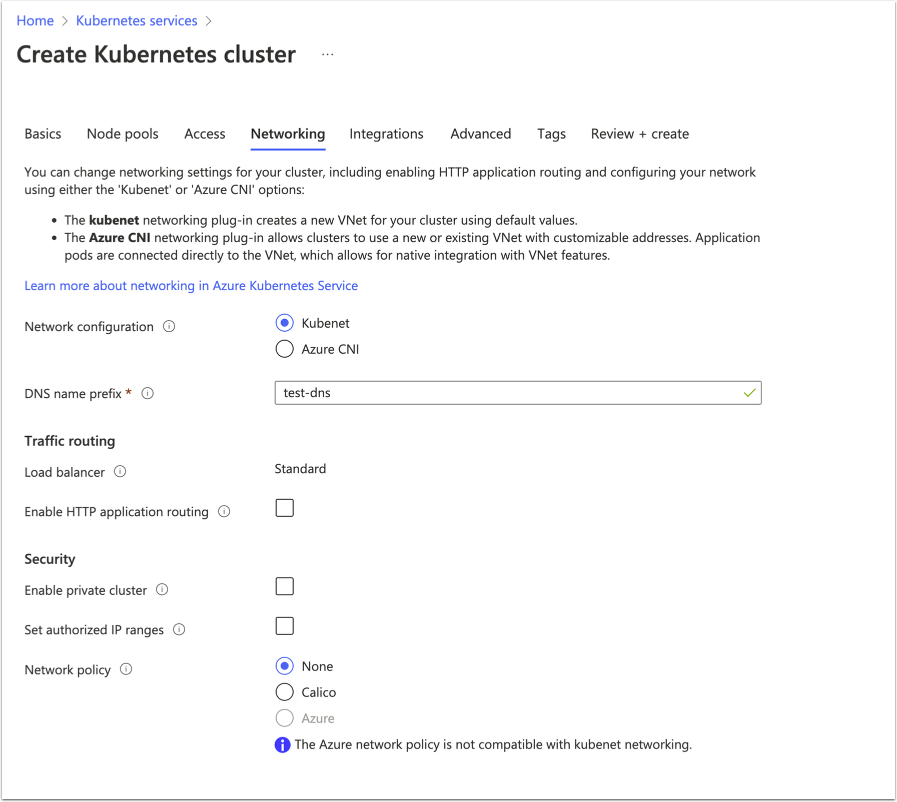
Keep default networking unless you have requirements for private cluster, custom CNI, or restricted egress. Proceed to [Next].
1.4. Configure Integrations Settings
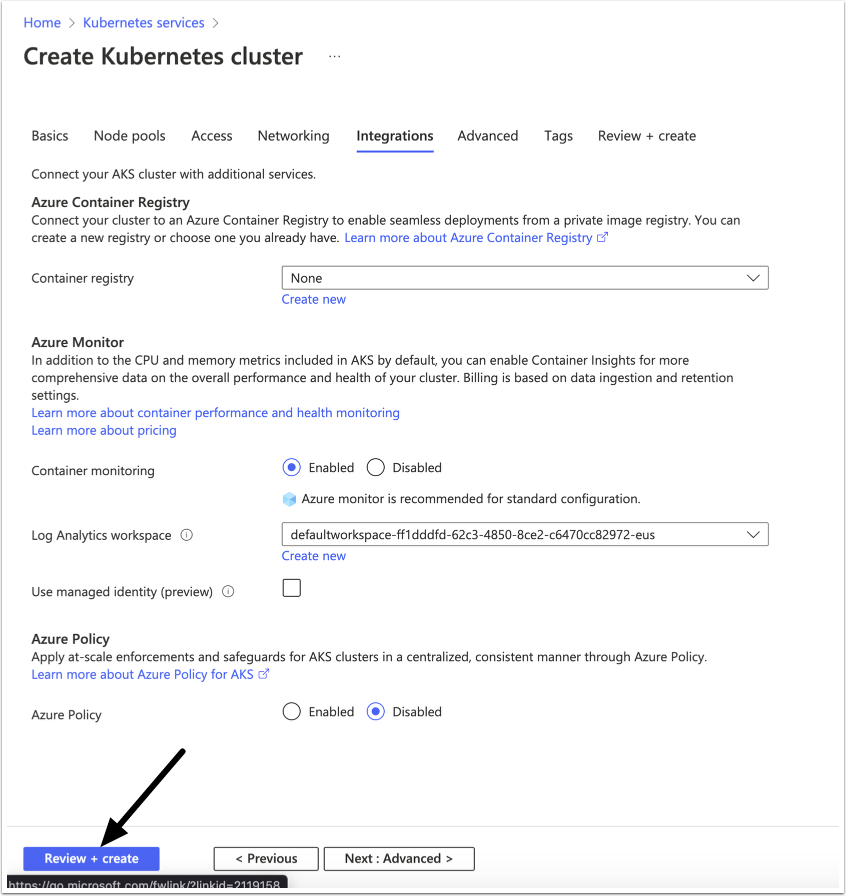
Review integrations (e.g., Azure Monitor, policy) based on your org standards, then proceed to [Review + create].
1.5. Configure Kubectl to Connect to the Cluster via API
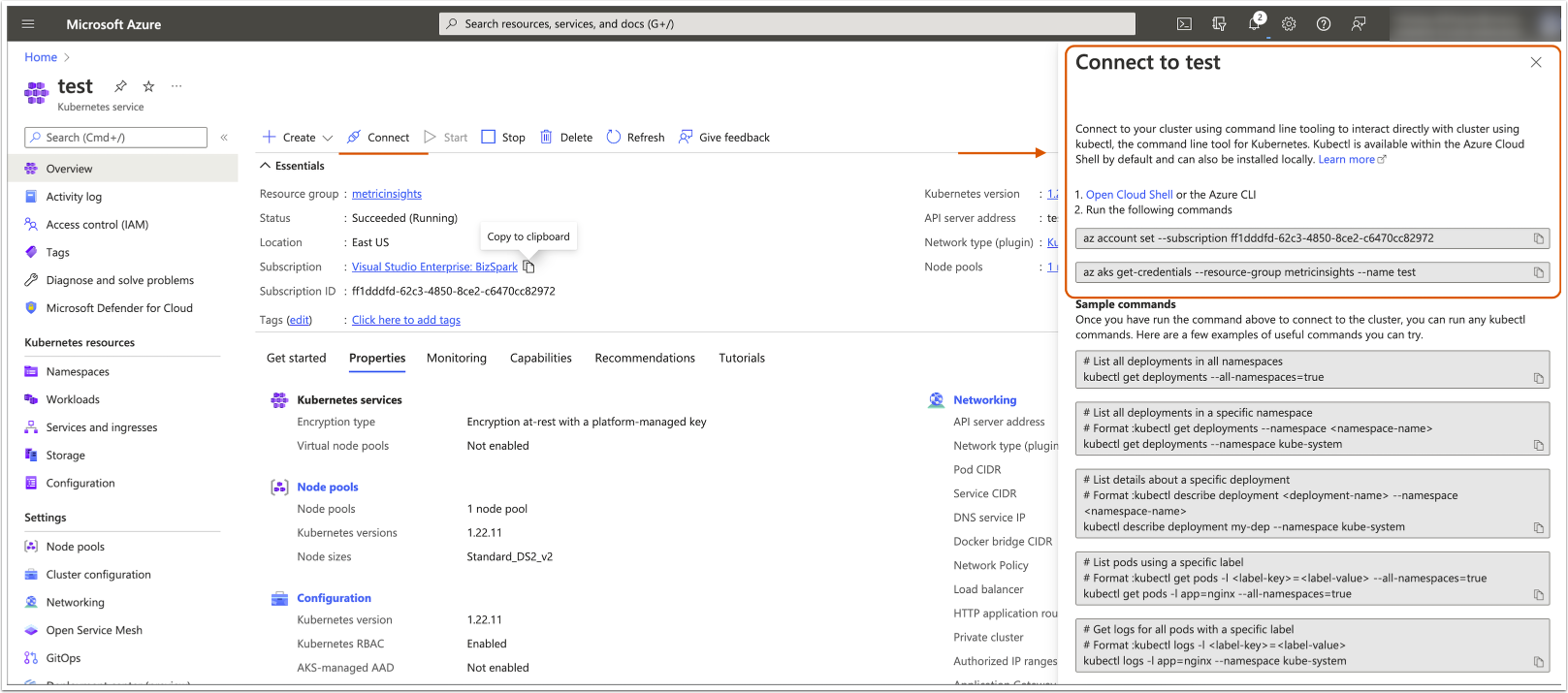
After the cluster is created, configure kubectl to connect to the cluster via API:
- Log in to the Azure CLI, or skip this step and log in to the Cloud Shell:
az login- Set the correct subscription (if needed):
az account set --subscription <subscription-id-or-name>- Fetch kubeconfig credentials:
az aks get-credentials --resource-group <rg-name> --name <aks-name> --overwrite-existing- Verify access:
kubectl get nodes2. Provision Azure Database for MySQL
See MySQL Deployment in Azure for instructions.
4. Deploy Metric Insights to Kubernetes
4.1. Download Metric Insights Installation Package
See Access Software Downloads and License Keys via Get MI for details.
4.2. Unpack the Installation Package
tar xvf MetricInsights-Installer-v7.X.X-Lite.tar.gz4.3. Generate Secrets and Finish Deployment
Run the installer to generate Kubernetes manifests and secret files locally. Then create Kubernetes secrets from the generated files and apply the deployment manifest: kubectl --namespace default apply -f deployment.yml
./installer.py kubernetes --persistent-volume-claim azurefile --db-hostname testkubernetes.mysql.database.azure.com --db-user dashboard_admin --db-password 'enter_your_password_here' -o deployment.yml --images-pull-secret-name metricinsights-docker-registry
CONGRATULATIONS! Configuration and credential files are ready to deploy into Kubernetes.

        Use the following commands to deploy Metric Insights application:
        ...
        $kubectl create namespace default
        $kubectl create secret generic --namespace default metricinsights-mysql-root-password --from-file mysql.secret
        $kubectl create secret generic --namespace default metricinsights-data-analyzer --from-file data-analyzer.env
        $kubectl create secret generic --namespace default metricinsights-dataprocessor --from-file dataprocessor.env
        $kubectl create secret generic --namespace default metricinsights-console --from-file console.env
        $kubectl create secret generic --namespace default metricinsights-image-generator --from-file image-generator.env
        $kubectl create secret generic --namespace default metricinsights-web --from-file web.env
        $kubectl create secret generic --namespace default metricinsights-redis --from-file redis.env
        $kubectl create secret docker-registry --namespace default metricinsights-docker-registry --docker-server docker.metricinsights.com --docker-username <registry login> --docker-password <registry password> --docker-email <docker-registry@mail.com>
        $kubectl --namespace default apply -f deployment.yml
        $kubectl get deployments --namespace default