Concierge is a chatbot integrated into Metric Insights. It is designed to help Users get along with the platform, find different objects, and answer questions they may have about how the functionality works. It can be used as a separate App, in the Concierge sidebar or via Slack and Microsoft Teams messengers. Concierge is AI-powered, so the User can ask it any question about Metric Insights and expect a brief but precise answer with links to help documents that contain more detailed information. This article describes how to use Concierge and what answers it can provide.
Table of contents:
Concierge Sidebar
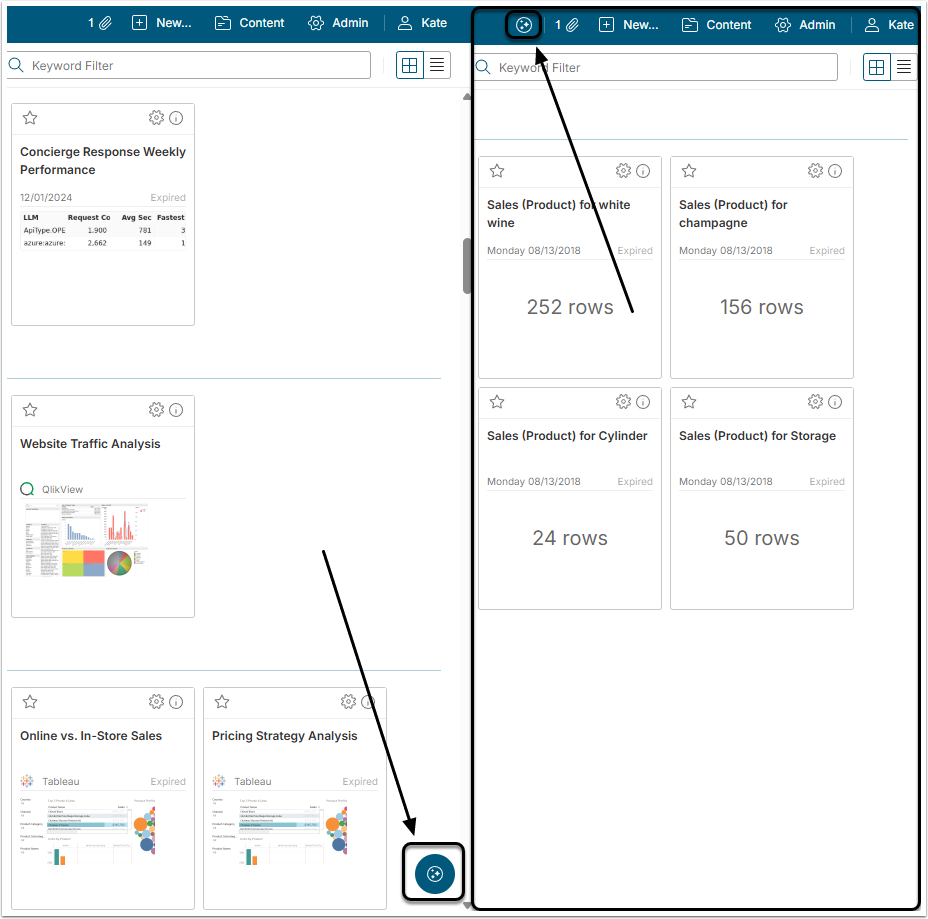
Depending on the chosen settings, to access Concierge Sidebar click either the Floating Button in the lower right corner or the icon on the Tool Bar.
Sidebar Structure
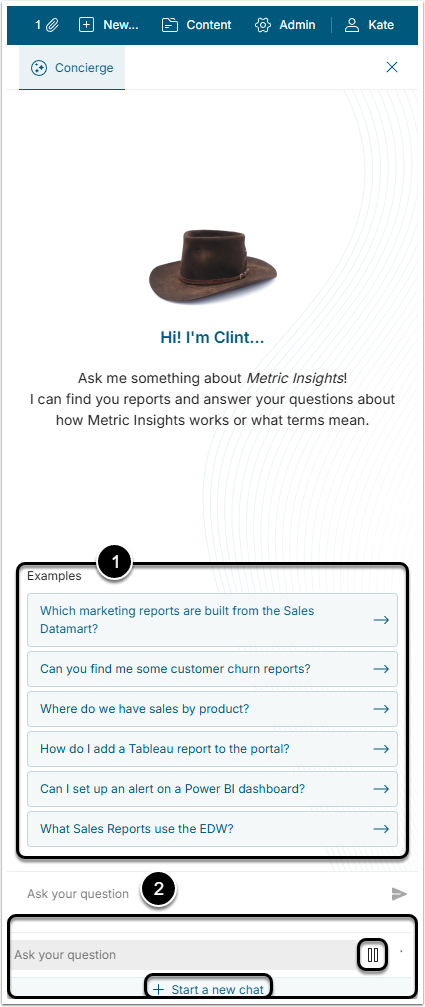
- These are question examples that an Administrator can define according to the most frequently asked questions;
- Type the question in this field and click the paper plane icon:
- When Concierge starts analyzing the request, the User can stop it by pressing the Pause button if necessary;
- Normally, Concierge considers questions the User has asked before when answering. To change that, click Start a new chat. It deletes stored memory about previous queries and allows the User to start from the beginning.
Querying Concierge Sidebar
The User can ask Concierge any question about Metric Insight, but the answer it provides will be of one of two types:
- Documentation Answer: Answer, describing how the Metric Insights work and what its Elements and Objects are. Details and content of the answer can differ according to the setting an Admin made.
- Content Result: List containing links to Elements or Objects of the MI instance.
Documentation Answer
Those are answers to questions that generally start with "what is" or "how to".
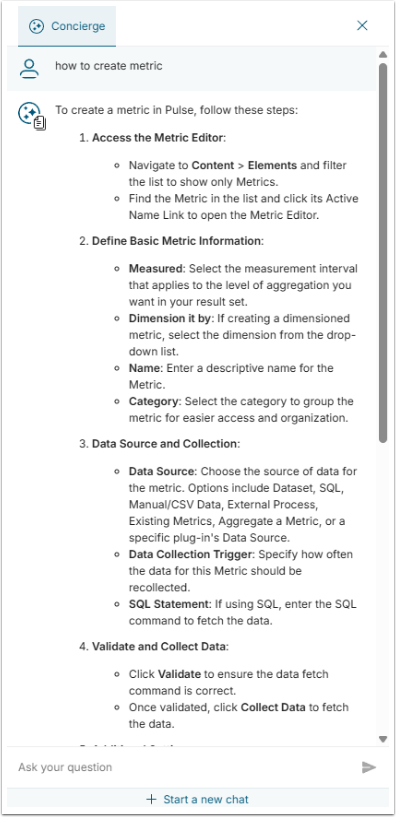
Concierge searches for the answer through the Help&Documentation website and creates a short summary. It also adds links to the articles that can give the User more details on the topic. In the end, it will also mention the source of the information, which can be "Metric Insights Help Documentation," "FAQ Dataset," or "Azure Search Index," depending on the question.
Content Result
Those are queries that start with "search", "show" or "find".
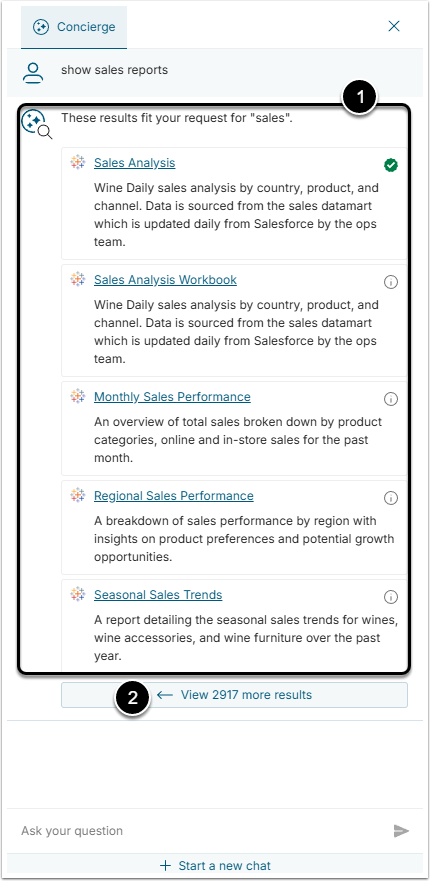
- The query results are shown in a list of links to the Elements or Objects:
- The User will see only those Elements that were marked as "discoverable to all" and those to which they have at least a View Access.
- The list shows the the number of results set in Concierge Setup.
- At the bottom of the link list, the User can see how many more results there are for his query. Click [View ... more results] to show more links.
If the User clicks the [View ... more results] or any of the results, she is redirected to the Global Search page.
Concierge Security and Access
In this case, security and access rules are applied not to the Concierge Service, but to the User querying it. The User is able to find only those Elements that were marked as "discoverable to all" or those to which they have at least a View Access. For more information about granting Users access to Elements, check out this chapter.
Querying External Tools
In Metric Insights, Users can make queries not only to the data that is stored in the instance, but to external BI tools too. Concierge can be connected to an External Tool that the customer is using, like Snowflake Intelligence or Databricks Genie, and make queries about the data stored there. For more details about connecting to external tools check the Concierge External Resources Configuration chapter.