This article describes the API endpoints used to manage External Content: dashboard elements that display embedded web pages, uploaded images, or linked files. The following endpoints are covered:
/api/external_content: Retrieve, create, update, and delete External Content objects.
Prerequisites:
- Set up API access, verify that you have API access, and obtain a token via the get_token call OR
- Generate Personal API Token.
NOTES: Access requirements differ per method:
- GET: Requires View access to the External Content element.
- PUT, DELETE: Require Edit access to the External Content element.
- POST: Requires an Admin or a Power User.
Table of Contents
1. Retrieve External Content
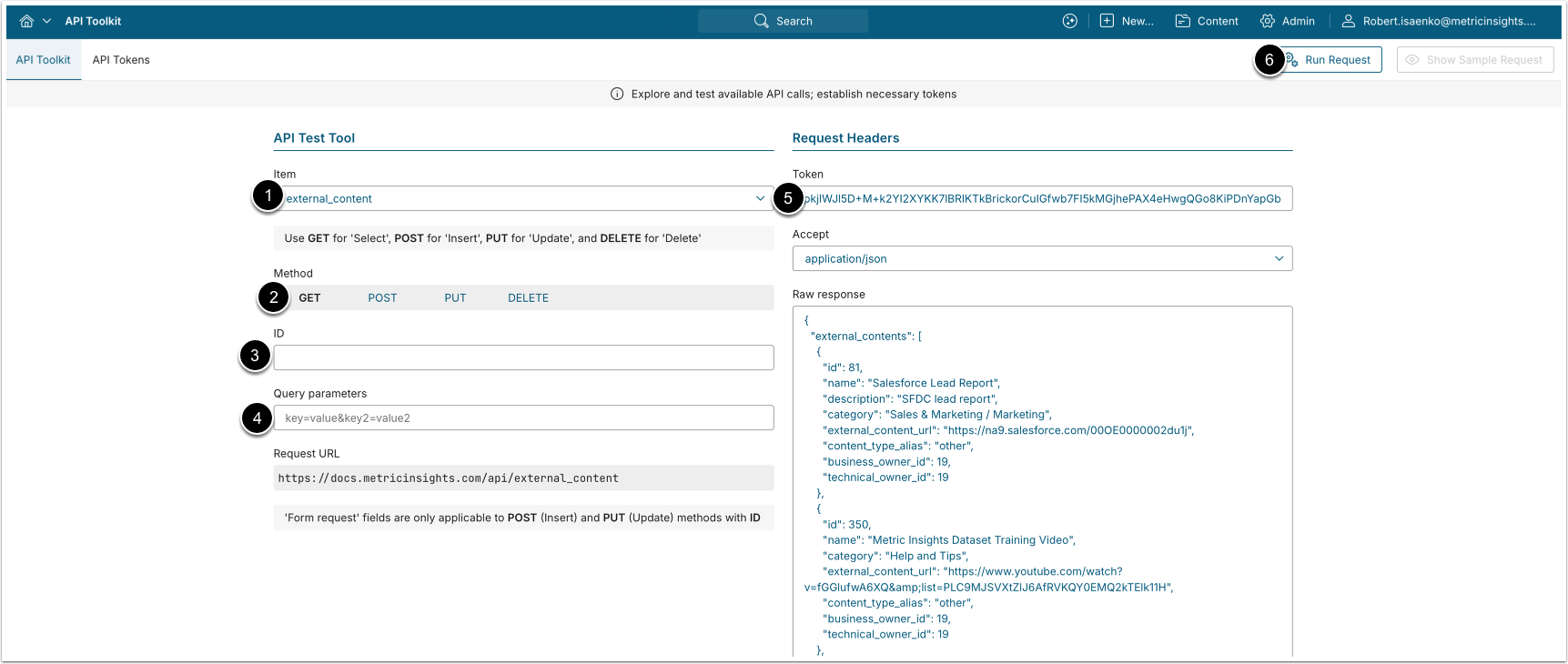
- A GET request to
/api/external_contentreturns a list of all External Content objects. - A GET request to
/api/external_content/id/<ID>returns the specified External Content object.
- Item: external_content
- Method: GET
- ID: Leave empty to list all items, or input the ID of an existing External Content to retrieve a single object.
- Query parameters: Optional; used with the list call to filter results (for example,
data_source,data_source_external_report,data_source_parameter_name,data_source_parameter_value). Leave empty to return all objects. - Enter an API Token.
- [Run request]
Example Response
A single-item request returns the record in the external_content object; the list call returns the records in an external_contents array.
{
    "external_content": {
        "id": 123,
        "name": "My External Content",
        "description": "",
        "category": 1,
        "external_content_url": "https://example.com/embedded-page",
        "plugin_connection_profile_id": null,
        "external_report_reference_id": "",
        "content_type_alias": "other",
        "business_owner_id": 5,
        "data_steward_id": 5,
        "technical_owner_id": 5
    }
}Fields Description
| Parameter Name | Value Type | Description |
|---|---|---|
id | integer | The ID of the External Content. |
name | string | The name of the External Content. |
description | string | The description of the External Content. |
category | string | The Category associated with the External Content. |
external_content_url | string | The URL of the External Content. |
plugin_connection_profile_id | integer | The ID of the Plugin Connection Profile associated with the External Content. |
external_report_reference_id | integer | The External Report Reference ID for plugin-based content. |
content_type_alias | string | The alias of the content type. |
business_owner_id | integer | The User ID of the Business Owner of the External Content. |
data_steward_id | integer | The User ID of the Data Steward of the External Content. |
technical_owner_id | integer | The User ID of the Technical Owner of the External Content. |
2. Create External Content
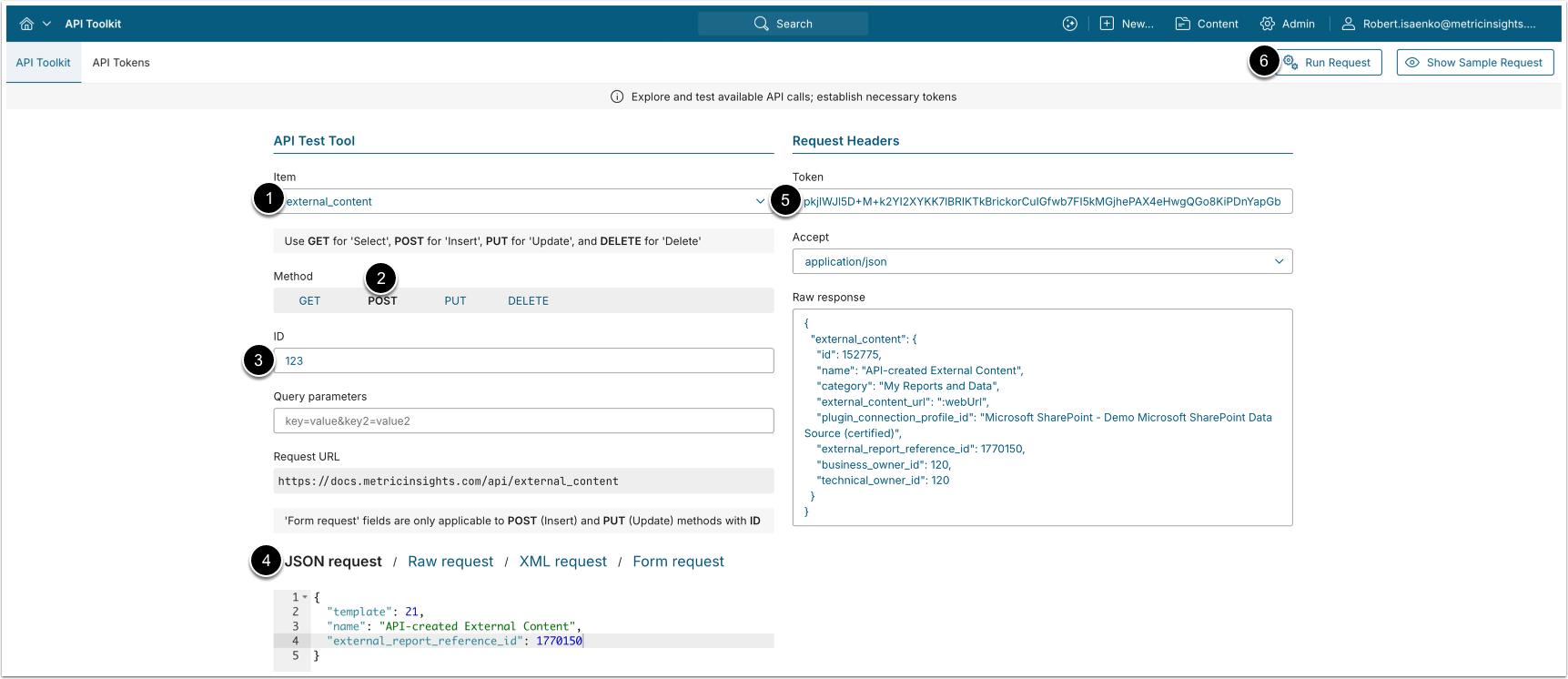
A POST request to /api/external_content creates a new External Content object based on an External Content template.
- Item: external_content
- Methods: POST
- Request: Provide the JSON body with a valid template ID and any additional fields (see POST Parameters Description).
- Enter an API Token.
- [Run request]
POST Parameters Description
| Field | Value Type | Description |
|---|---|---|
template | integer | Template ID used to initialize the new External Content. Required, and must be a valid External Content Template.
|
name | string | Display name of the External Content. If not provided, it is auto-generated. |
external_content_url | string | The URL of external web content to embed. Cannot be used together with external_report_reference_id when the content type requires a plugin source. |
external_report_reference_id | integer | Reference to an External Report from a connected plugin (e.g., Tableau, Power BI). When provided, must match the content type's source plugin. |
3. Update External Content
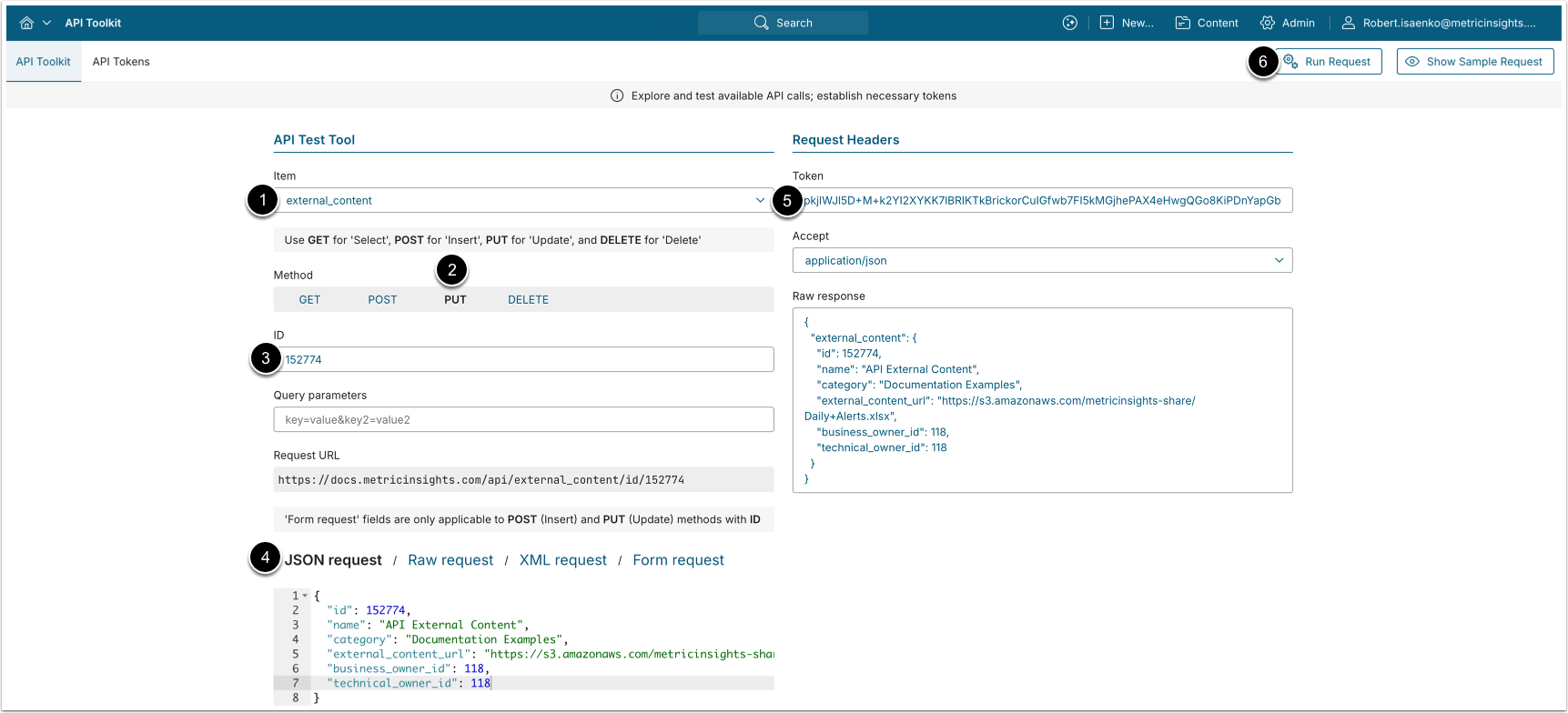
A PUT request to /api/external_content/id/<ID> updates the specified External Content object.
- Item: external_content
- Methods: PUT
- ID: Input the ID of the External Content to update.
- Request: Provide the JSON body with the fields to change, the allowed fields are:
name,category,external_content_url/external_report_reference_id,business_owner_id,technical_owner_id.- See Fields Description for details.
- Enter an API Token.
- [Run request]
4. Delete External Content
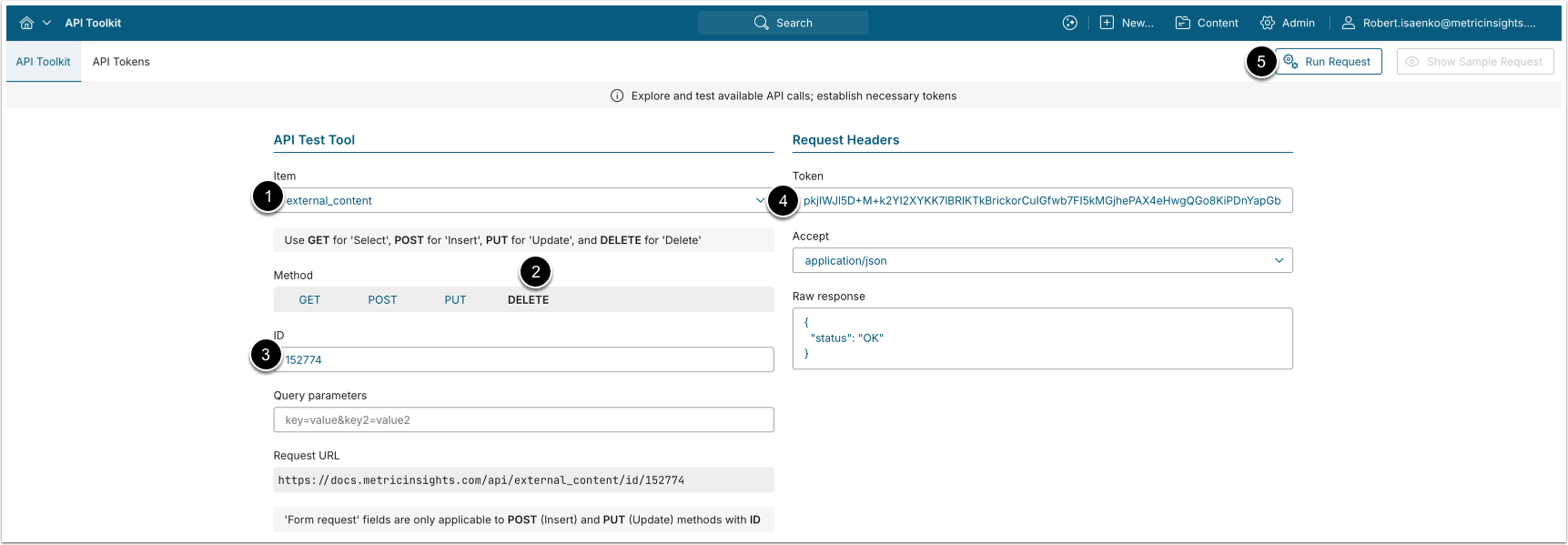
A DELETE request to /api/external_content/id/<ID> deletes the specified External Content object.
- Item: external_content
- Methods: DELETE
- ID: Enter the ID of the External Content to delete.
- Enter an API Token.
- [Run request]