This article describes how to connect to Dropbox Paper server in order to create content in Metric Insights.
PREREQUISITES:
Create an App and collect required credentials from Dropbox Paper.
1. Add New Data Source
Access Admin > Collection & Storage > Data Sources
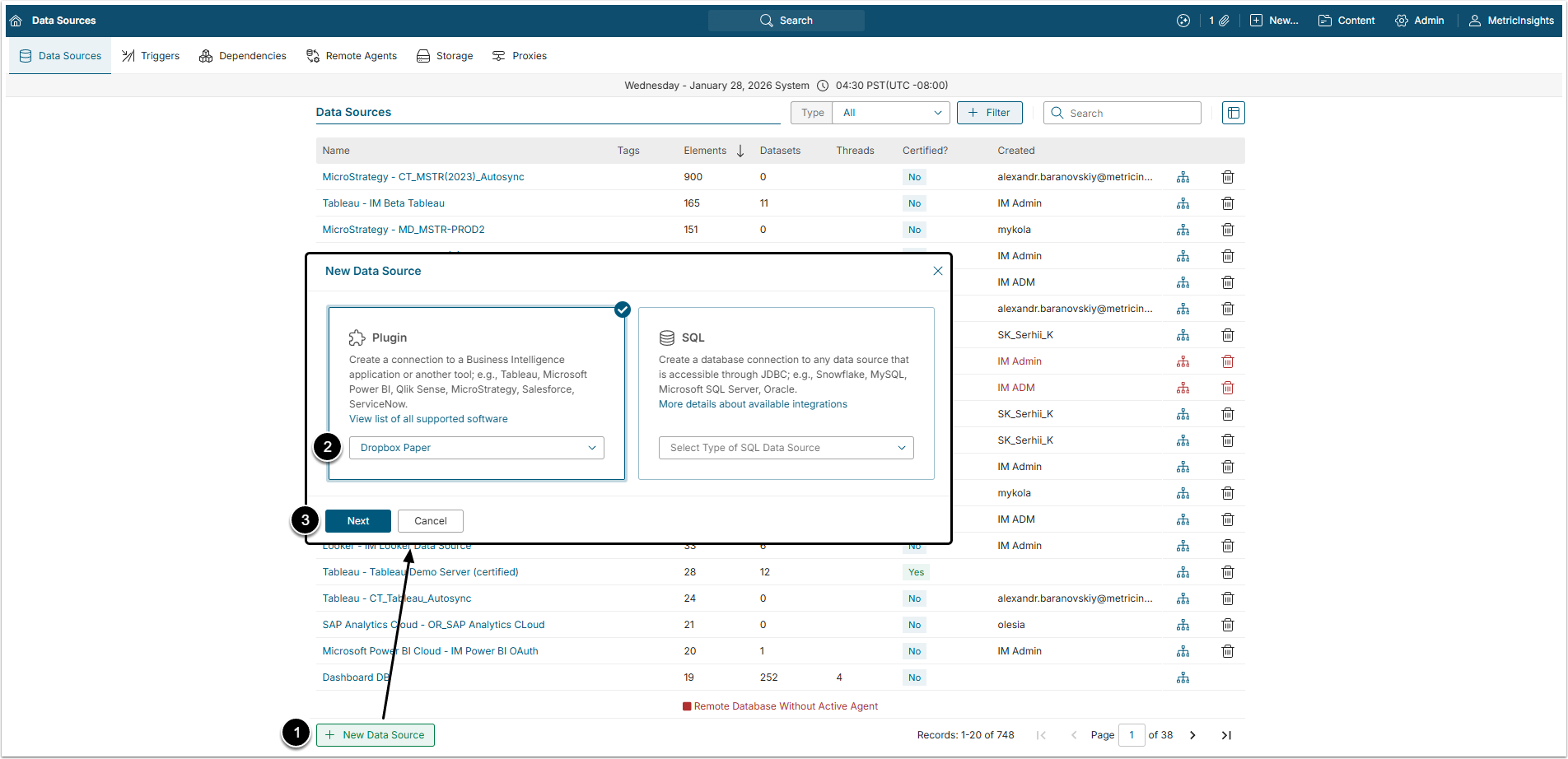
- [+New Data Source]
- Choose "Dropbox Paper" from Plugin drop-down list.
- [Next]
2. Provide the Required Parameters
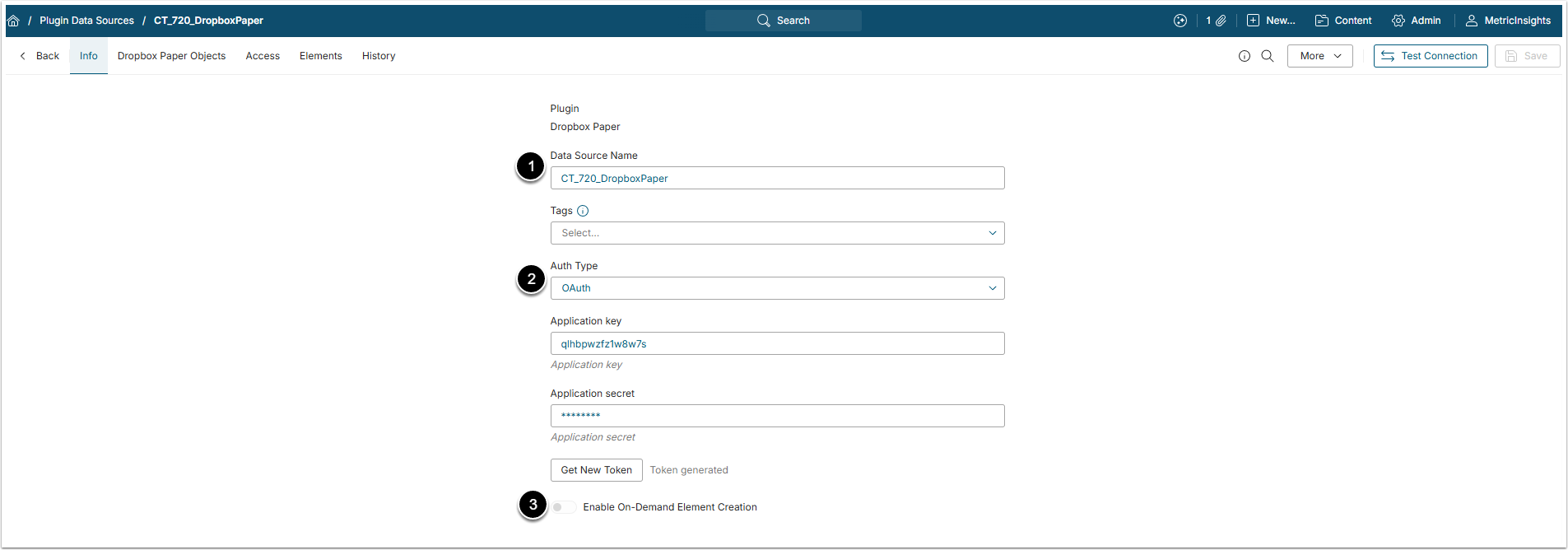
- Data Source Name: Give the Data Source a descriptive name.
- Auth Type: Select the authentication type for the plugin:
- OAuth: The User has to insert the Application key and Application secret, copied from Dropbox Paper account and than click [Get New Token].
- OAuth with manual token: The User has to insert a token generated in Dropbox account.
- Optionally, toggle on Enable On-Demand Element Creation.
3. Proceed with Advanced Configuration
Advanced Configuration settings can be set to default values unless Data Source requires more precise tuning. For more details on how to proceed, refer to Advanced Data Source Configuration.
Click [Test Connection] in the upper right corner to make sure the connection has been successfully established.