This article describes the creation of a Plugin Data Source to connect to Planview PPM Pro. This Data Source will allow data from existing Planview PPM Pro objects to be used in building elements using Metric Insights tools.
1. Create a Data Source
Access Admin > Collection & Storage > Data Sources
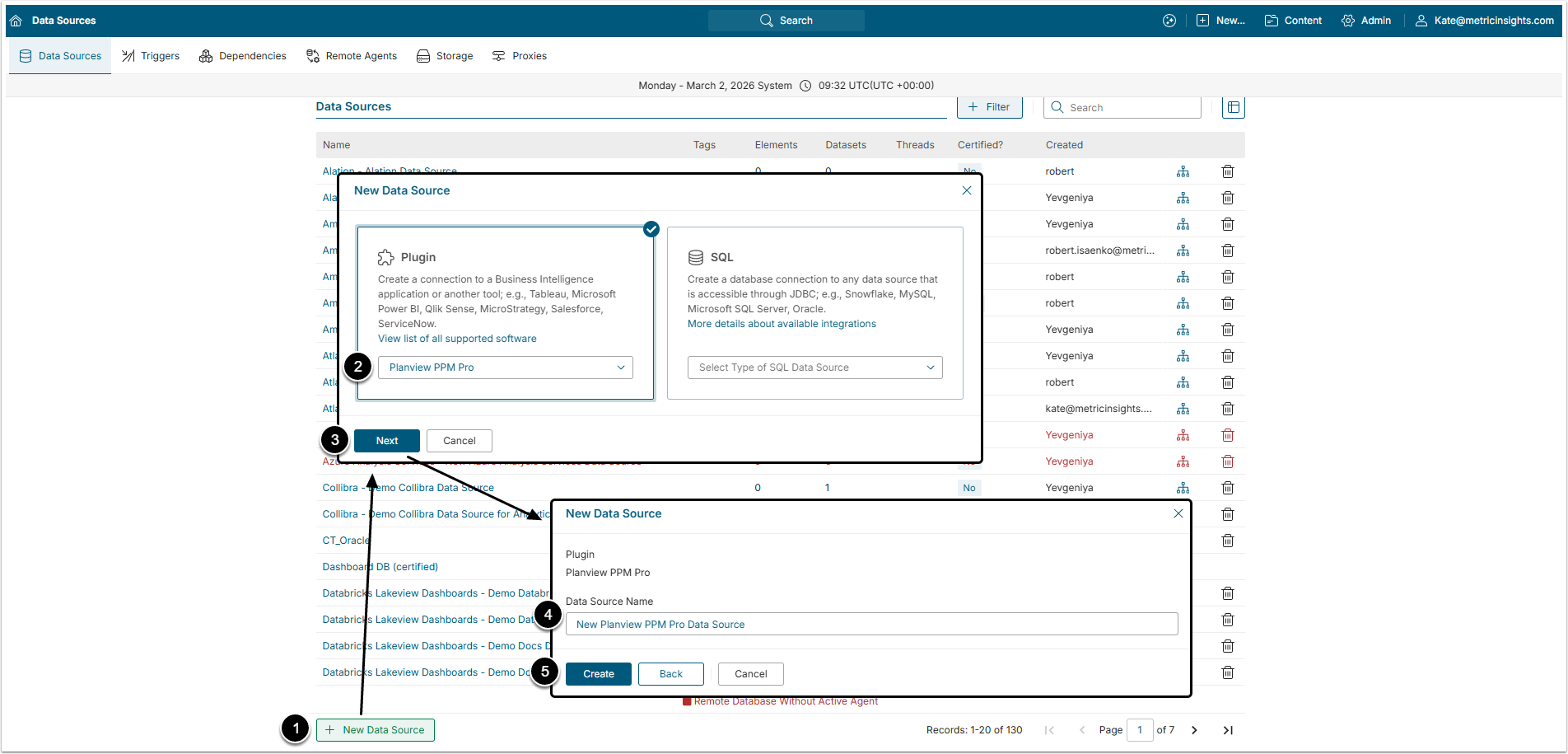
- [+ New Data Source]
- Select "Planview PPM Pro" option from the Plugin dropdown menu.
- [Next]
- Data Source Name: Give the data Source a descriptive name.
- [Create]
2. Provide the Required Parameters
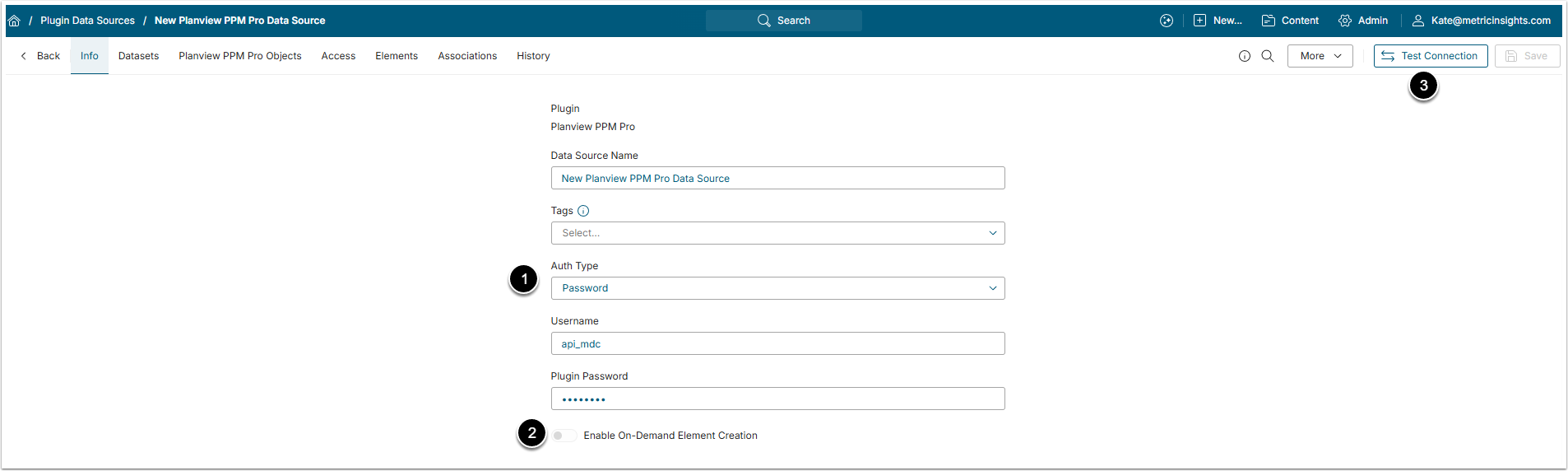
- Auth Type: Select the authentication method:
- Password: Use the account credentials to authenticate (Username and Plugin Password).
- Identity Profile: Select the existing Identity Profile in the Identity Profile field.
- [Test Connection]
3. Proceed with Advanced Configuration
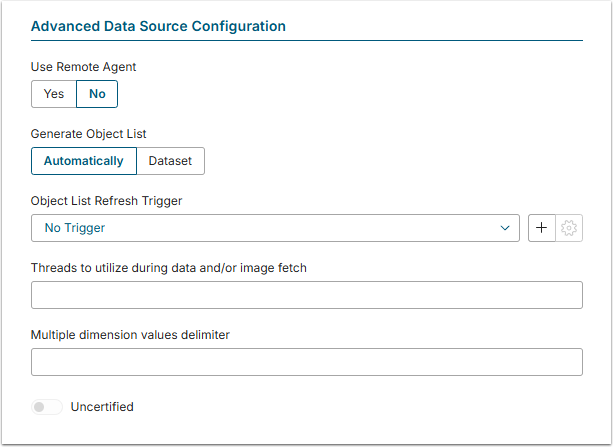
Advanced Configuration settings can be set to default values unless Data Source requires more precise tuning. For more details on how to proceed, refer to Advanced Data Source Configuration.