This article describes how to configure an OAuth application for establishing connectivity to Oracle Analytics Cloud with Metric Insights. Both Client credential and OAuth require to follow the same instructions. Additionally, the article explains how to enable embedding.
NOTE:
The following roles must be enabled for the user:
Prior to v7.2.0:
- BI Service Administrator;
- DV Content Author.
v7.2.0+:
- DV Content Author;
- BI Service Administrator - only if
extendedTestConnection=true
1. Access Domains
Access Oracle Analytic Cloud
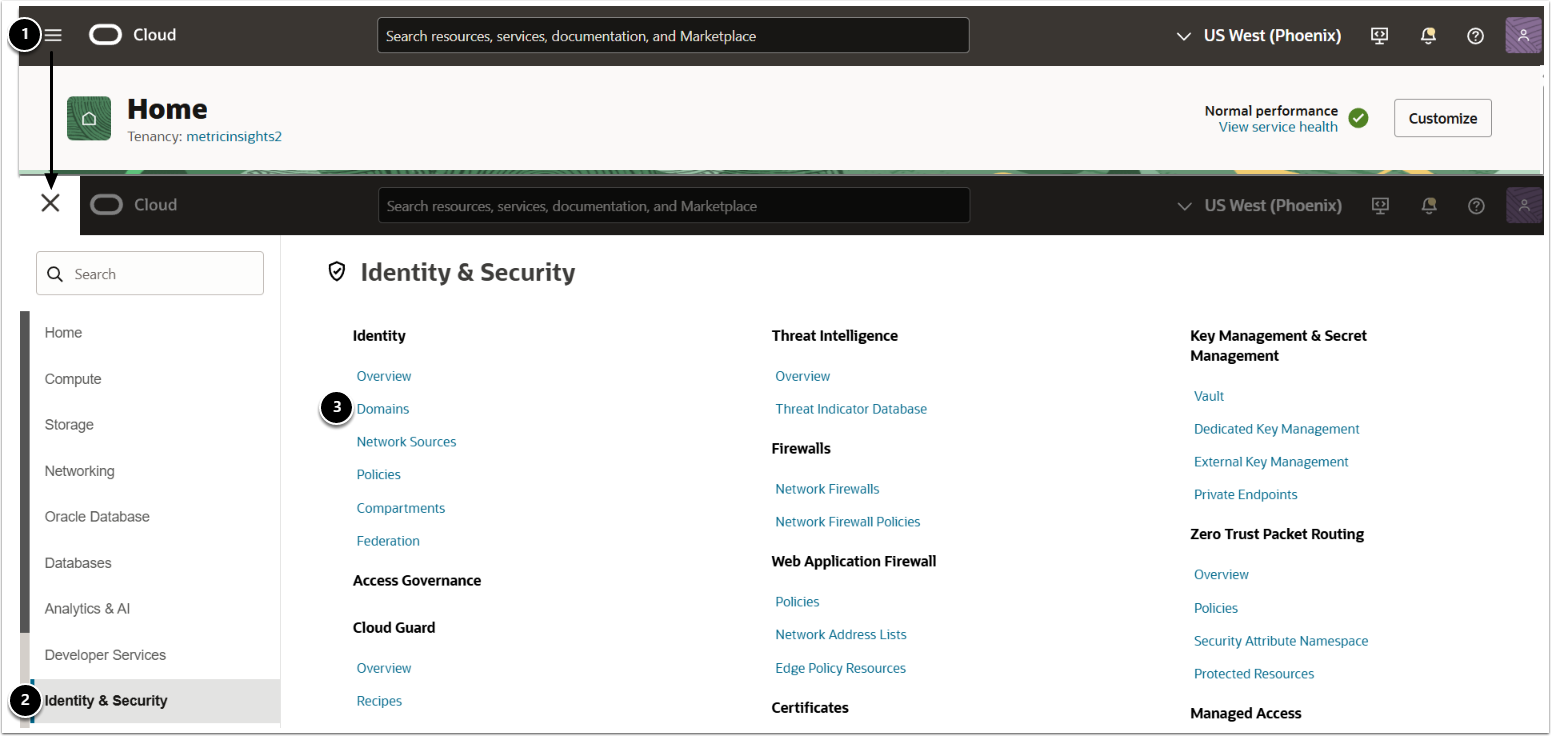
- Access Navigation menu;
- Select Identity & Security;
- Select Domains.
2. Access Required Domain
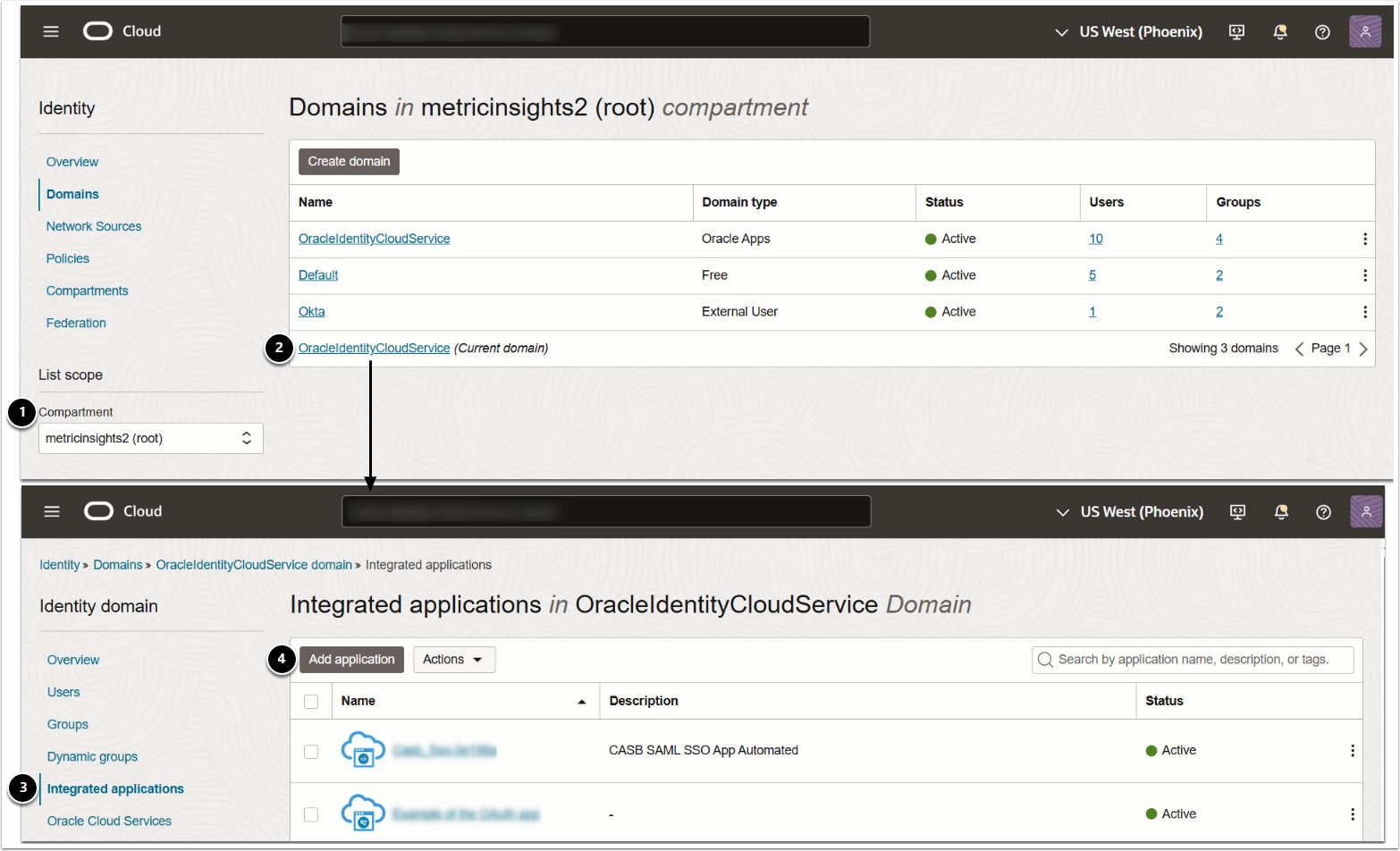
- Select the required Compartment form the drop-down;
- Access the required domain;
- Access Integrated applications;
- [Add application]
3. Launch Add Application Workflow
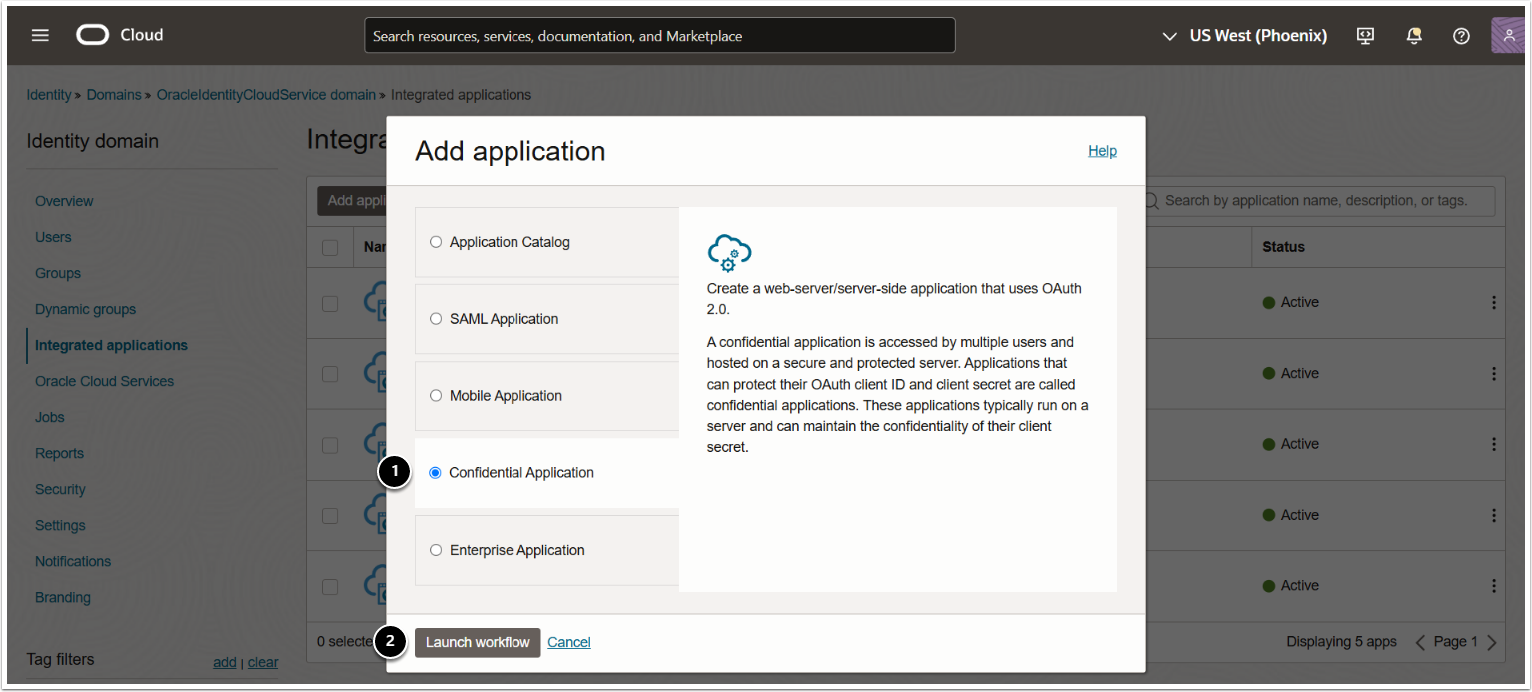
- Select Confidential Application;
- [Launch workflow]
4. Provide Application Name
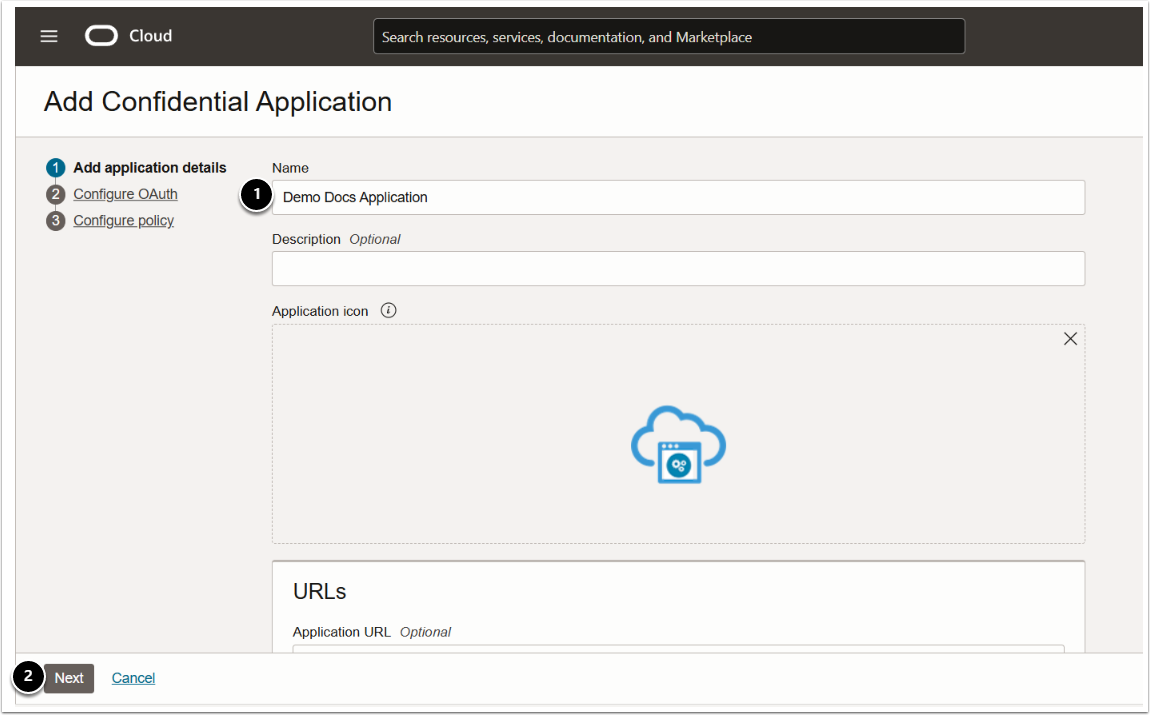
- Name: provide a descriptive phrase;
- [Next]
5. Configure OAuth Settings
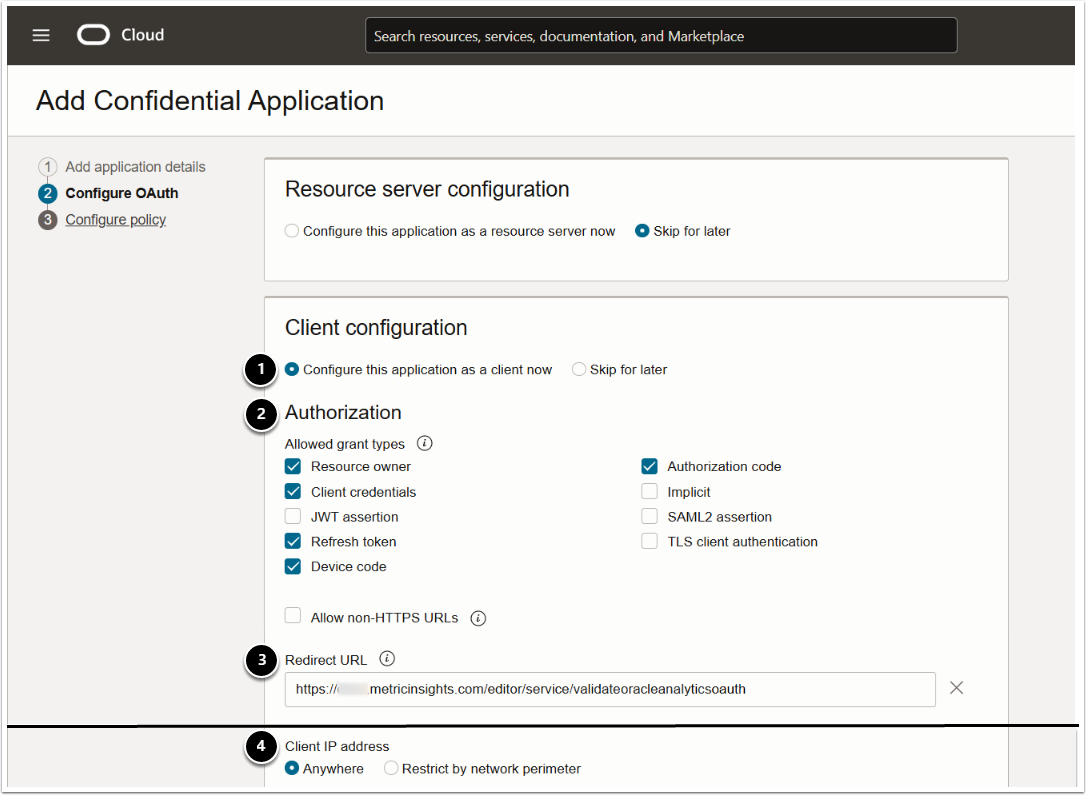
- Client configuration: set to "Configure this application as a client now";
- Authorization: activate the required grant types:
- Resource owner;
- Client credentials;
- Refresh token;
- Authorization code.
- Redirect URL: provide the redirect URL for getting OAuth token in the following format:
- <hostname>/editor/service/validateoracleanalyticsoauth
- Client IP address: set to "Anywhere".
5.1. Add Scope
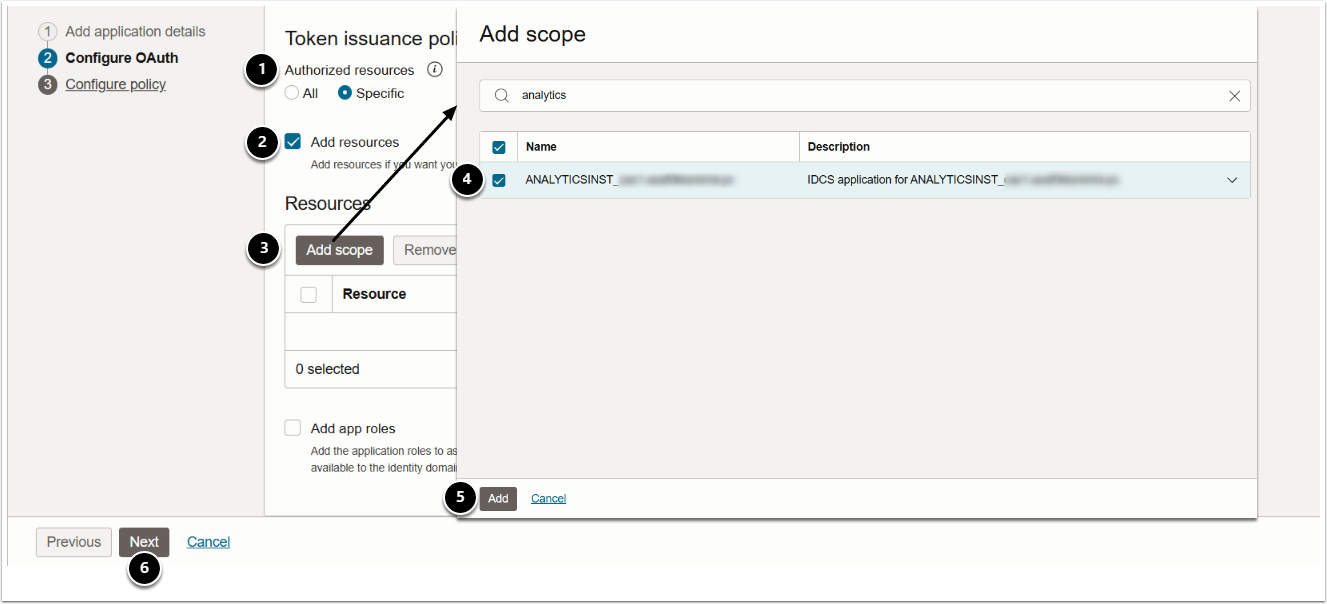
- Authorized resources: set to "Specific";
- Activate Add resources;
- [Add scope]
- Choose the ANALYTICSINST instance;
- [Add]
- [Next] and [Finish]
6. Activate Application
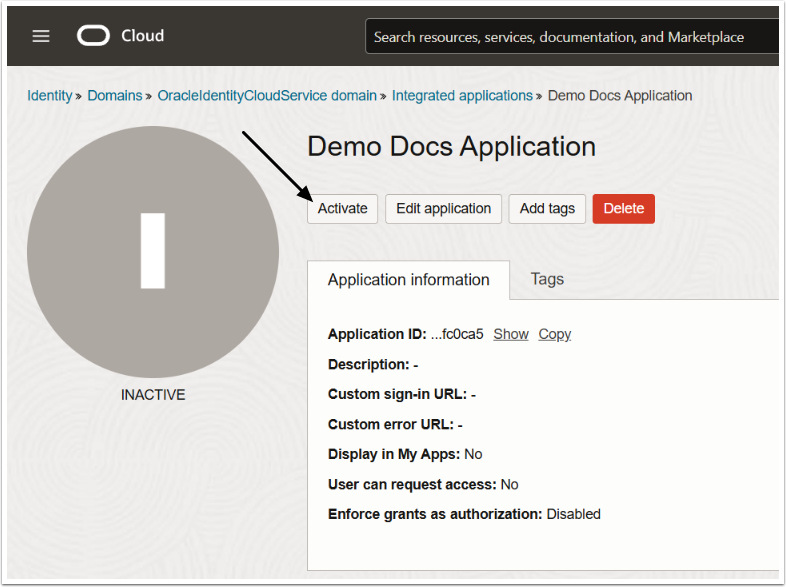
[Activate] and confirm your consent.
7. Locate Client ID/Secret
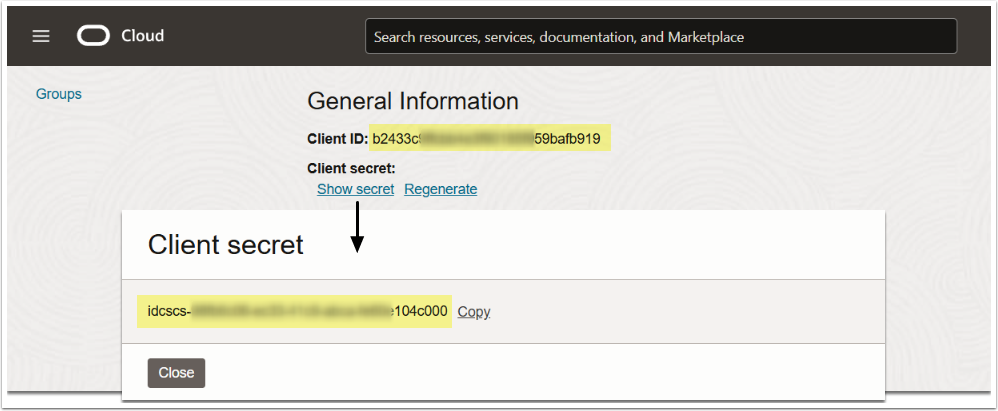
On the application overview page, under General Information, locate Client ID and Client secret.
8. Locate Scope
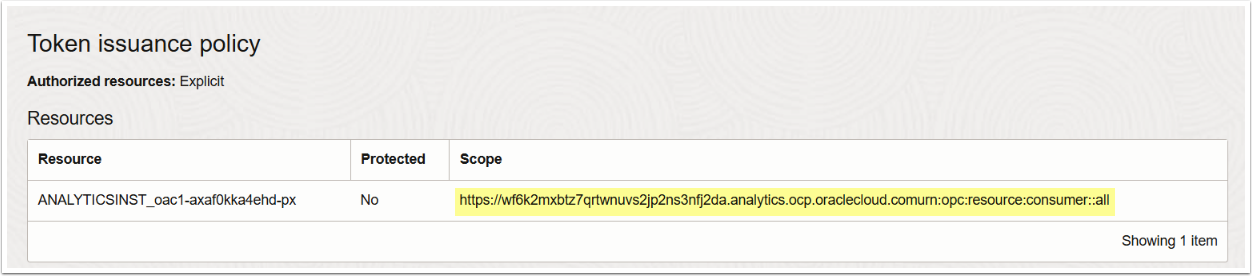
On the application overview page, under Token issuance policy, locate the application Scope.
9. Locate IDCS Instance
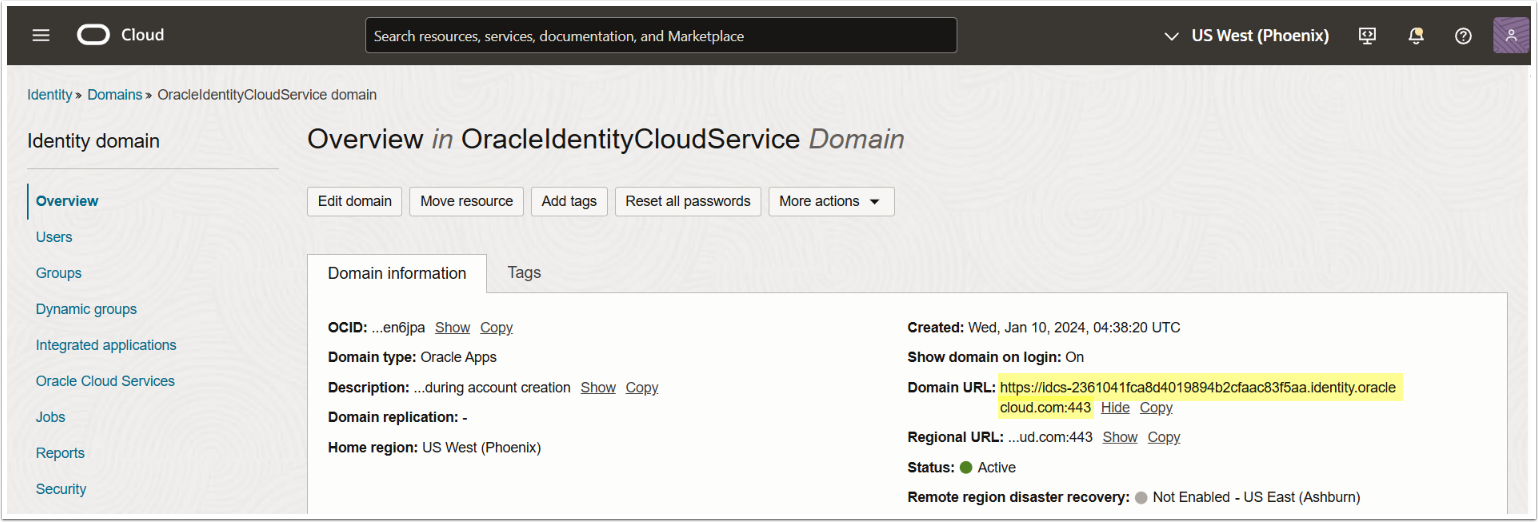
Under Identity & Security > Domains > Your current domain, locate Domain URL that will be used in MI for the IDCS Instance field.
10. Enable Embedding
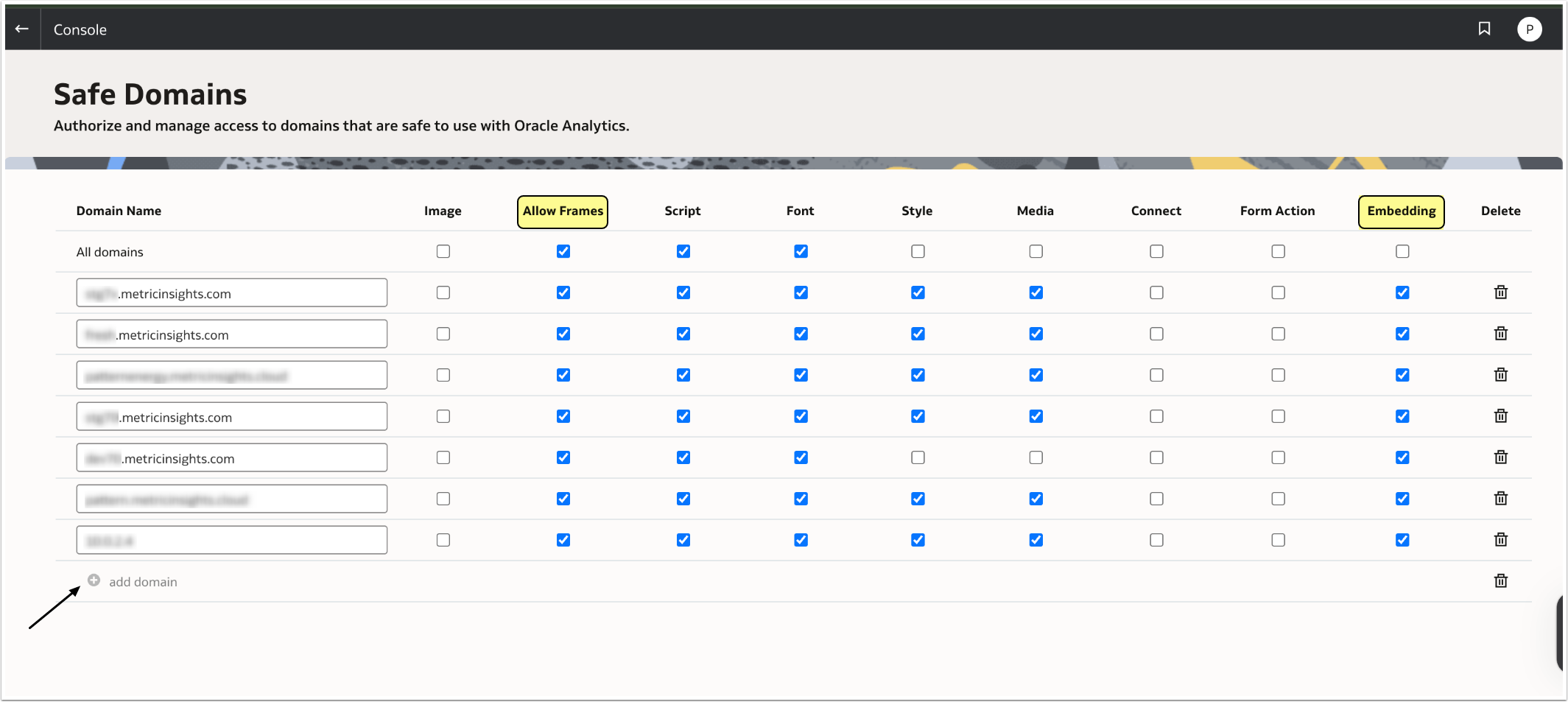
For security reasons, external content cannot be added to reports, reports cannot be embedded in other applications, and connections to certain data sources are restricted unless explicitly approved by an Oracle Analytics Cloud (OAC) administrator.
Only administrators can designate trusted domains. To register a safe domain:
- In Oracle Analytics, open the Navigator and select Console.
- Go to Safe Domains.
- Click Add Domain and enter the domain name in the following format: <hostname>.metricinsights.com.
- Enable Allow Frames and Embedding.