This article describes how to connect to Amazon QuickSight in order for the tool to be used as Data Source in Metric Insights.
PREREQUISITES:
1. Create New Data Source
Access Admin > Collection & Storage > Data Sources
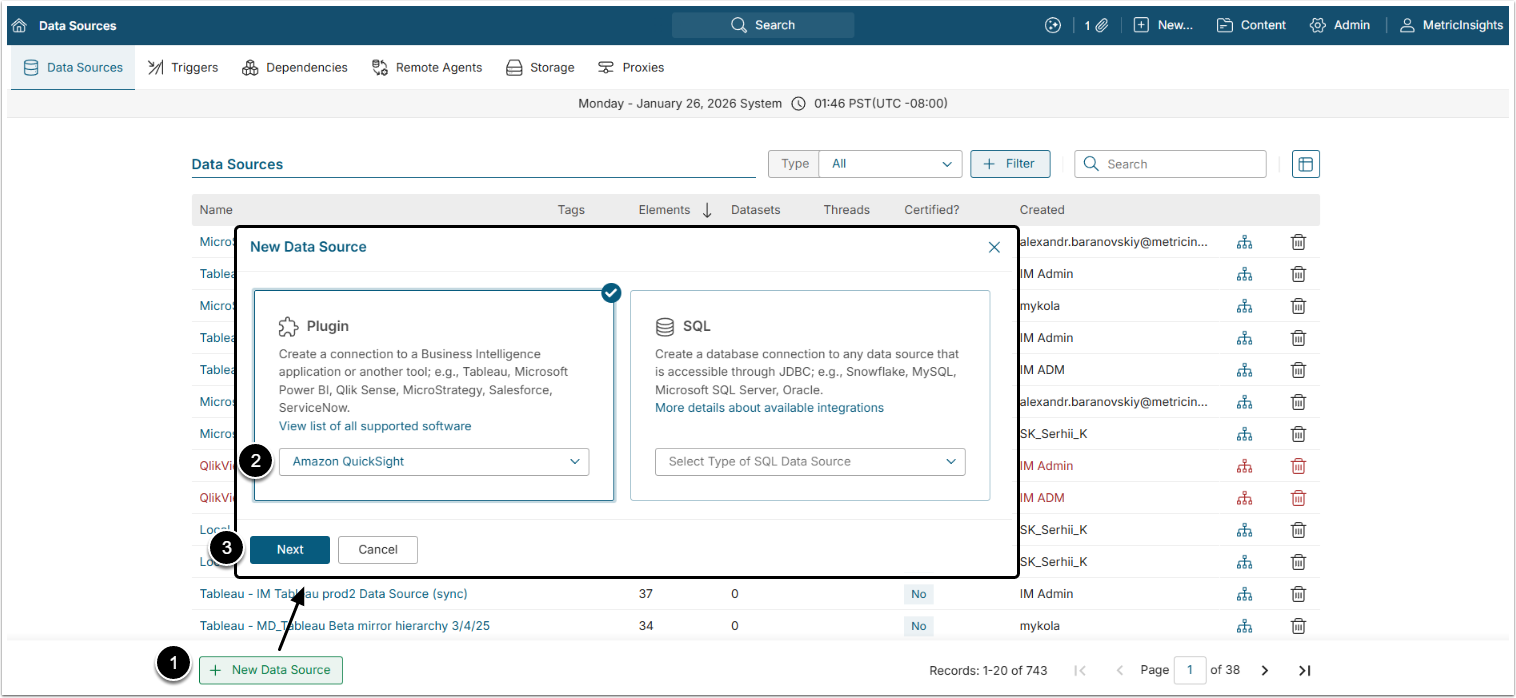
- [+New Data Source]
- Choose "Amazon QuickSight" from Plugin drop-down list.
- [Next]
2. Provide Required Parameters
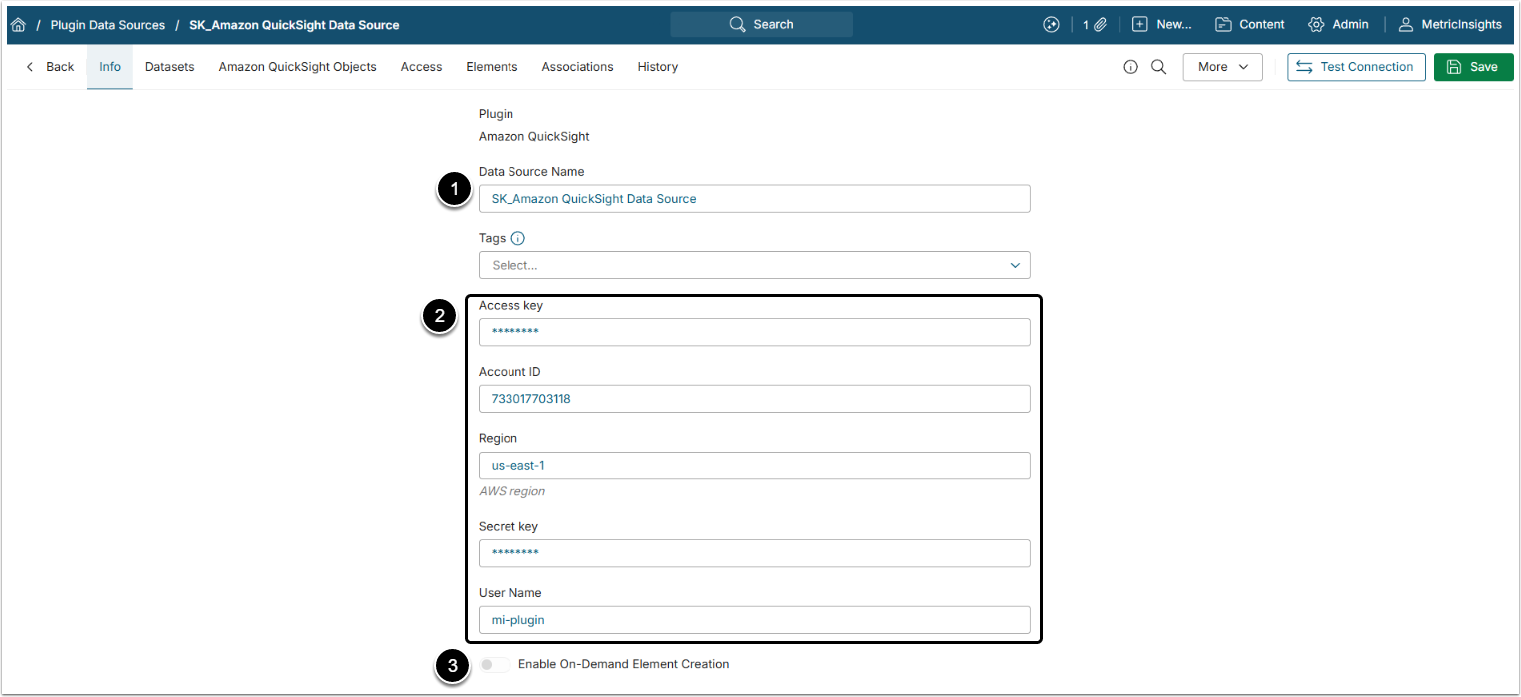
- Data Source Name: Give the Data Source a descriptive name.
- Provide Access Key, Account ID, AWS Region, Secret key and User Name, collected in the Prerequisites for Connecting to Amazon QuickSight.
- Optionally, toggle on Enable On-Demand Element Creation.
3. Proceed with Advanced Data Source Configuration
Advanced Configuration settings can be set to default values unless Data Source requires more precise tuning. For more details on how to proceed, refer to Advanced Data Source Configuration.
Click [Test Connection] in the upper right corner.