BETA FEATURE: This is a beta feature introduced in v7.2.1. It can change as the feature evolves.
Concierge Data Source allows Users to have Concierge analyze existing Datasets and generate more specialized Datasets from them. In addition, Users can create Datasets from various types of publicly available information, such as weather, population, or pricing data.
This article explains how to create a Data Source using the Concierge plugin.
PREREQUISITES:
- Concierge has to be installed and set up on the instance.
- If a Datasets has to be created through a specific Domain, set up External Resource and Domain.
NOTE: Be aware that using Concierge as a Data Source involves sending data to the Concierge and, consequently, to the LLM. Exercise caution when handling sensitive information.
1. Add New Data Source
Access Admin > Collection & Storage > Data Sources
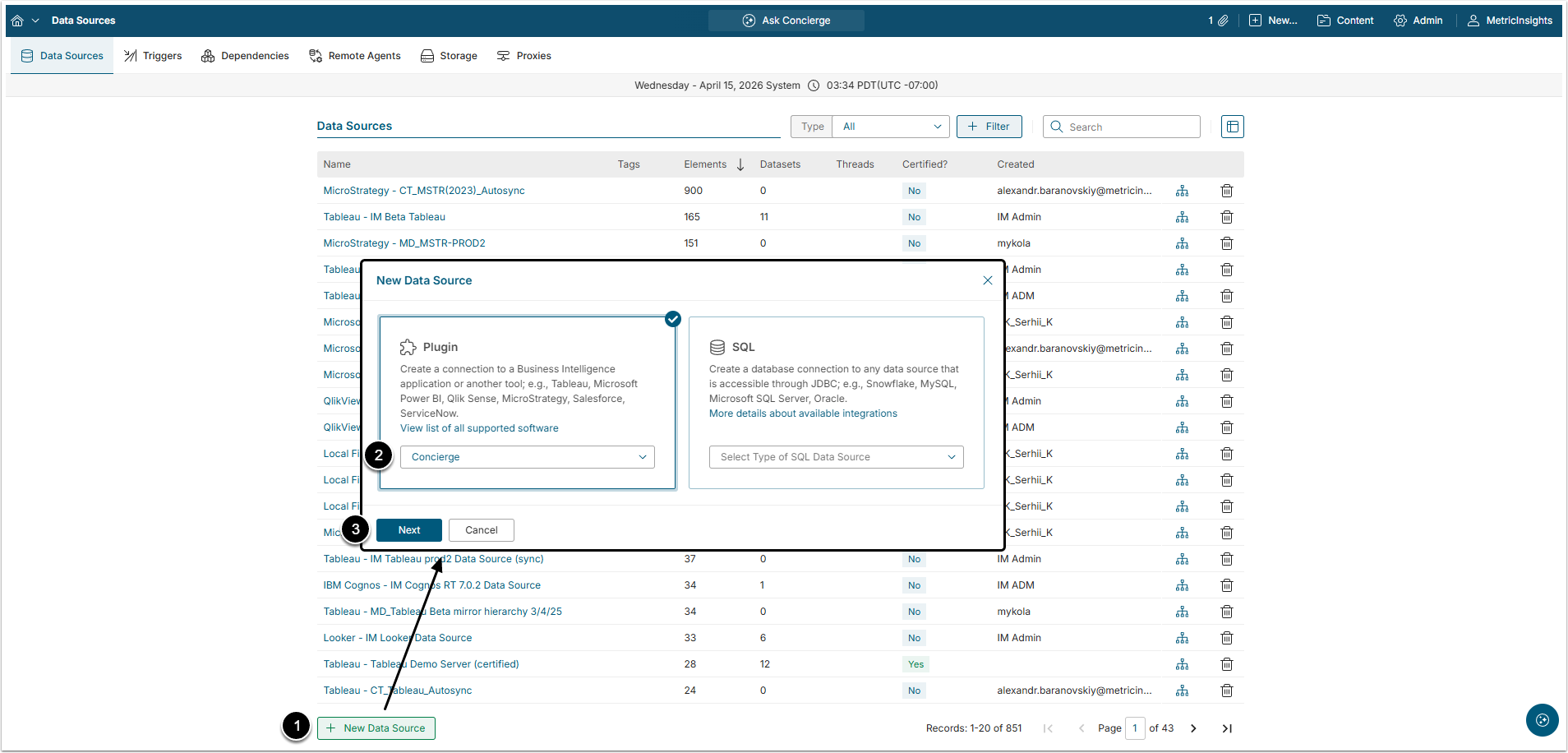
- [+New Data Source]
- Choose "Concierge" from Plugin drop-down list.
- [Next]
2. Provide Required Parameters
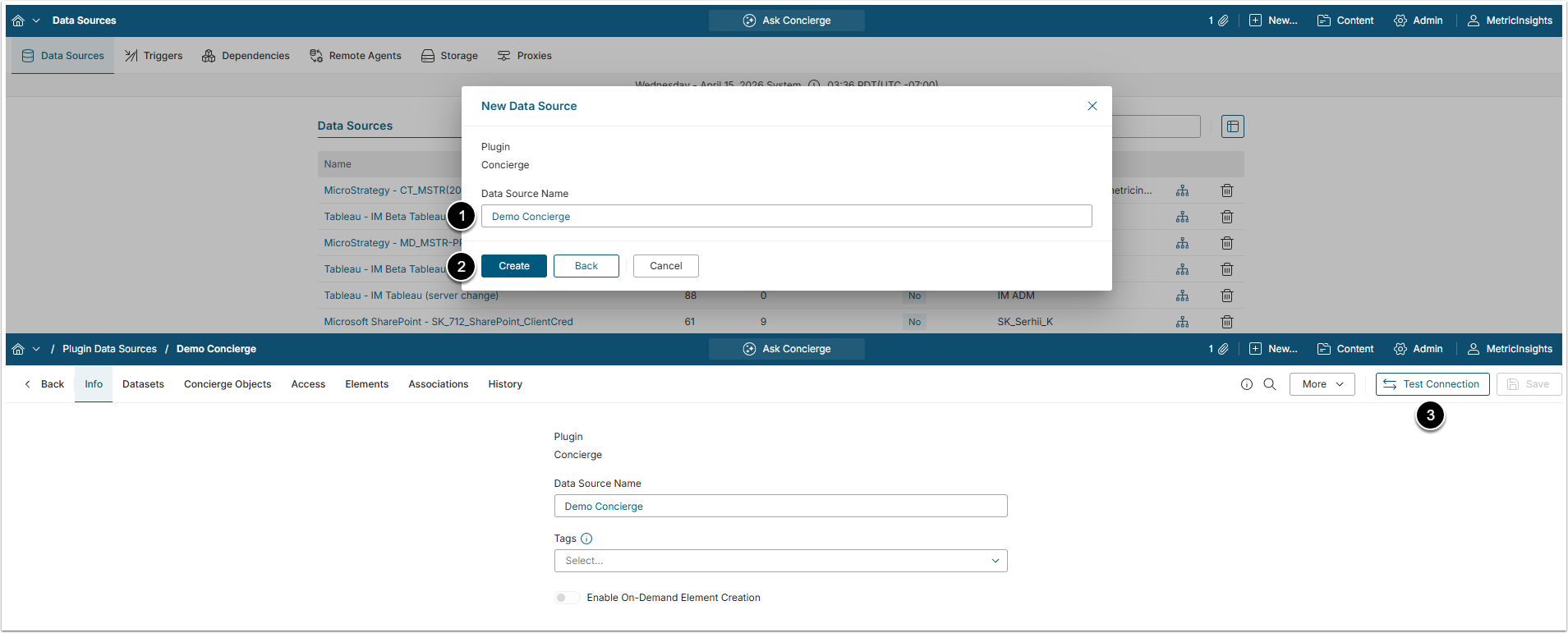
- Data Source Name: Give the Data Source a descriptive name.
- [Create]
- [Test Connection]
3. Collect Domains
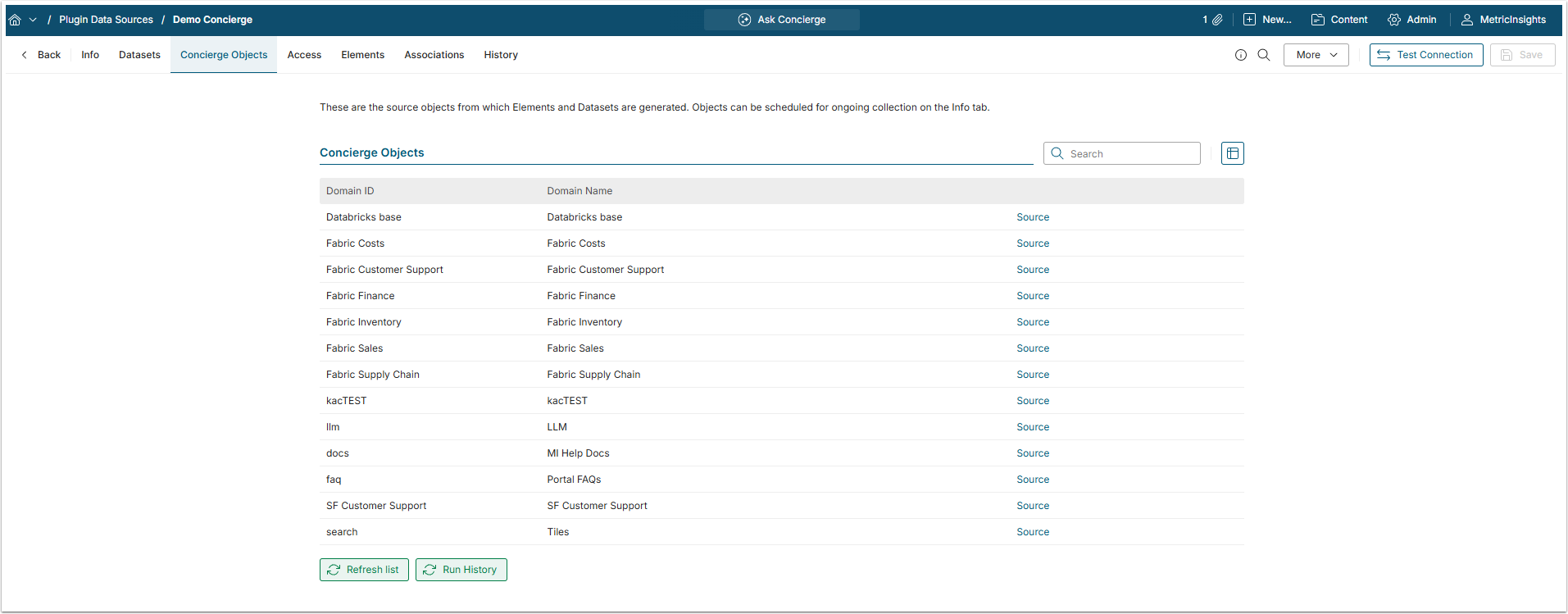
Go to Concierge Objects tab

Click [Refresh list] to collect all the Domains that were created for Concierge.
The default Domains are:
- llm [LLM];
- doc [MI Help Docs];
- faq [Portal FAQs];
- search [Tiles].
All the others are Domains that Users created.